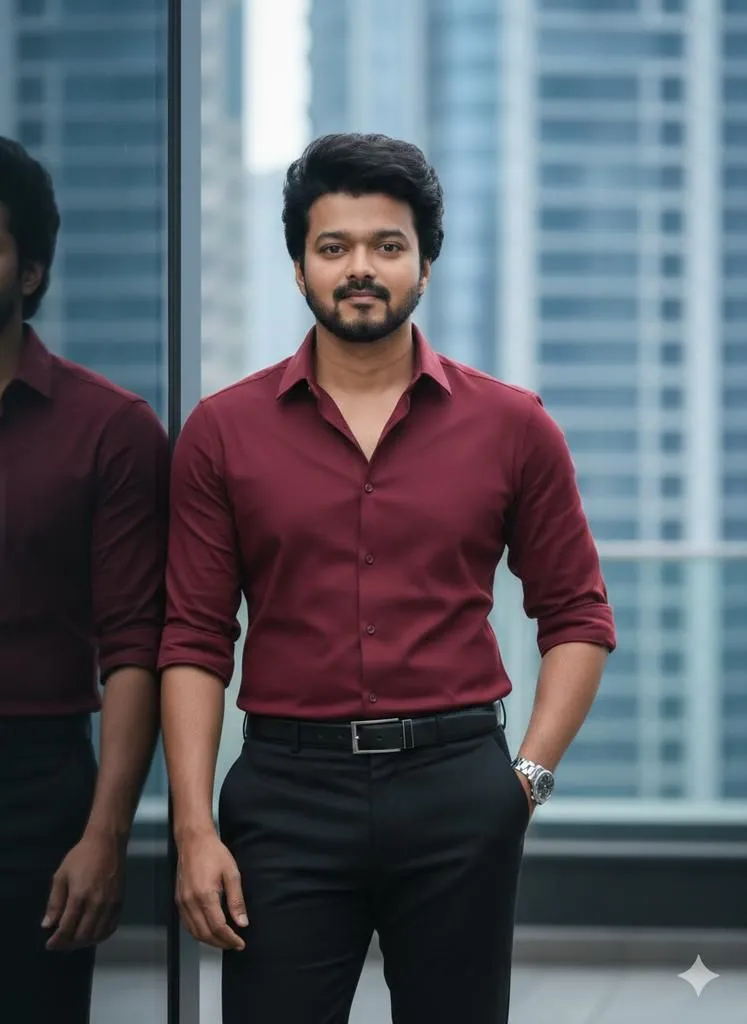
Cinematic Urban Male Portrait with Identity Preservation
"prompt": "Use the uploaded photo STRICTLY as the facial identity reference. Preserve the same person exactly — no change in face structure, age, skin tone, beard, or defining features.\n\nCreate a cinematic 9:16 vertical ultra-realistic portrait of a fit, athletic, handsome man standing on a modern city terrace beside a dark reflective glass wall. Distant blue-gray skyscrapers are softly blurred in the background, creating a clean urban depth.\n\nNatural daylight from the front-left creates soft shadows and balanced highlights across the face and body. The subject faces the camera with calm confidence and relaxed presence.\n\nOutfit details:\n• Fitted shirt_color long-sleeve button-down shirt, sleeves rolled just below the elbows\n• Black tailored trousers\n• Black leather belt with rectangular metal buckle\n• Silver wristwatch on the left wrist\n\nPose and body language:\n• Upright posture\n• Left hand in trouser pocket\n• Right arm relaxed by the side\n• Eye-level medium shot\n\nColor and mood:\nCool-toned urban background contrasts with warm subject tones, delivering a premium cinematic city aesthetic.\n\nCamera & quality:\nShot in ultra-clean cinematic realism, true 4K UHD HDR, 10-bit 4:2:2 color, Log profile, Rec.2020 color space, H.265 look. Full-frame camera style, 35–50mm lens at f/1.8–2.8, ISO 100–400, 5400K white balance. Moderate depth of field with sharp focus on the subject.", "negative_prompt": "face change, identity alteration, cartoon, CGI, illustration, plastic skin, beauty retouching, over-smoothing, exaggerated muscles, distortion, blur, low resolution, watermark, logo, text, artificial lighting, over-stylized fashion"