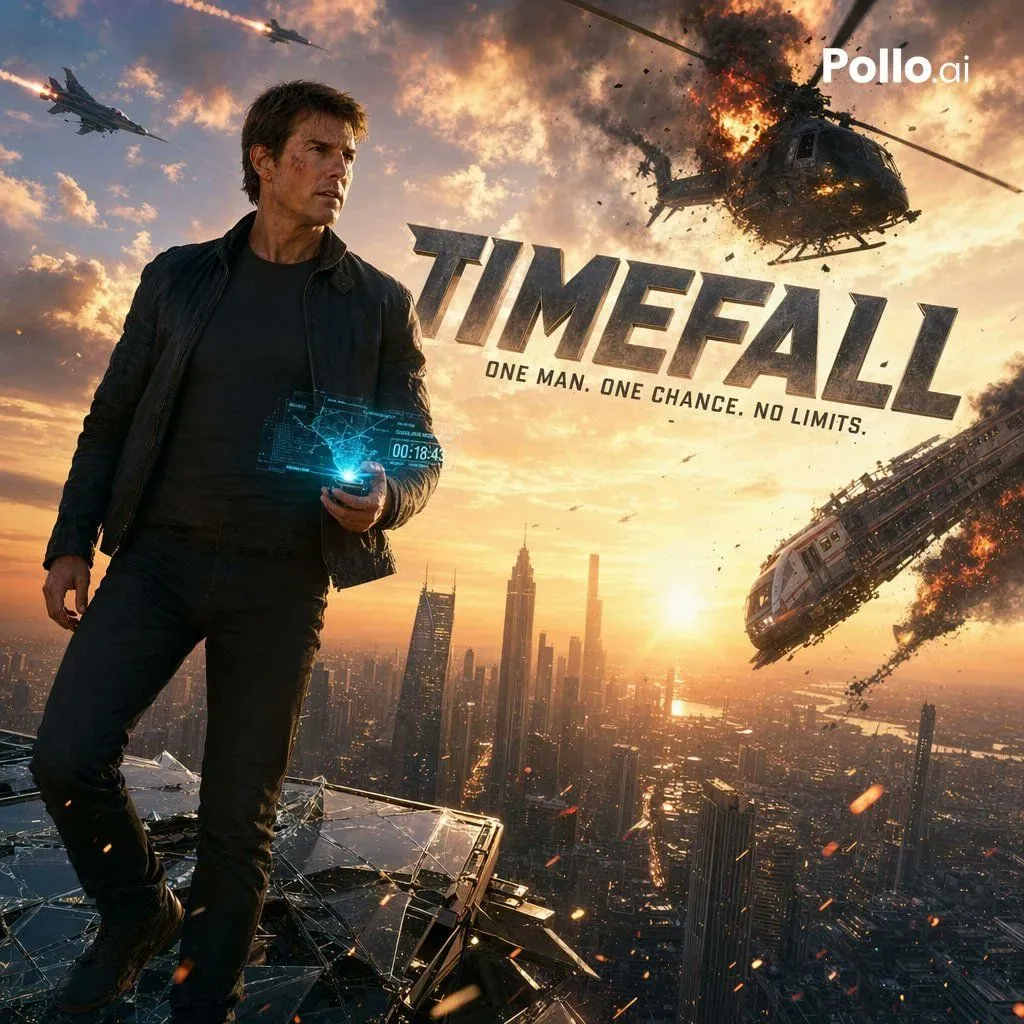
Cinematic Sci-Fi Action Poster
Create a hyper-realistic cinematic action movie poster at golden-hour sunset, showing a rugged adult male action hero standing on the shattered glass edge of a skyscraper rooftop high above a futuristic megacity. He is positioned on the left side of the frame in a powerful full-body pose, wearing a dark fitted T-shirt, black jeans, and a dark open jacket, with windswept short brown hair. His face is intentionally obscured with a smooth rectangular blur block, as if censored. In one hand he holds a glowing blue holographic device projecting a transparent sci-fi interface with maps, targeting graphics, and a digital countdown timer reading 00:18:43. The background features a dramatic skyline of tall modern towers stretching to the horizon, with the sun low in the center-right casting warm orange light across the city. Fill the sky with explosive blockbuster action: 1 large helicopter in the upper right exploding midair with fire, smoke, debris, and spinning rotor fragments; 1 damaged passenger aircraft on the lower right banking downward trailing flames and black smoke; and 2 fast military jets streaking across the upper left sky leaving bright missile trails. Add flying embers, sparks, drifting debris, and intense volumetric smoke clouds for a high-stakes disaster atmosphere. Place a huge metallic 3D movie title across the upper-middle right reading title_text, angled slightly with bold steel texture and cinematic shadowing. Beneath it, add the tagline in clean bold capitals: tagline. Add a small white brand mark in the top-right corner reading logo_text. Use ultra-detailed photorealism, dramatic contrast, blockbuster poster composition, anamorphic flare, sharp character detail, epic scale, and polished Hollywood key art styling.