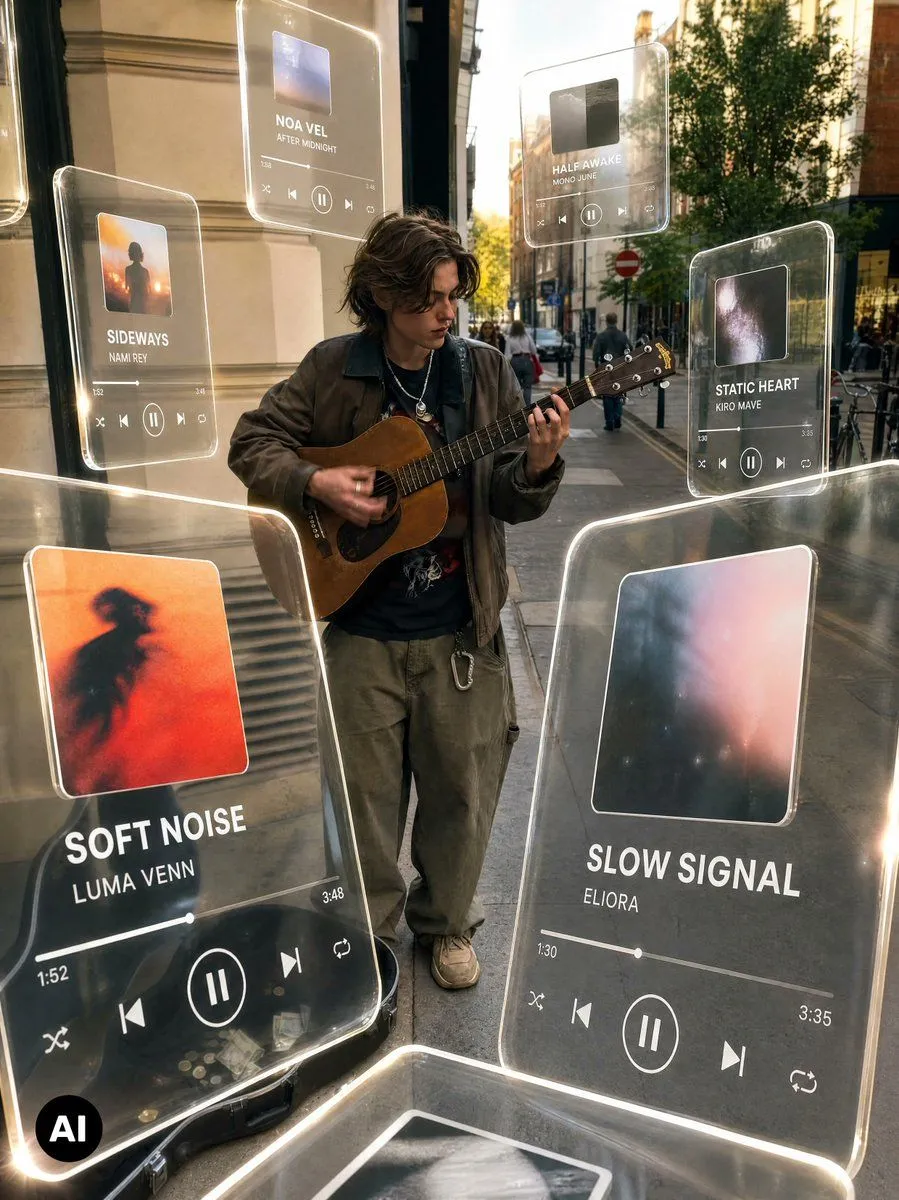
Cinematic Holographic Music Player Edit
Using the provided reference image as the base street-busker photo, keep the person, guitar, outfit, sidewalk location, guitar case, and overall camera angle intact, but transform it into a viral cinematic music-edit scene. Add floating translucent glass music-player UI panels around the performer, with glowing rounded edges, soft reflections, and slight perspective depth as if they are holographic cards suspended in the street. Apply warm golden-hour color grading, stronger contrast, subtle motion/radial blur streaks around the edges, and a polished editorial look while keeping the subject relatively sharp. Add exactly 6 visible music-player cards: 1. Large foreground card at lower left: album art with a red/orange blurred silhouette, title “SOFT NOISE,” artist “LUMA VENN,” timestamp 1:52, duration 3:48, and playback controls. 2. Large foreground card at lower right: misty blue-pink album art, title “SLOW SIGNAL,” artist “ELIORA,” timestamp 1:30, duration 3:35, and playback controls. 3. Small upper-left card: title “SIDEWAYS,” artist “NAMI REY,” with album art and controls. 4. Small top-center card: title “NOA VEL,” artist “AFTER MIDNIGHT,” with album art and controls. 5. Small upper-middle-right card: title “HALF AWAKE,” artist “MONO JUNE,” with album art and controls. 6. Small upper-right card: title “STATIC HEART,” artist “KIRO MAVE,” with album art and controls. Style constraints: make the cards semi-transparent so the street remains visible through them; use white typography and minimalist player icons; add luminous edge highlights and realistic glass distortion; preserve the small black “AI” badge in the bottom-left corner; avoid changing the performer’s identity or pose. Optional customization: use main_left_song_title, main_right_song_title, color_grade, ui_material, and overall_effect.