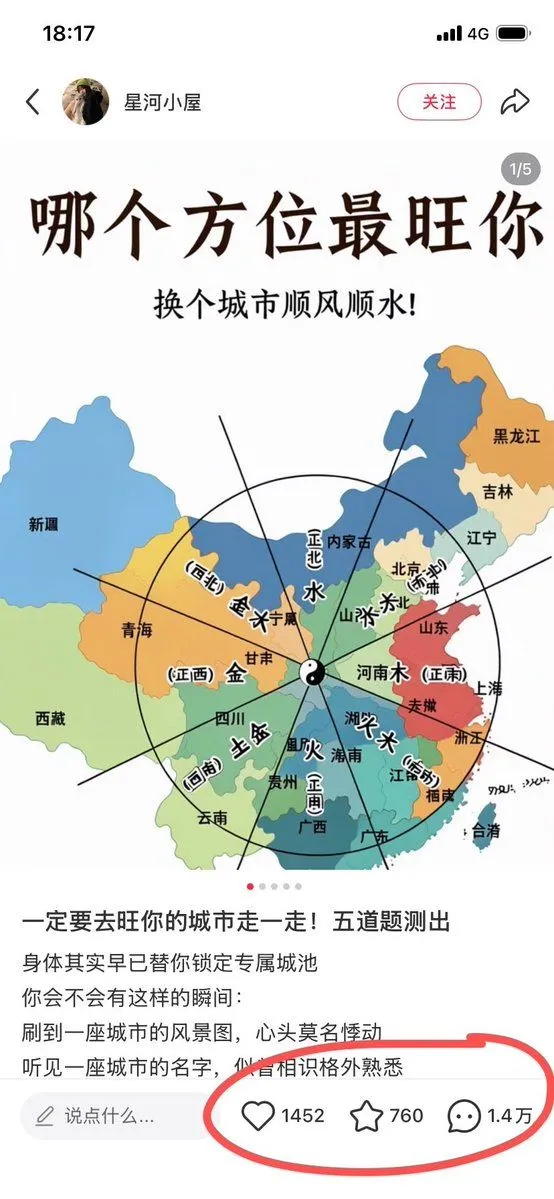
Chinese Feng Shui City Test Screenshot
Goal: Create a realistic screenshot-style vertical Chinese social media post about a fun feng shui city-direction personality test. Canvas: Tall smartphone screenshot, approximately 9:16, white app interface background, iPhone status bar at the top showing time 18:17, signal, 4G, and battery. The whole image should look like a Xiaohongshu/RED note screenshot rather than a clean poster. Top app header: A back arrow on the left, a small circular female avatar, the account name account_name, a rounded pink-outline follow button labeled 「关注」, and a share arrow icon on the right. Add a small gray carousel badge near the upper right of the post image reading 「1/5」. Main post image: Center a colorful simplified map of China on a white background. Use pastel province blocks with Chinese province labels such as 新疆, 青海, 西藏, 四川, 云南, 贵州, 广西, 广东, 福建, 浙江, 上海, 安徽, 山东, 河南, 北京, 内蒙古, 辽宁, 吉林, 黑龙江, 台湾. Overlay a black feng shui/bagua compass diagram: one large circle, multiple radial black lines, a yin-yang symbol at the center, and bold Chinese five-element/direction labels including 水, 木, 火, 土, 金 and direction notes such as 正北, 正南, 正东, 正西, 西北, 东北, 东南, 西南. The map should feel like a casual educational graphic, slightly imperfect but readable. Main headline text: At the top of the post image, use very large dark brown-black Chinese calligraphy-style title text: headline_text. Below it, centered smaller black text: subtitle_text. Post body under the image: Add Chinese caption text in a social feed layout. First line in larger black text: caption_hook. Then smaller lines: 「身体其实早已替你锁定专属城池」, 「你会不会有这样的瞬间:」, 「刷到一座城市的风景图,心头莫名悸动」, 「听见一座城市的名字,似曾相识格外熟悉」. Bottom engagement bar: At the bottom, include a rounded comment input field with a pencil icon and placeholder 「说点什么...」. To its right show exactly 3 engagement items: a heart icon with 「1452」, a star/bookmark icon with 「760」, and a comment bubble icon with 「1.4万」. Draw a thick hand-drawn red oval circle around these three engagement metrics, emphasizing them. Visual style: Realistic mobile screenshot, crisp UI icons, clean white margins, slight social-media compression, readable Chinese typography, map illustration in soft blue/green/yellow/orange/red provinces, black compass lines. Keep the image vertical and avoid adding extra panels or unrelated decorations.