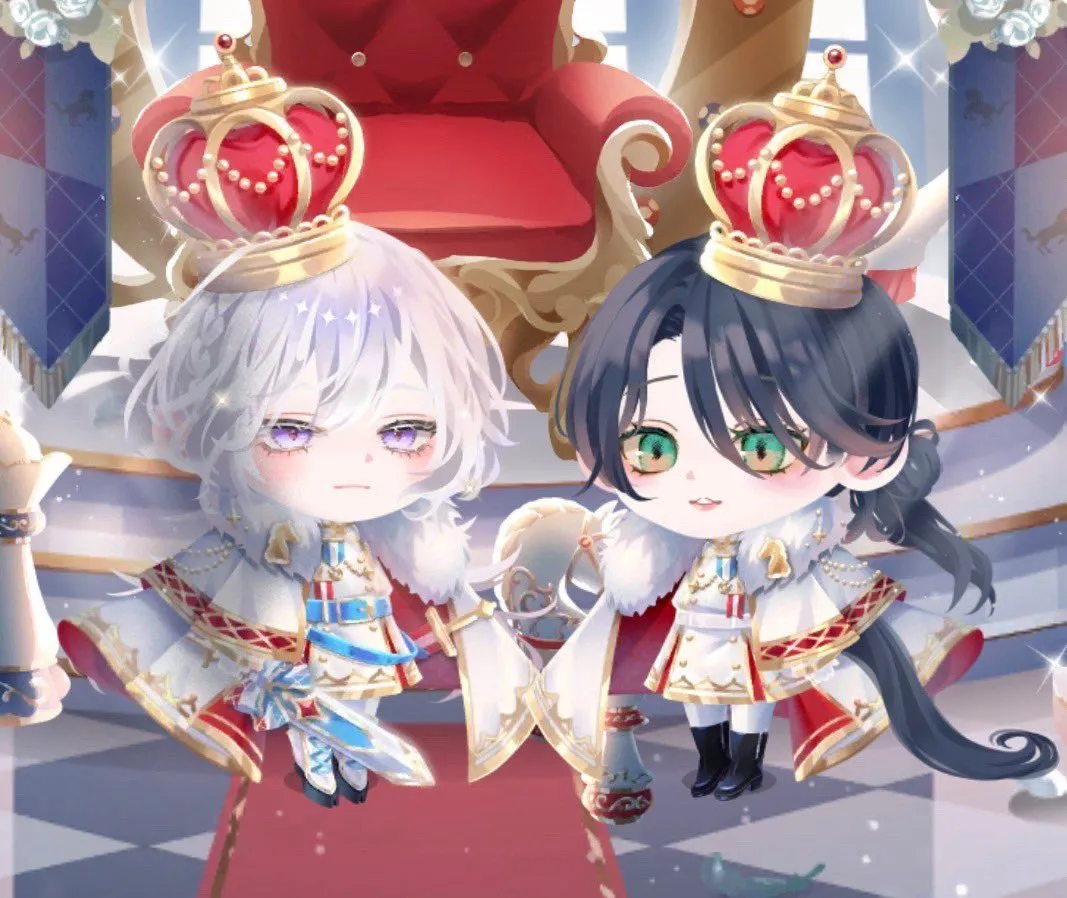
Chibi Royal Horse Twin Princes
Create a soft, high-detail chibi anime illustration of character_count royal horse-anthro twin children standing side by side in a bright palace throne room. The image shows exactly two characters: the left twin has fluffy short left_twin_hair_color hair, pale skin, droopy lavender eyes, a calm slightly sleepy expression, a white horse ear and fluffy white tail, and wears a miniature white-and-gold prince uniform with blue accents, medals, epaulettes, a fur-trimmed cape, jeweled sash details, gloves, and dark boots; the right twin has long right_twin_hair_color hair tied low with loose curls, pale skin, large green eyes, a gentle smiling expression, a white horse ear and long dark tail, and wears a matching white-and-gold royal uniform with red accents, medals, epaulettes, fur-trimmed cape, black boots, and delicate pearl chains. Each twin wears one oversized ornate crown, for exactly two crowns total: gold frames with red velvet centers, pearl garlands, small jewel finials, and bright sparkle highlights. Place them in front of a large plush red throne with gold carved arms and trim, tall palace windows pouring in white light, blue royal banners with subtle horse emblems on both sides, a red carpet, and a glossy gray-and-white checkerboard floor. Use a dreamy gacha-game character style, oversized heads and tiny bodies, delicate eyelashes, soft blush, pastel lighting, shimmering magical particles, lens-flare sparkles, and polished fantasy royalty details. Composition should be a medium-wide frontal view, symmetrical and cute, with the throne centered behind them and both characters fully visible from crown to boots. No text, no watermark, no extra characters.