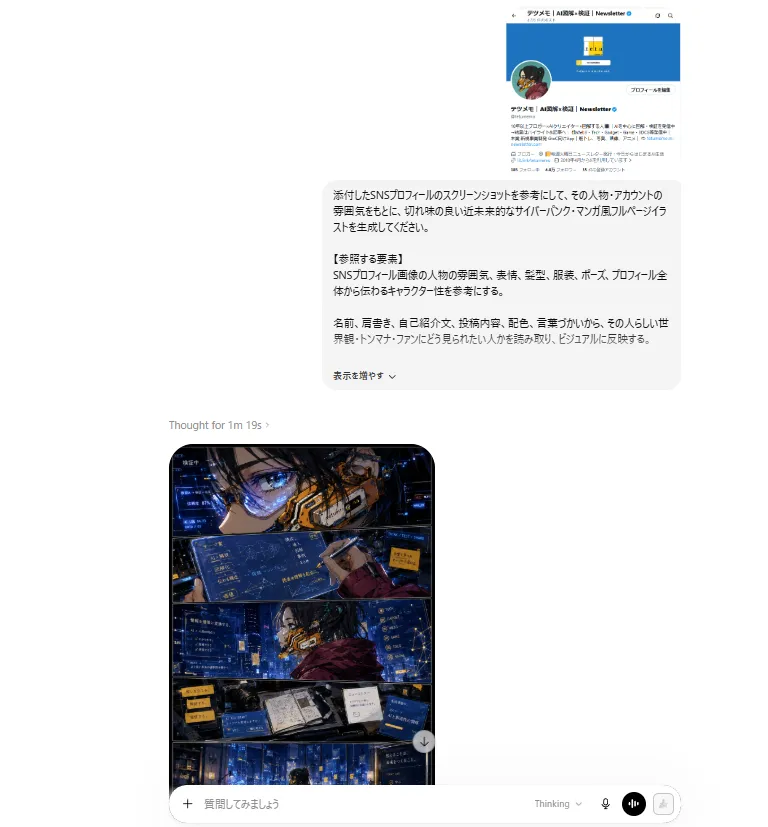
ChatGPT Cyberpunk Manga Screenshot
Goal: Create a realistic desktop screenshot of a ChatGPT-style web interface showing a Japanese prompt request and the resulting cyberpunk manga illustration. Canvas: Landscape browser screenshot, approximately 768×827 px, mostly white background with lots of empty margin. The conversation column is centered slightly to the right, with a generated image preview aligned below and left of the prompt card. Layout: At the top right, show a small embedded social media profile screenshot. Beneath it, show one large rounded light-gray Japanese prompt bubble. Below and left of the bubble, show a small status line reading “Thought for 1m 19s ›”. Under that, show one tall generated image card with rounded corners, partly visible, followed by a bottom message composer bar spanning the lower width. Top social profile screenshot: Show exactly 1 miniature Japanese X/Twitter-style profile card with a bright blue header, circular avatar on the left, a small square yellow logo in the header area, Japanese account name text including “Newsletter”, a follow/profile button, and dense Japanese bio text. Keep it small and slightly blurry like a pasted reference screenshot. Japanese prompt bubble: A rounded rectangle in very pale gray with black Japanese text. The text should request generating a stylish, sharp, futuristic cyberpunk manga-style full-page illustration based on an attached SNS profile screenshot. Include a bold-looking section label “【参照する要素】”. Mention referencing the person/account atmosphere, facial expression, hairstyle, clothing, pose, overall profile feel, name, writing style, self-introduction, posts, colors, wording, worldview, catchphrases, and activities. At the bottom, include a small control line similar to “表示を増やす⌄”. Generated manga card: Show exactly 1 vertical full-page cyberpunk manga image inside a rounded black-bordered card. The manga page is divided into exactly 4 horizontal panels: 1. Top panel: Extreme close-up of an anime character’s eye and face, wearing angular futuristic glasses or visor elements, with blue holographic UI screens and orange mechanical cybernetic face gear. 2. Second panel: Wider shot of the same character in a dark blue neon city/control-room environment, wearing a maroon jacket or cloak, surrounded by floating blue interface panels with Japanese text. 3. Third panel: Desk or workstation panel with an open notebook/book, devices, screens, sticky-note-like yellow labels, and data panels, all lit by blue neon. 4. Bottom panel: Wide cityscape or server-room-like cyberpunk environment in deep blues with small glowing windows, data panels, and a tiny silhouetted figure near the bottom. Manga visual style: High-detail Japanese cyberpunk comic art, dramatic ink lines, glossy digital painting, cinematic blue-and-orange lighting, dense holographic overlays, futuristic UI typography, high contrast shadows, rain-slick neon atmosphere, sharp manga panel borders, no speech balloons except tiny decorative Japanese UI text. Bottom composer UI: Show exactly 1 rounded white input bar at the bottom. Include a plus icon on the left, placeholder Japanese text “質問してみましょう”, and on the right exactly 4 controls: “Thinking” dropdown text, a microphone icon, a black circular voice/equalizer button, and a pale disabled send/icon button. Constraints: Make the whole image look like a captured AI chat webpage, not a standalone poster. Preserve Japanese text where visible but keep most of it small and not perfectly legible. Use clean browser UI spacing, rounded cards, soft shadows, and no extra watermarks. The primary illustrated character should be character_vibe; the main neon palette should be neon_color_palette; the prompt language should be prompt_language; the manga page style should be comic_style; the visible chat status should be thinking_status_text.