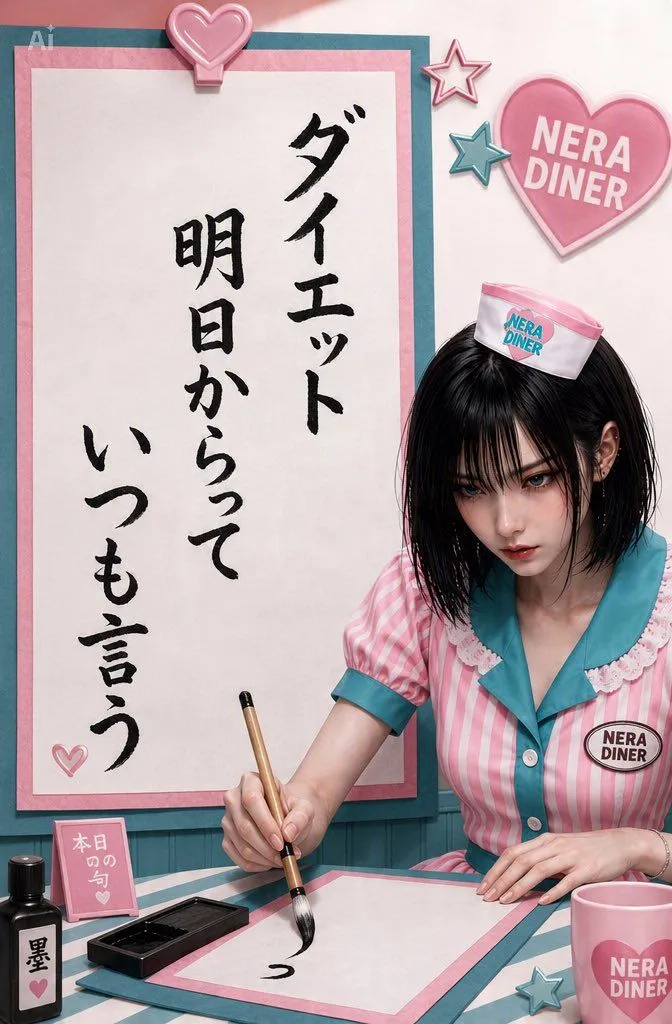
Character Personality Senryu Generation
Imagine the personality based on the attached character's character_traits, and think of one "senryu_vibe Senryu poem" that this character might read, then generate an image using that Senryu. Senryu * Based on the 5-7-5 syllable structure * Contents that the character might actually think of * Content that makes you chuckle, such as surreal, trivial, loose, or slightly disappointing * Avoid difficult words or overly literary expressions * Content where the gap with the character's appearance becomes interesting is also welcome * Automatically think of the Senryu itself during image generation Image Composition * Faithfully maintain the characteristics of the attached character's design, face, hairstyle, costume, accessories, coloring, etc. * Place the Senryu vertically and large * Handwritten/brush character style that looks like it was written by the character themselves, with a bit of personality * Make the characters accurate and easy to read as Japanese * A layout where the Senryu stands out as the protagonist of the image * In the lower right of the screen, place the attached character themselves writing the Senryu with a brush * Naturally place calligraphy tools such as brushes, ink, inkstones, and Japanese paper near the character * Make the person writing have a strangely serious expression to create a gap with the silliness of the Senryu * Design the whole thing according to the world view and coloring of the original character * Add subtle decorations typical of that character, such as hearts, stars, or small items as needed Finish it so that the gap of "looking incredibly serious, but only the written Senryu is strangely trivial" looks the most interesting.