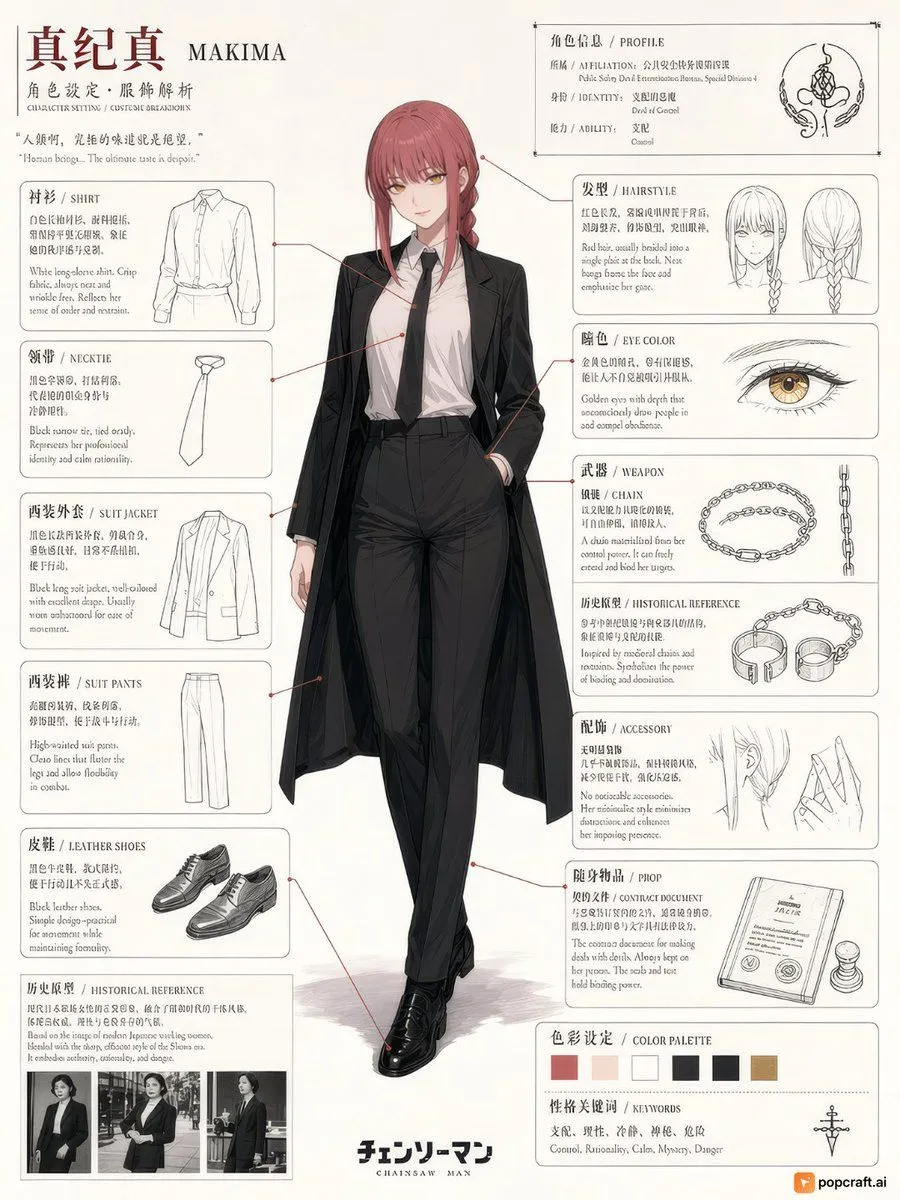
Chainsaw Man Makima Character Design Sheet
Goal: Create a detailed anime character design sheet for Makima from Chainsaw Man. Canvas: Vertical layout, clean white background with black text and line art. Layout: Central full-body illustration of the character. Surrounding panels detail specific costume elements, physical traits, and profile information. Subject details: Makima stands in the center wearing a long-sleeved white button-down shirt tucked into high-waisted black trousers, a black necktie, and a long black coat draped over her shoulders like a cape. She has red hair braided at the back with bangs framing her face, golden eyes with distinct rings, and black leather shoes. Her expression is calm and composed. Sections: - Top Left: Title "Makima" (真纪真) and subtitle "Character Setting / Costume Breakdown". - Top Right: Profile box listing Affiliation (Public Safety Devil Extermination Bureau), Identity (Divine of Control), and Ability (Control). - Left Column (Costume Breakdown): Panels for Shirt, Necktie, Suit Jacket, Suit Pants, Leather Shoes, and Historical Reference (showing photos of women in suits). - Right Column (Physical & Props): Panels for Hairstyle (front/side/back views), Eye Color (close-up of golden eye), Weapon/Chain (illustration of chains), Historical Reference (chains/handcuffs), Accessory (earring/hand gesture), Prop (contract document and stamp), Color Palette (swatches of red, beige, black, gold), and Keywords (Control, Rationality, Calm, Mystery, Danger). Visual style: High-quality anime illustration mixed with technical fashion sketching. Clean lines, precise shading on clothing folds, and elegant typography. Text content: Include bilingual labels (English/Japanese) for each section header as seen in the reference image.