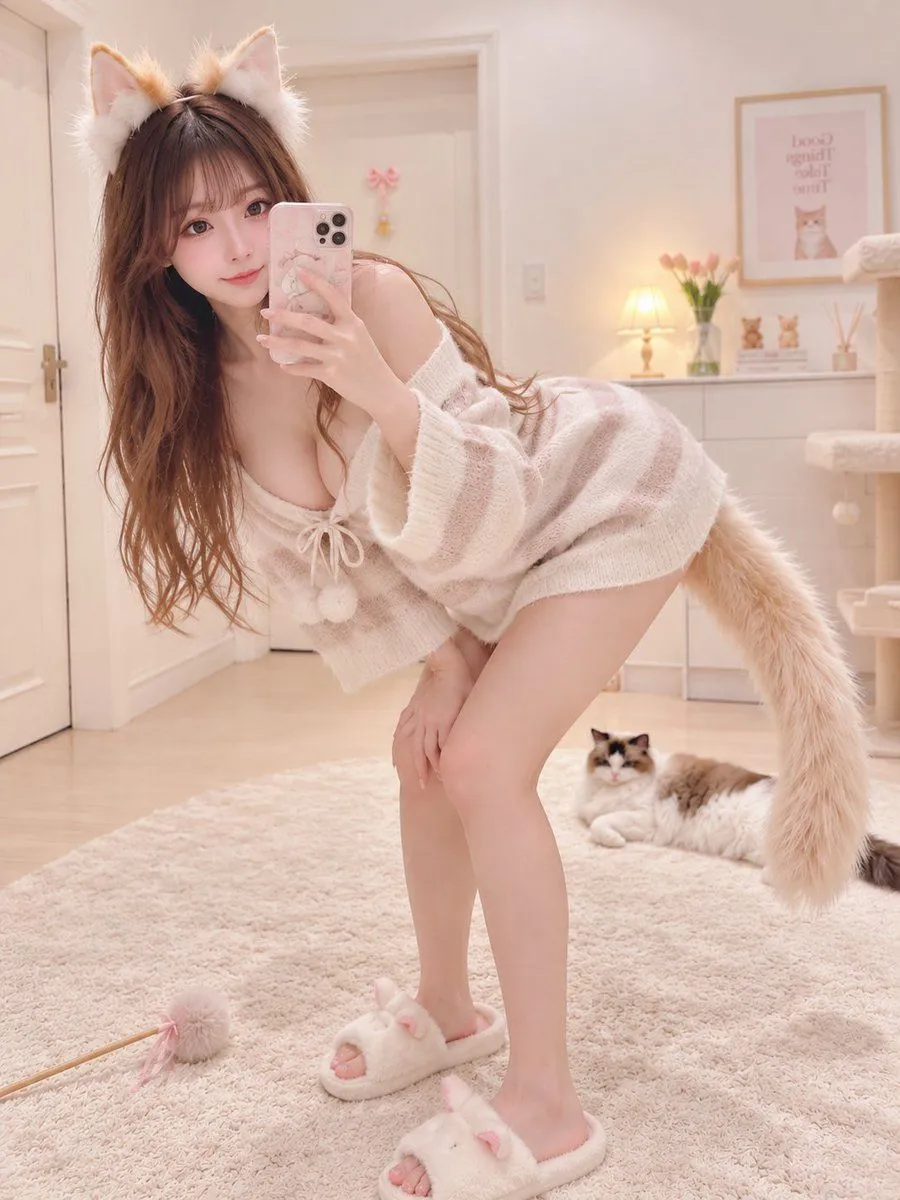
Cat Ear Knit Selfie Prompt
Subject: Selfie in cat ear knit outfit. Main Subject: A woman taking a selfie while bending forward in a white cat room, wearing cat ears and a tail, positioned in the center of the frame. Character & Expression: Small oval face, large dark brown eyes, thin eyebrows, well-defined nose, glossy pale pink lips. Expression is a soft smile, facing forward, looking at the camera through the smartphone. Long dark brown wavy hair let down, with thin bangs and a white-brown cat ear headband on top of the head. Clothing & Pose: Beige and pale pink open-knit long-sleeve knit dress, deep neckline, front tie, pom-pom decorations, short length, white cat-shaped slippers, long white-brown cat tail from waist. Knees bent, bending deeply forward, holding a smartphone with pink case in front of face with right hand, left hand resting on left knee. Background & Light: Foreground has long-pile white rug and cat teaser toy. Background has white shelves, peach blossoms, framed cat pictures, cat tower on the right, white-grey cat on floor. Soft warm indoor light from above and back-right illuminates face, knitwear, and cats. Composition & Camera: 3:4 vertical composition, full-body portrait captured by front camera slightly lower than waist, from cat ears to white slippers. Person placed large in center, occupying most of frame height. Smartphone and tail included in frame, focus on face, smartphone, and cat ears, background lightly blurred. Texture & Style: Photorealistic live-action photo. High-definition natural skin, hair, clothing materials, surrounding props, maintaining soft indoor colors of white, beige, and pale pink. Negative: Change of cat ears/tail and forward bend; omit background cats.