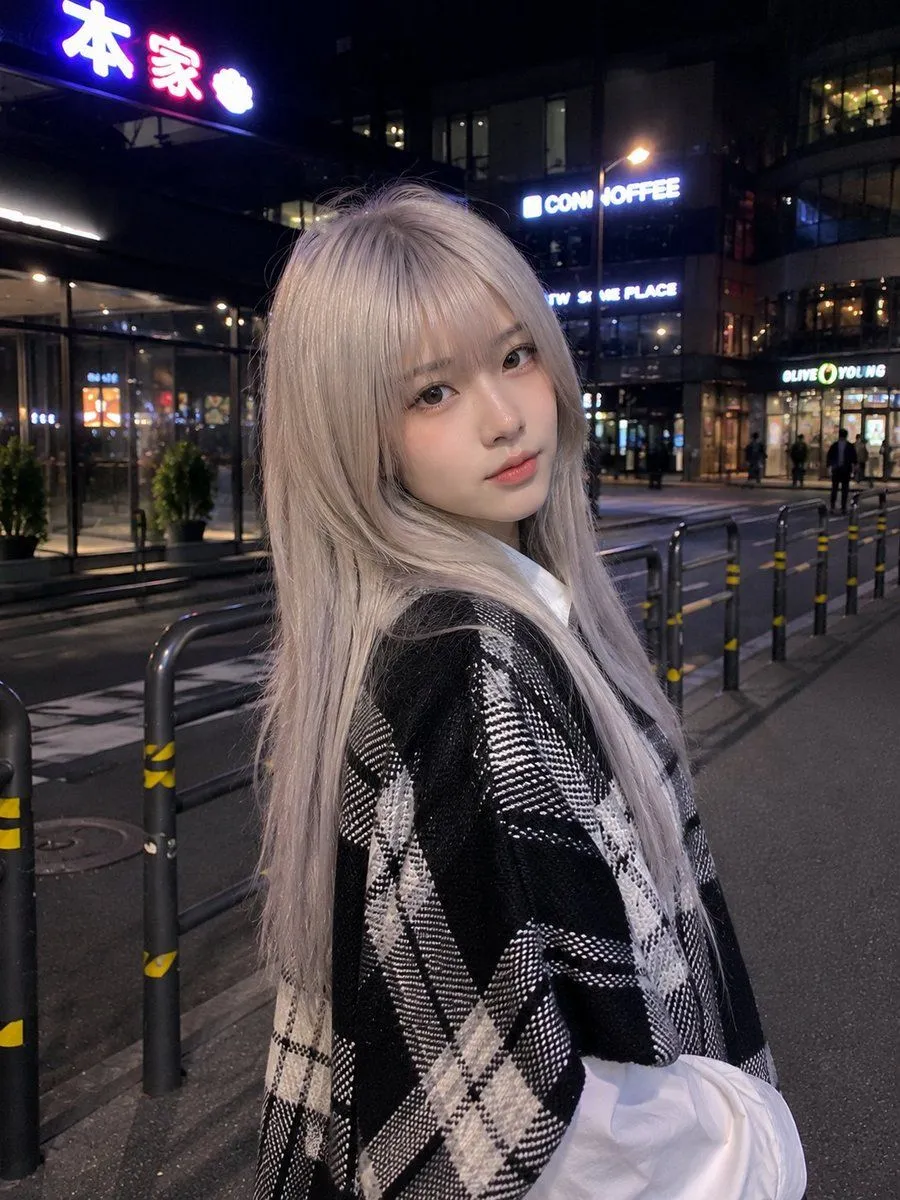
Authentic Smartphone Night Street Portrait
Ultra-realistic smartphone photo, genuinely looks like it was casually captured with a mobile phone, not a DSLR or AI render. A beautiful young East Asian woman with very fair porcelain skin, a delicate V-shaped face, large soft brown eyes, subtle Korean makeup with light pink lips, and hair_color with full straight bangs flowing naturally over her shoulders. She is standing on a quiet urban street at night outside a modern café and commercial building with glowing neon storefront signs, glass windows, black barriers, yellow-and-black safety tape, and softly blurred city lights in the background. She wears an outfit layered over a shirt with loose sleeves, creating a cozy Korean street-fashion aesthetic. She faces the camera directly with a calm, slightly shy expression, shoulders relaxed, hands naturally out of frame. The image is framed from the waist up with a slightly high handheld angle, as if a friend quickly took the picture using a smartphone. Soft ambient streetlights and nearby shop lighting illuminate her face naturally, with realistic skin texture, slight mobile-camera noise, gentle HDR processing, subtle motion softness, authentic night exposure, shallow computational depth of field, and natural color balance. No professional lighting, no studio setup, no overly sharp AI look, no beauty filter, no exaggerated bokeh. The composition feels spontaneous, candid, and effortlessly aesthetic, exactly like a real flagship smartphone night-mode photo shared on social media. Aspect Ratio: 3:4 Style: Ultra-photorealistic, natural mobile photography, candid street portrait, Korean aesthetic, authentic smartphone camera, high detail, realistic night lighting.