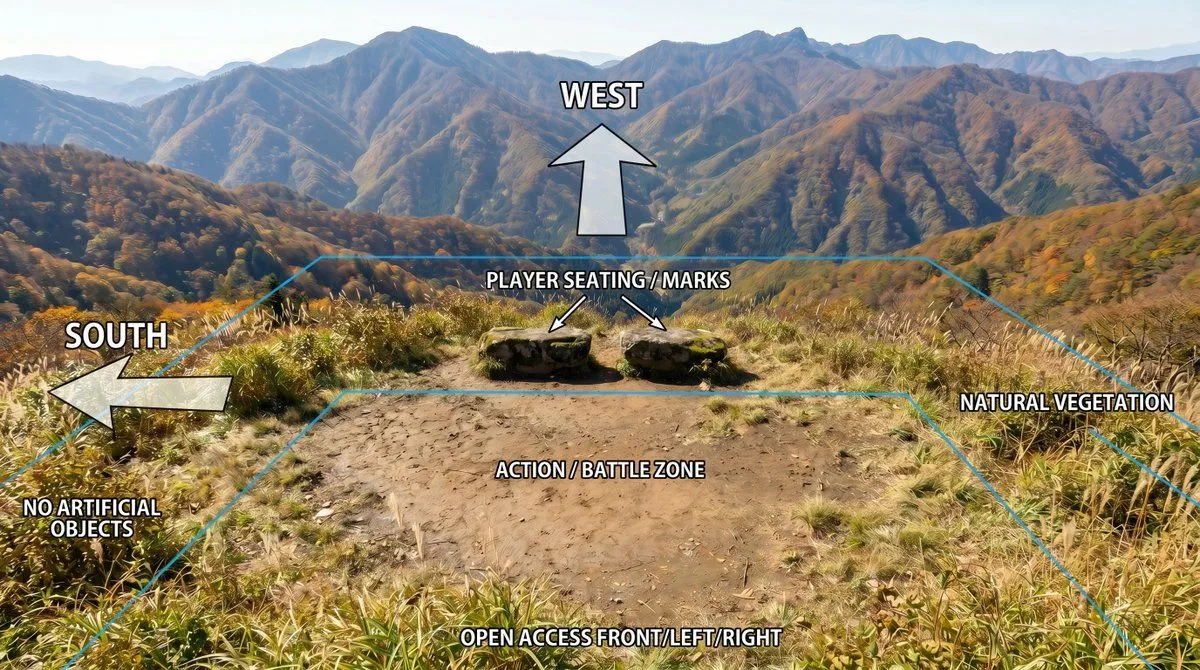
Annotated Mountain Location Diagram
Using REFERENCE_0 as the base image, create an annotated location-planning diagram without altering or degrading the original mountain landscape photo. Keep the scenery, colors, detail, composition, vegetation, dirt clearing, rocks, and distant mountains as close to the reference as possible; only add clean overlay graphics and labels. Add exactly 7 bold white uppercase labels with black outline/drop shadow: west_label at the upper center, south_label on the left, seating_label above the two rocks, zone_label centered on the dirt clearing, front_access_label along the bottom edge, plus "NO ARTIFICIAL OBJECTS" near the lower-left vegetation and "NATURAL VEGETATION" on the right side. Add exactly 4 semi-transparent white arrows with black outlines: one large upward arrow under the WEST label, one large left-pointing arrow beside the SOUTH label, and two small diagonal arrows from the seating label pointing to the two stone seats/marks. Add thin cyan perspective guide lines outlining the usable area: a large trapezoid/field boundary following the clearing and vegetation edges, with a smaller inner trapezoid around the action/battle zone. Make the overlay look like a clear outdoor scene breakdown diagram, while preserving the original photographic quality and avoiding any extra objects, people, buildings, icons, or new scenery.