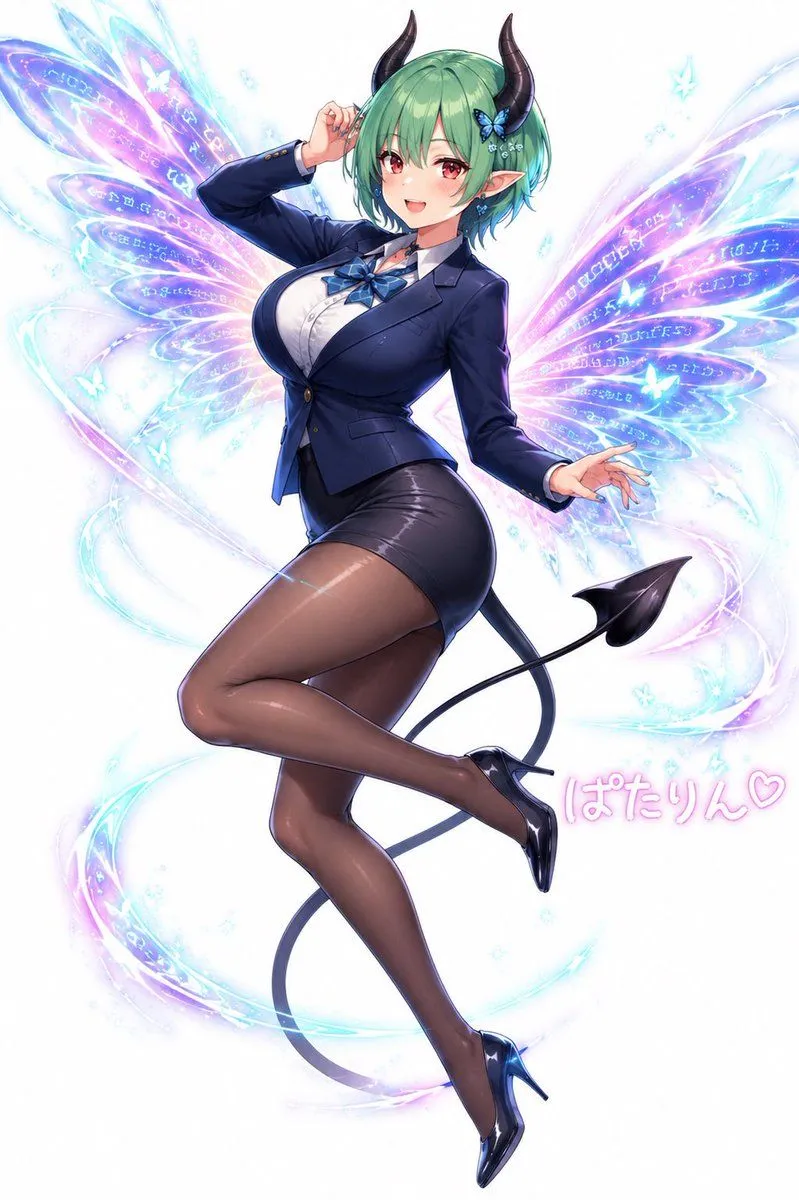
Anime Fairy Demon Office Pin-Up
Create a polished anime-style full-body character illustration on a clean white background: a glamorous adult fairy-demon woman named character_name floating in a playful pin-up pose with one leg bent behind the other, one hand lifted near her head and the other extended outward. She has short bobbed hair_color hair with soft bangs, pointed elf ears, two glossy curved black demon horns, a small blue butterfly hair ornament, and a long thin black devil tail ending in a spade tip. Her face should be softly obscured or left featureless with a translucent square blur over the central face area. Dress her in a fitted navy business blazer over a white button-up blouse, a blue ribbon bow tie at the collar, a tight black pencil mini skirt, sheer dark brown pantyhose, and shiny black high heels. Give her a curvy mature figure and confident magical-girl energy while keeping the rendering elegant and high-detail. Behind her, draw exactly 2 large translucent butterfly wings, one on each side, glowing in cyan, lavender, pink, and electric blue, with multiple petal-like wing segments filled with faint magical runes and sparkling linework. Add swirling luminous ribbon trails around her body and legs, tiny blue-white sparkles, and exactly 4 small glowing butterfly silhouettes scattered near the wings. Include pink handwritten Japanese text near the lower right reading signature_text. Use glossy highlights, soft bloom, crisp cel-shaded anime rendering with painterly gradients, delicate magical particles, luminous pastel fantasy effects, and a vertical composition centered on the character. Avoid extra characters, avoid a detailed background, and keep the overall mood cute, stylish, and magical.