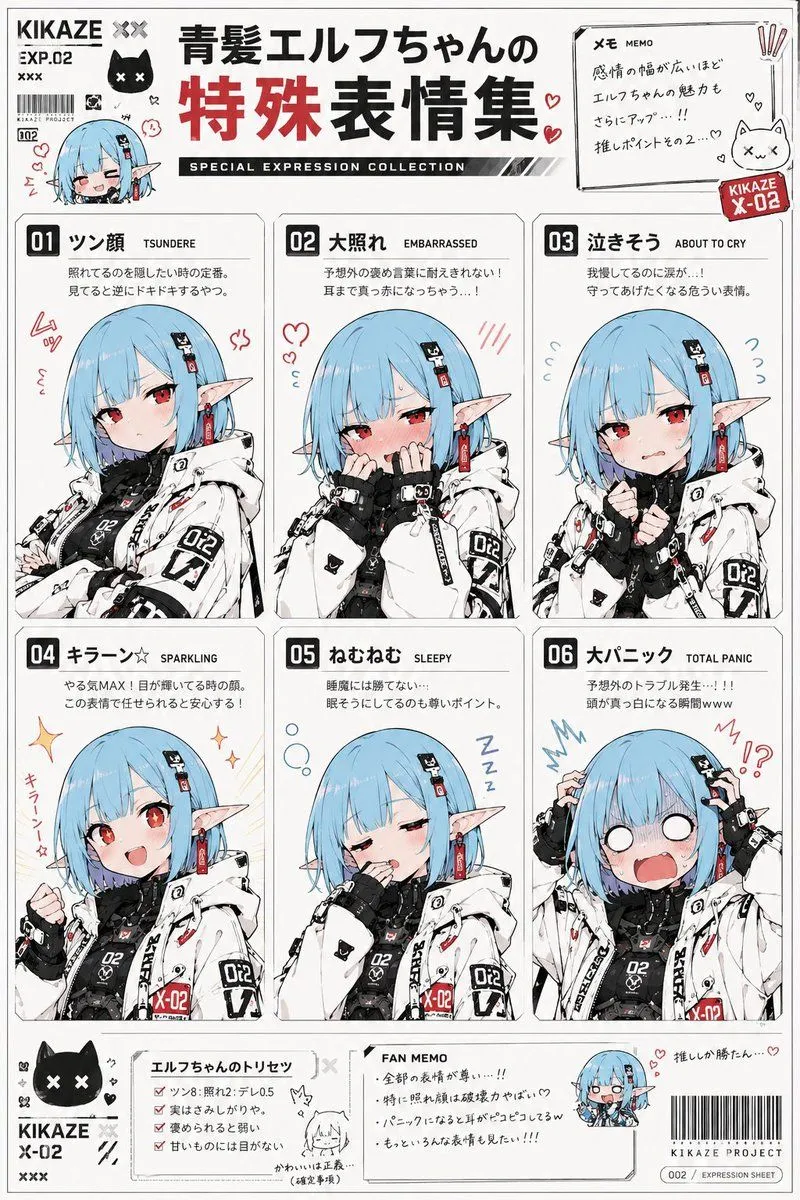
Anime Character Expression Sheet Generator
Use the reference image as the base for character design. Accurately maintain the character's face, hairstyle, hair color, eyes, ears, outfit, silhouette, proportions, and the overall atmosphere of the expression. Never break the character's identity. Draw a 'Special Expression Collection of character_name'. Include 6 types of special expressions on a single reference sheet. For each expression, add a 'expression name (Japanese)', 'English notation', and 'short emotion description' as part of the design. The overall design should feel like: a moe anime fanbook, an emotion reference collection for otaku, a subculture doujinshi, or character setting materials. White background. Determine the accent color for the entire page naturally based on the character design, outfit, and world-view of the reference image. Create a unified page design with colors that match the character. You may add: hand-drawn style notes, hearts, sweat marks, manga-style focus lines, emoticons, internet meme-style decorations, chibi icons, emotion symbols, sticker-style decorations, or magazine-style typography. Depict them not as realistic human expressions, but as 'anime face tropes' specific to moe culture, such as 'kao-gei' (funny faces), deforming, symbolic expressions, exaggerated reactions, or emotion templates. Reflect the emotions not only in the face but also in the neck, shoulders, hands, and posture for each expression. Portray them as 'moe anime culture face templates' frequently used in anime, rom-coms, social games, Vtuber culture, gag works, or slice-of-life series. The final product should have the quality of a 'Moe Anime Expression Dictionary', 'Otaku Emotion Reference Collection', or 'Subculture Character Expression Encyclopedia'.