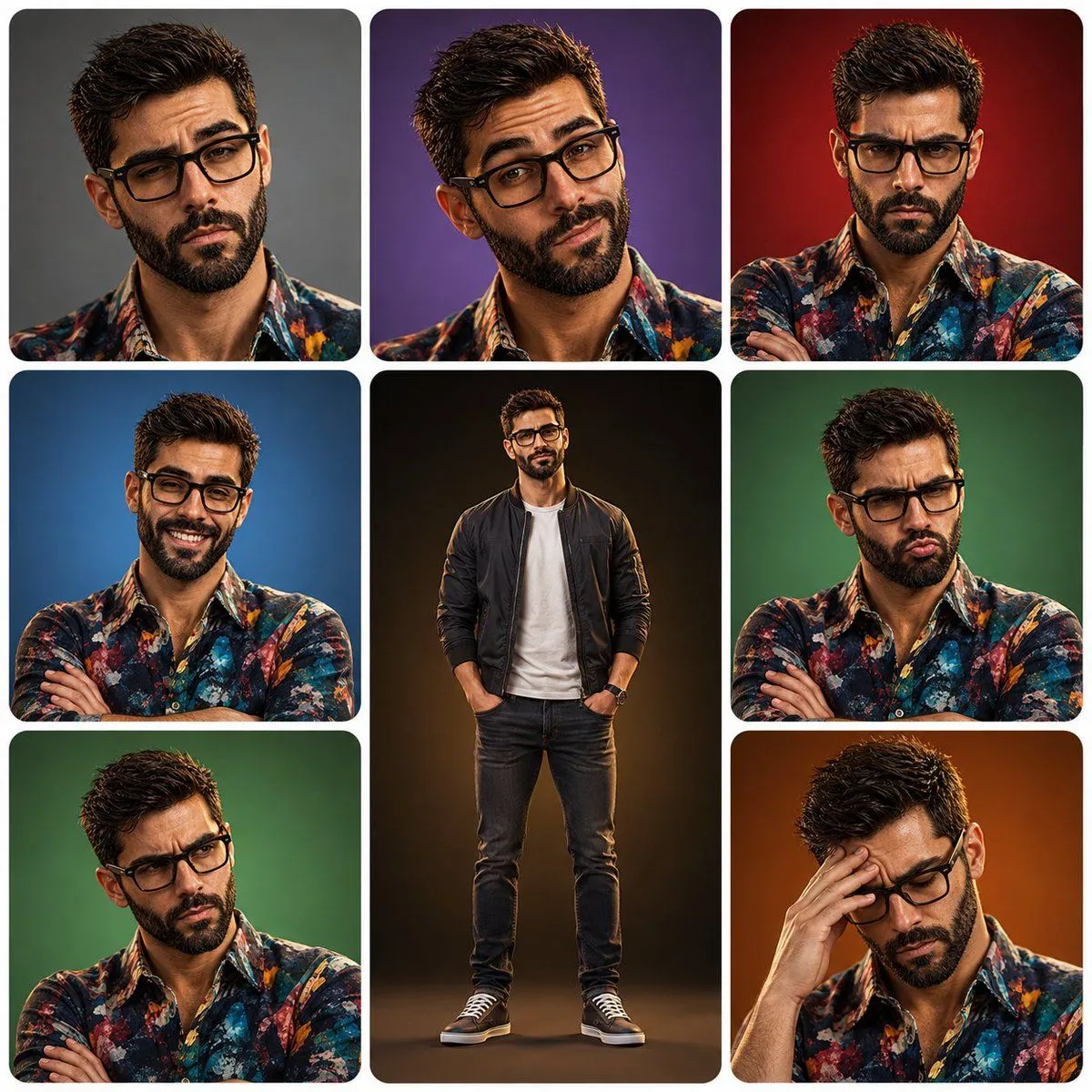
3x3 Character Expression Portrait Sheet
Create a polished 3×3 character-expression portrait sheet featuring the same character character use image for face reference throughout all panels. He has short, slightly tousled dark hair, natural eyebrows, warm expressive eyes, light stubble, a defined but friendly face, and realistic youthful proportions. Keep his facial identity, hairstyle, skin tone, and clothing consistent across every panel. Arrange the portraits in a clean 3×3 grid with rounded-square panels and soft white spacing. Center panel: full-body character standing confidently with a relaxed slight smile, wearing a outfit, hands casually in pockets. Surrounding panels: close-up or half-body portraits showing different expressive emotions and poses: 1. unimpressed / skeptical expression, gray background 2. playful confident smirk with one raised eyebrow, purple background 3. genuinely angry expression, arms crossed, red background 4. happy mischievous grin, arms crossed, blue background 5. calm friendly smile, warm black-to-gold background 6. annoyed pout, arms crossed, green background 7. frustrated skeptical expression, arms crossed, green background 8. stressed / embarrassed expression with one hand on his forehead, orange-brown background Style: high-end polished 3D animated movie character, modern stylized realism, attractive ordinary young man, subtle caricature but natural proportions, realistic skin texture, detailed eyes and hair, expressive eyebrows and facial muscles, cinematic soft lighting, subtle rim lighting, smooth materials, vibrant studio backgrounds, professional character-expression sheet, consistent character identity in every panel, clean symmetrical composition, rounded corners, white borders, sharp focus, premium 3D rendering, 4K.