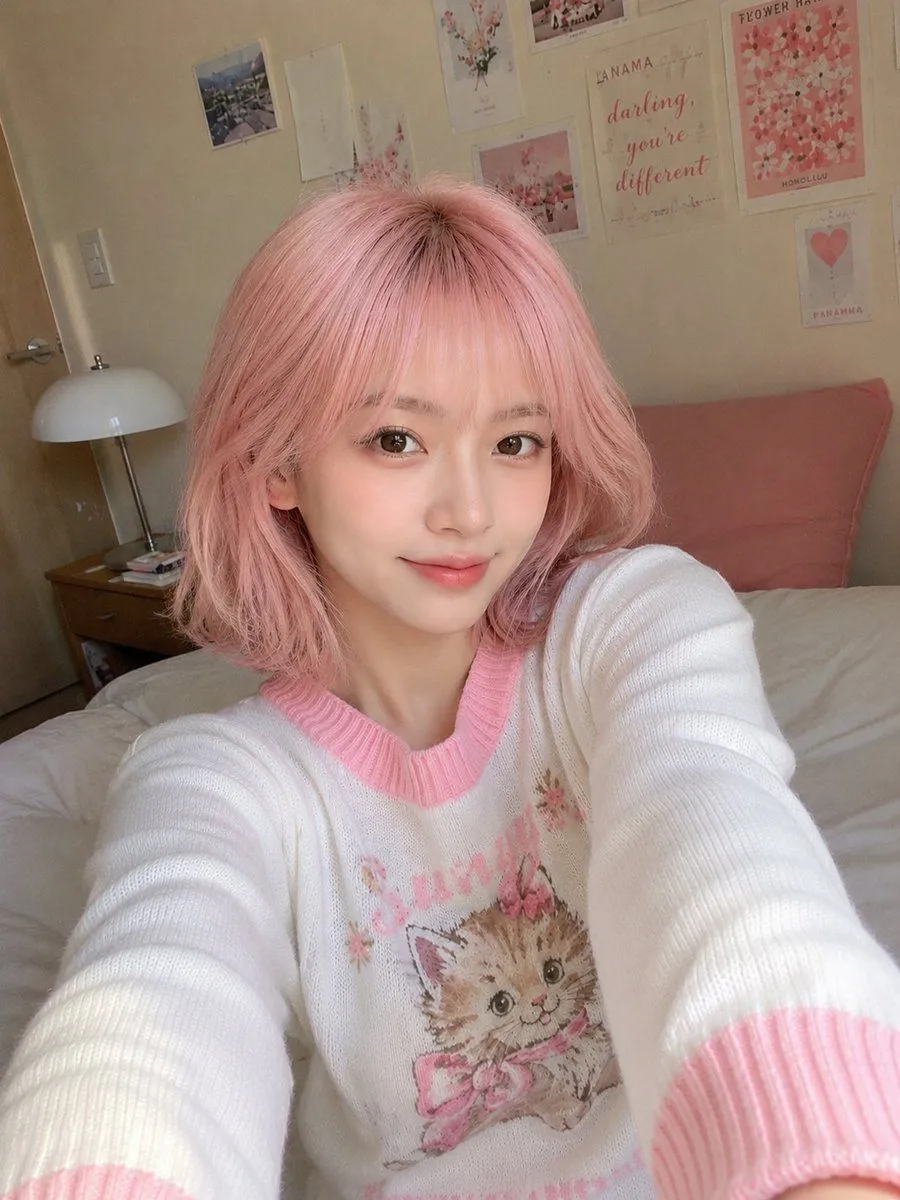
Ultra Realistic Korean Style Smartphone Selfie
Ultra-realistic smartphone selfie, genuinely looks like it was casually captured with a mobile phone, not a DSLR or AI render. A subject with very fair porcelain skin, a delicate V-shaped face, soft almond-shaped brown eyes, subtle Korean makeup with natural pink lips, light eyeliner, and a haircut framing her face. She is sitting comfortably on a neatly made bed inside a setting with warm cream-colored walls. The background features a small aesthetic collage of pastel art prints and floral posters, creating a soft Korean-inspired room decor. She wears a cute white knit sweater with pink ribbed collar and sleeve cuffs featuring a vintage cartoon kitten graphic, giving a cozy, feminine, and youthful aesthetic. She leans slightly toward the camera with both arms naturally extended as if holding the phone herself, wearing a gentle smile with one eye slightly squinting in a playful expression. The framing is a close upper-body selfie from a slightly high handheld angle. Soft natural daylight enters through a nearby window, producing flattering diffused lighting and realistic skin tones. The image includes subtle smartphone HDR processing, slight sensor noise, natural skin texture, mild edge softness, realistic indoor exposure, authentic white balance, and a tiny amount of handheld imperfection. No professional lighting, no studio setup, no AI-perfect sharpness, no excessive beauty filter, and no exaggerated bokeh. It should feel spontaneous, cozy, and exactly like a real flagship smartphone front-camera selfie posted on social media. Aspect Ratio: 3:4 Style: Ultra-photorealistic, natural smartphone selfie, candid indoor portrait, Korean aesthetic, cozy bedroom, authentic mobile camera quality, realistic lighting, high detail.