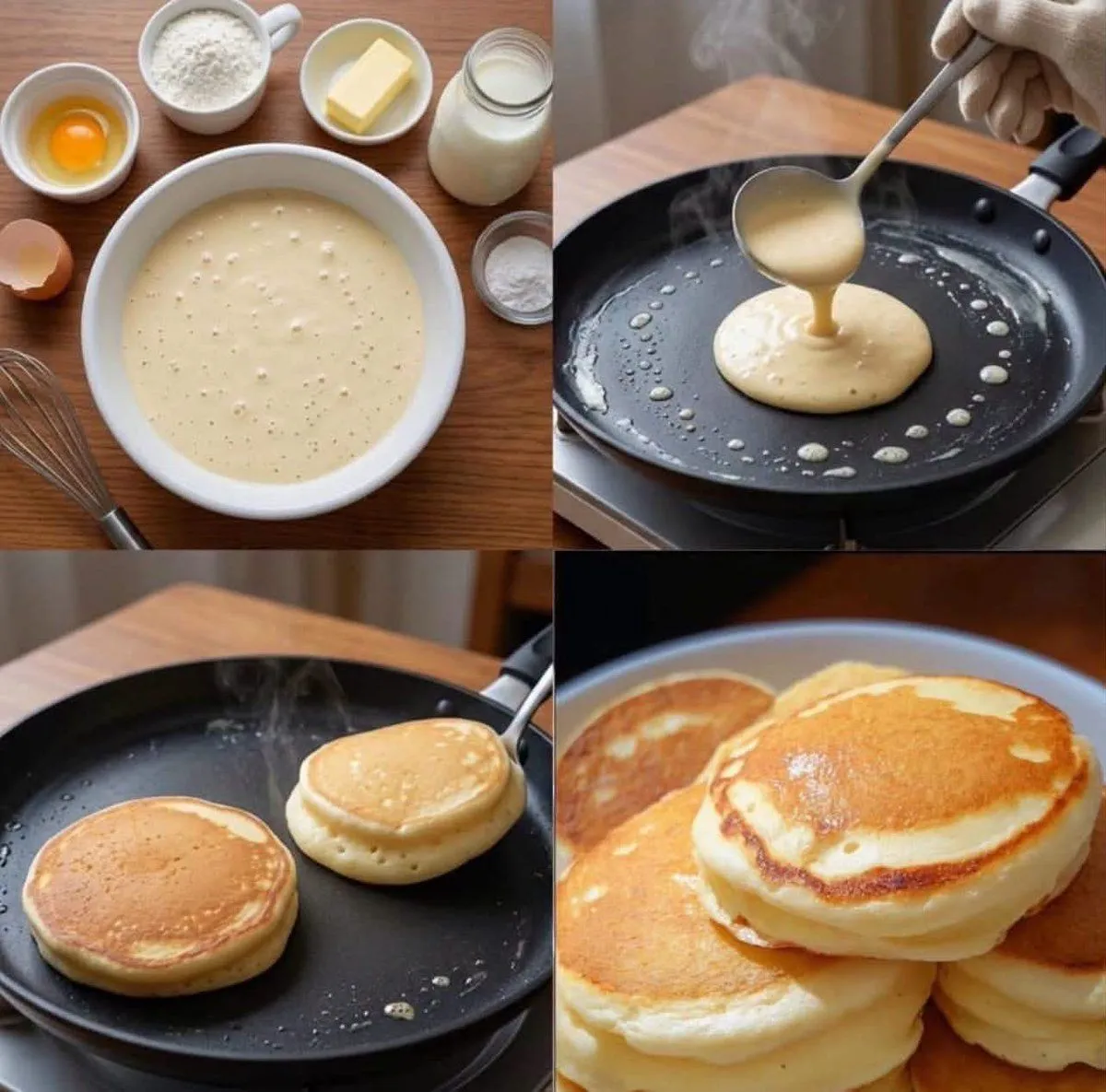
Step-by-Step Pancake Process Collage
Create an ultra-realistic food photography collage in a layout, showing the complete process of making food_item, matching the reference composition.\n\nTop-left: A setting with a large white ceramic bowl filled with smooth pancake batter, surrounded by neatly arranged ingredients: a small bowl containing one raw egg, a cup of white flour, a small dish with butter, a glass jar of milk, a small bowl of baking powder, a cracked eggshell, and a metal whisk. Warm natural kitchen lighting, realistic textures, clean overhead composition.\n\nTop-right: Close-up of a black non-stick frying pan on a stovetop. A hand wearing a beige oven glove holds a ladle and pours thick pale pancake batter into the center of the hot pan. Visible steam and tiny butter droplets around the pan. Warm wooden kitchen background, realistic cooking action.\n\nBottom-left: Two thick fluffy pancakes cooking in the same black skillet. One pancake is golden brown and partially cooked, while the other is being flipped with a spatula. Subtle steam rising from the pan, realistic bubbles and crispy edges, warm natural lighting.\n\nBottom-right: Final serving of several thick, fluffy, golden-brown American pancakes stacked beautifully on a plate, showing soft airy layers and perfectly browned surfaces. Appetizing close-up food photography, warm tones, realistic texture and subtle highlights.\n\nStyle: photorealistic, premium food photography, natural warm kitchen lighting, realistic ingredients, shallow depth of field where appropriate, detailed textures, authentic cooking atmosphere, clean 2×2 split composition, consistent cookware and ingredients across all panels, high detail, 8K, no text, no labels, no watermark.