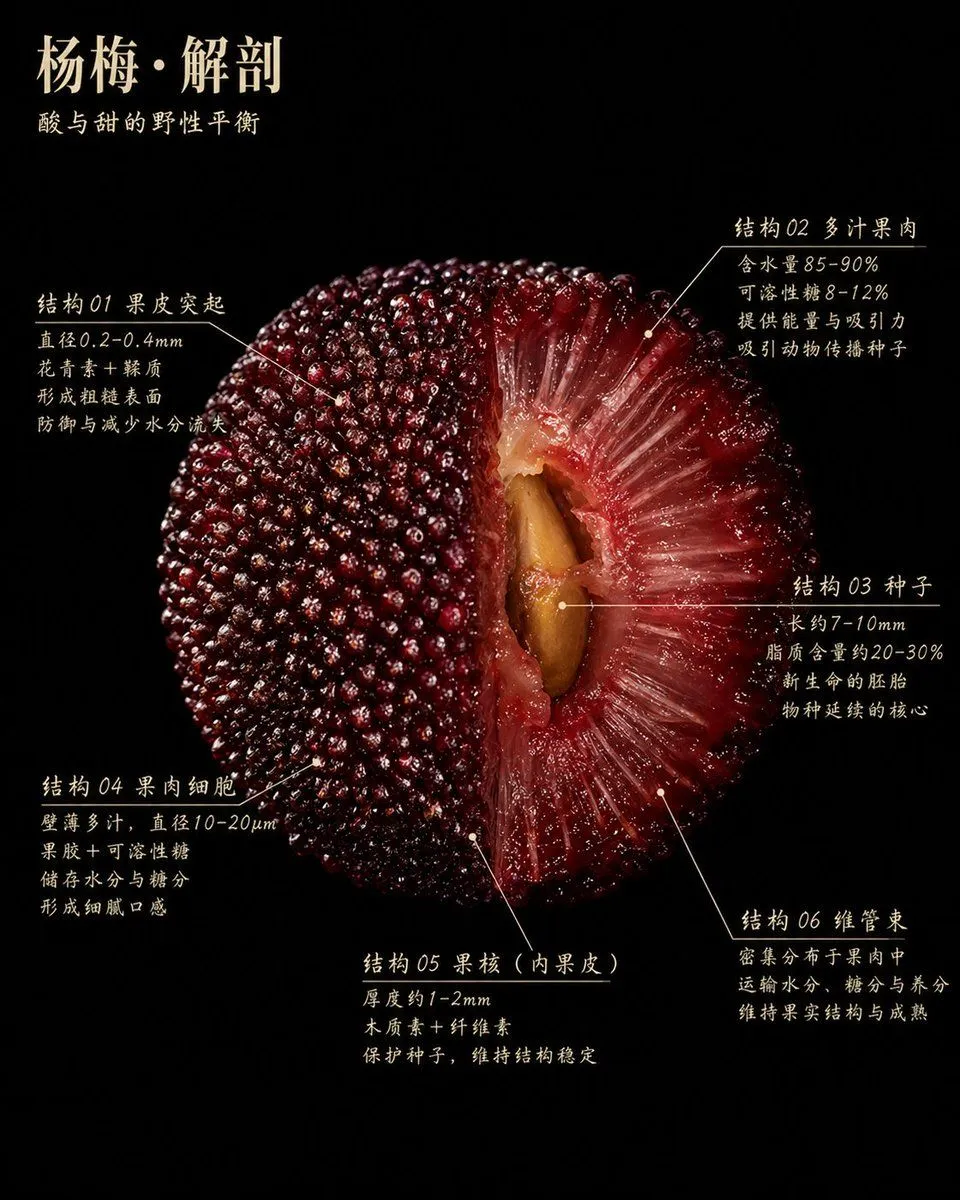
Scientific Bayberry Anatomy Poster
A hyper-detailed scientific botanical poster on a pure black background, featuring a single giant centered cross-section of a Chinese bayberry fruit, dramatic studio lighting, ultra-macro food photography realism, glossy wet surface, rich deep crimson to burgundy tones. The fruit is shown as a half-cut anatomical specimen, filling most of the frame, with the left half showing the intact outer skin covered in countless tightly packed bead-like protrusions, and the right half revealing the translucent red flesh radiating inward in fibrous juicy strands toward a large tan-brown seed in the center cavity. At the top left, elegant Chinese typography in warm ivory reads the title headline_text, with a smaller subtitle beneath it reading subtitle_text. Around the fruit are 6 annotated callout sections in Chinese, each with thin ivory leader lines and small pointer dots indicating precise fruit structures. Section 1 is on the upper left labeled "结构 01 果皮突起" with 4 lines of explanatory text. Section 2 is on the upper right labeled "结构 02 多汁果肉" with 4 lines of explanatory text. Section 3 is on the mid-right labeled "结构 03 种子" with 4 lines of explanatory text. Section 4 is on the lower left labeled "结构 04 果肉细胞" with 4 lines of explanatory text. Section 5 is on the lower center labeled "结构 05 果核(内果皮)" with 3 lines of explanatory text. Section 6 is on the lower right labeled "结构 06 维管束" with 3 lines of explanatory text. The text style is refined, slightly calligraphic serif Chinese print, ivory on black, resembling a museum exhibit placard or premium editorial infographic. Composition is symmetrical but organic, minimal negative space, luxurious, educational, tactile, highly detailed, high contrast, no extra objects, no border, no watermark.