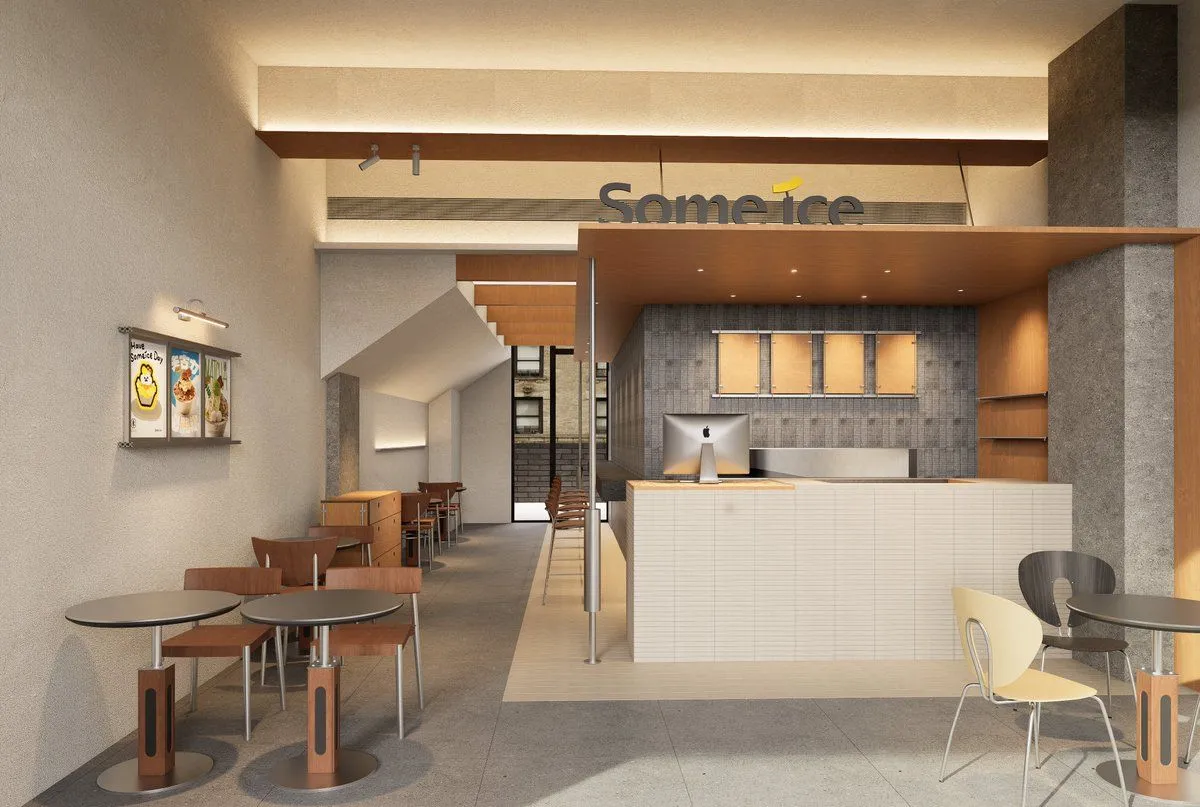
Modern Dessert Cafe Interior
Create a photorealistic architectural interior rendering of a modern dessert cafe named cafe_name. Show a wide-angle view from the customer seating area toward the service counter in a long, narrow, high-ceiling space. Use a warm minimalist Japanese/Scandinavian style with beige plaster walls, gray concrete floor, textured gray tile at the back wall, light wood ceilings and shelving, and soft indirect cove lighting. The main composition should include exactly 1 large white tiled service counter on the right-center, exactly 1 desktop computer on the counter, exactly 1 suspended wood canopy above the counter with recessed spotlights, exactly 1 gray vertical concrete column on the far right, exactly 1 backlit brand sign above the counter reading cafe_name in dark letters with a small yellow accent, exactly 4 illuminated menu boards behind the counter, exactly 2 empty wood shelves on the right wall, exactly 3 wall posters on the left wall advertising desserts, exactly 5 round cafe tables visible, and exactly 11 visible chairs/stools: 4 wooden chairs around the two front-left tables, 4 wooden chairs in the middle corridor seating area, 1 tall stool at the counter, 1 pale yellow chair at the front-right table, and 1 dark charcoal chair at the right table. Add exactly 2 small wall-mounted spotlights above the left posters and exactly 2 slim vertical railing posts with a horizontal handrail in front of the counter. The cafe should feel quiet, clean, and newly designed, with soft warm daylight and artificial lighting, realistic shadows, polished materials, and a professional commercial interior visualization look. Avoid people, clutter, food closeups, watermarks, and extra signage.