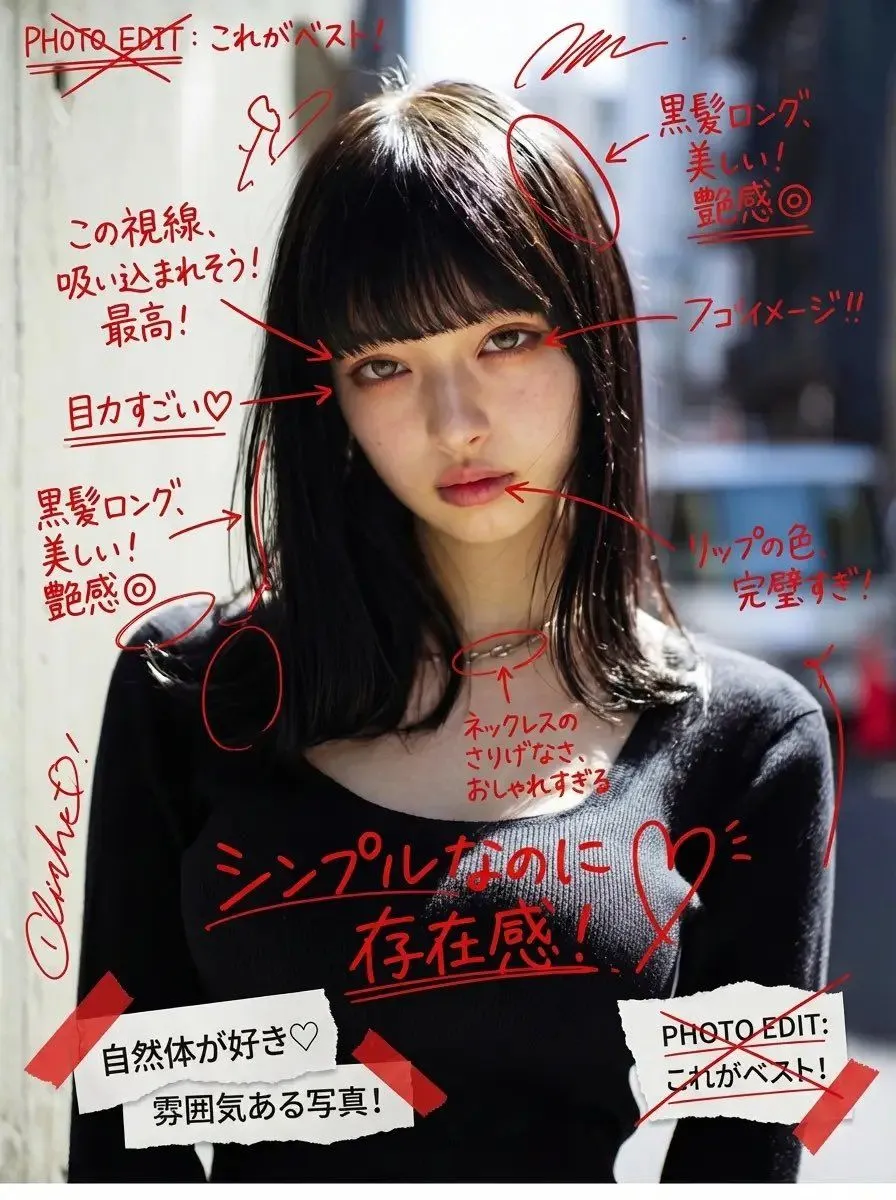
Image Annotation and Praise Commentary Prompt
Add messy red handwritten Japanese comments, expressive doodles, and energetic editorial-style notes directly on top of the image, as if written with a red marker over printed photos. The handwriting should feel spontaneous, unfiltered, emotional, slightly chaotic, and personal—almost like someone’s private photo journal or annotated scrapbook page. All handwritten text must: – be in Japanese – appear hand-drawn, uneven, casual, and overlapping – be positive in tone The content of each handwritten note must automatically analyze the uploaded image and praise the woman based on what is visible, such as her outfit, expression, pose, styling, makeup, or mood. The comments should feel affectionate, admiring, or supportive, and tailored to what stands out in the photo. Do not repeat generic praise. Instead, generate unique personal compliments that match the image attributes. Examples must NOT be shown explicitly in the prompt. Instead, describe the logic: “The system should observe the clothing style, face, mood, posture, accessories, or color choices and produce handwritten comments that positively highlight what is visually appealing or admirable about her.” Also add: – arrows pointing to notable fashion details – underlines beneath interesting areas – circled elements – crossed-out planning notes like editing marks – layered cut-and-paste collage scraps (magazine style) – small torn paper labels – sticker-like notations – tape-texture fragments Overall direction: Create a visually intense scrapbook-journal composition, filled with affectionate handwriting, red editorial markings, and collage fragments, giving the entire image an emotional and expressive “personal praise commentary” aesthetic.