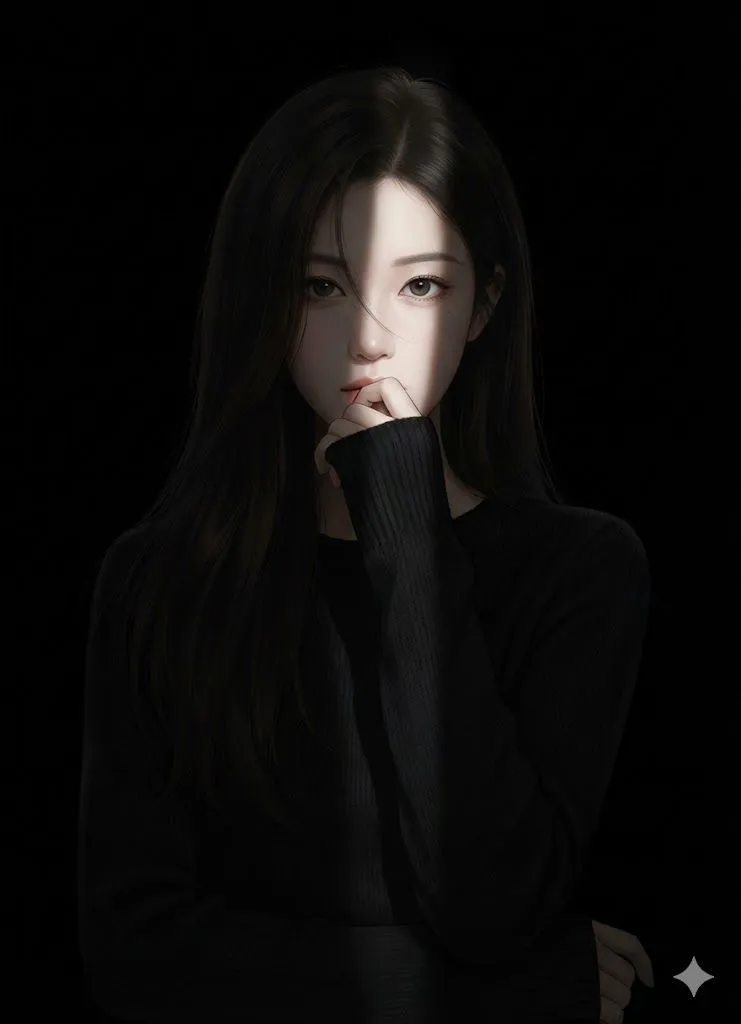
Hyperrealistic Anime Portrait with Split Lighting Prompt
Hyperrealistic realistic-anime portrait of a female character standing against a completely black background. Lighting: a narrow, hard-edged spotlight coming from one side of the face (side lighting / split lighting), striking the center of the face at a slight angle. The light beam is tightly focused, with sharp, clearly defined edges, creating strong chiaroscuro contrast. One side of the face is illuminated with high detail and texture, while the opposite side rapidly falls into deep shadow. Very high falloff — light drops off immediately outside the beam. No soft lighting, no ambient fill light. Everything outside the spotlight is swallowed by darkness and nearly invisible. Face & Expression: eyes looking directly at the camera, subtle tension in the gaze, mysterious and introspective mood. Natural skin texture, cinematic realism, high micro-detail only within the lit area. Hair: long dark hair, with a few loose strands partially crossing the face. The upper hair near the face catches a small amount of light, while the lower hair gradually dissolves into shadow. Pose: one hand raised gently to the lips in a shy, hesitant gesture, fingers softly touching. The hand is partially lit by the same side light, with most of it fading into darkness. Clothing: black long-sleeve knit sweater. Minimal visible detail — fabric texture barely perceptible. The sweater and body merge almost completely into the black background. Overall tone: dark, moody, dramatic, mysterious. Extreme contrast. High realism only in the illuminated portion of the face. Everything outside the spotlight should be nearly invisible. Background: pure black, no gradients, no rim light, no background detail.