Tell us anything

An idea, a bug, something you love. We read every note.

⌘↵ to send. The page you're on comes along.

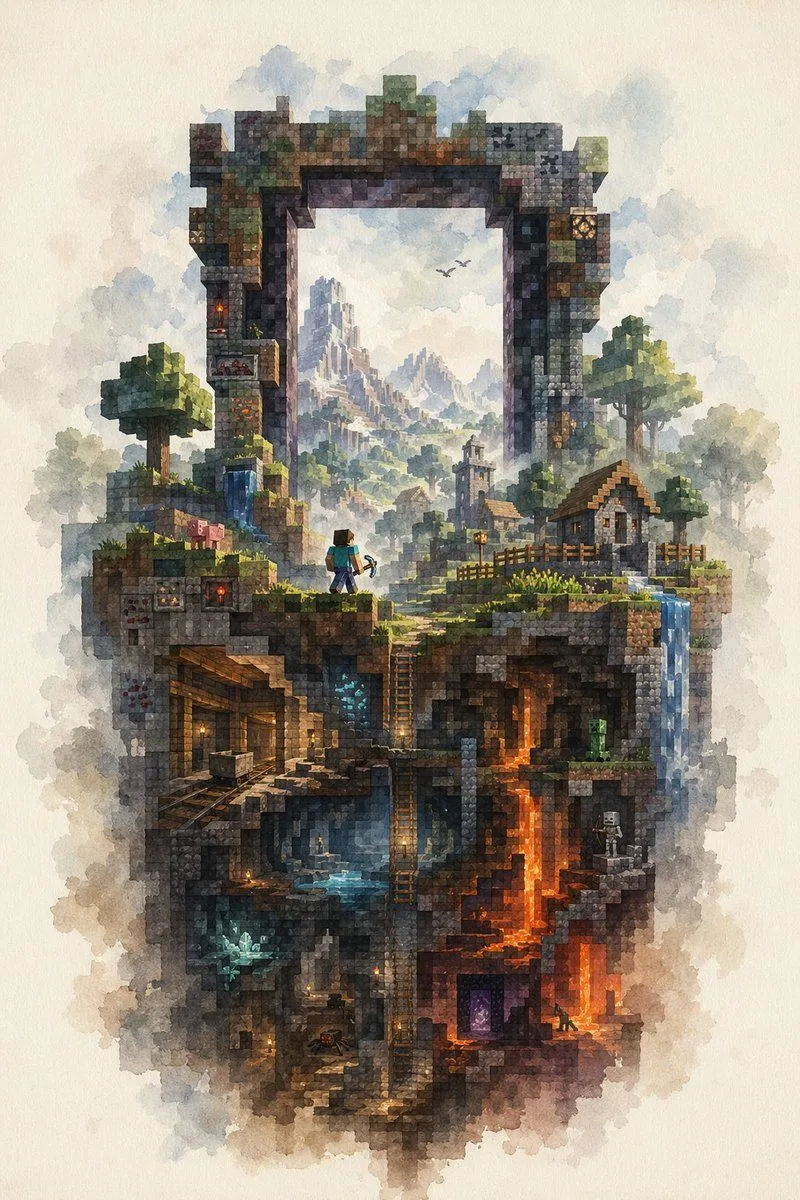
Watercolor Minecraft World Cross-Section

Made with GPT Image 2 in ChatGPT by Library Game Art. Promptclay never generates images.

Did it work?

No reports yet. Tell others if it worked for you.

No comments yet. Be the first.

    Watercolor Minecraft World Cross-Section

    GPT Image 22:3AI-generated

    Prompt

    A highly detailed watercolor illustration on textured off-white paper, depicting a vertical floating slice of a Minecraft-inspired world framed by a gigantic ruined rectangular stone portal arch. The composition is centered and portrait-oriented, with soft cloudy washes around the edges and crisp voxel-like block detail inside. At the top, the weathered arch is built from mossy stone, cracked bricks, and mineral-stained blocks, opening like a window onto a distant fantasy mountain range with misty spires and 2 small flying birds. On the upper landscape layer, include 2 blocky trees, 2 small village houses with pitched roofs, 1 church-like tower in the middle distance, wooden fences, grassy ledges, a small waterfall on the left, and another waterfall spilling down the right edge. Place 1 Steve-like adventurer near the center-left foreground, seen from behind, wearing a teal shirt and blue pants and holding a pickaxe, gazing into the world beyond the arch. Add 1 pig on the upper left grassy ledge. Beneath the surface, reveal a cutaway cross-section of underground biomes and structures: 1 abandoned mineshaft with timber supports and minecart rails on the left, 1 central cavern with blue water and ladders descending vertically, 1 glowing blue crystal deposit in a lower-left cave, 1 bright orange lava shaft running downward on the right, 1 green creeper in a mid-right cave, 1 white skeleton archer in a small right-side chamber, 1 purple Nether portal near the lower right, and 1 tiny spider in a dim lower chamber. Scatter warm torchlights through the caves for contrast. The palette should mix earthy browns, mossy greens, cool blue mist, and fiery orange lava, with a dreamy atmospheric perspective in the distance. Render the whole scene as a delicate fusion of Minecraft block geometry and traditional watercolor fantasy painting, intricate, magical, nostalgic, and painterly.

    Works in
    ChatGPT, Gemini
    Status
    Free to copy
    0
    DetailsVersions, settings and questions

    Written for

    What's in the prompt

    Subject
    Model
    GPT Image 2

    If your face changes

    keep my face exactly the same

    Questions

    Does this work in the ChatGPT app?
    Yes. Paste the prompt and attach your photo if it uses one.
    It changed my face. What do I do?
    Add "keep my face exactly the same" to the end and run it again.
    Can I use the images I make?
    Check the terms of the app you use. Promptclay never generates images and claims nothing you make.
    Similar prompts

    See more
    • Zelda Map in Minecraft Style
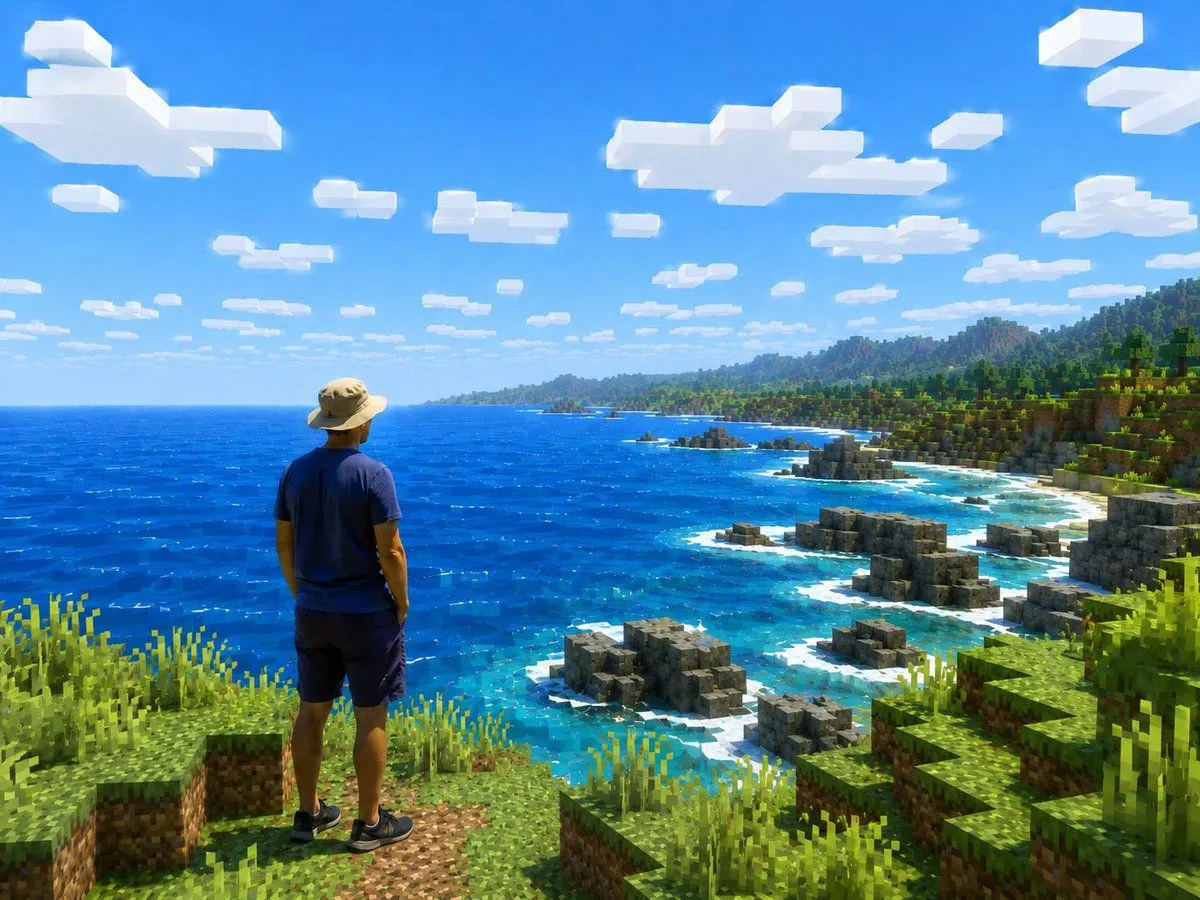
    • Real Person in Minecraft Coastal World
    • Next-Gen Voxel Game Screenshot
    • Personalized Minecraft Skin Prompt
    • Anime Glacial Fjord Geology Slide
    • Generic 'Make Something Like This' Prompt
    • Epic Douluo Fantasy Tower Poster
    • Royal Cartographer Fantasy World Map Prompt (Detailed Scenario)
    • Epic Vertical Fantasy Castle Wallpaper
    • Futuristic Metropolis Above the Clouds
    • 2D Pixel Art Village Map Prompt (ChatGPT)
    • Surreal Nature in Renaissance Oil Painting Style
    • Mystical Tree of Life Landscape
    • Gothic Haunted Swamp Map
    • Photo to Watercolor Travel Split
    • Dark Fantasy AI Gallery UI
    • Watercolor AI Manga Workflow Comic
    • Chang'e Moon Palace Fantasy Landscape
    • Treasure Map Adventure Prompt for Nano Banana 2
    • Moonlit Gothic Fantasy Couple
    • Collectible Miniature Diorama of a Rugged Mining Settlement
    • Floating Sky Castle Digital Art Poster Prompt
    • 85mm F1.4 Anime Portrait Comparison
    • Anime Summer Lace-Up Knit Outfit

    Show more

    Run it on your phone

    1. Prompt copiedRead it

      A highly detailed watercolor illustration on textured off-white paper, depicting a vertical floating slice of a Minecraft-inspired world framed by a gigantic ruined rectangular stone portal arch. The composition is centered and portrait-oriented, with soft cloudy washes around the edges and crisp voxel-like block detail inside. At the top, the weathered arch is built from mossy stone, cracked bricks, and mineral-stained blocks, opening like a window onto a distant fantasy mountain range with misty spires and 2 small flying birds. On the upper landscape layer, include 2 blocky trees, 2 small village houses with pitched roofs, 1 church-like tower in the middle distance, wooden fences, grassy ledges, a small waterfall on the left, and another waterfall spilling down the right edge. Place 1 Steve-like adventurer near the center-left foreground, seen from behind, wearing a teal shirt and blue pants and holding a pickaxe, gazing into the world beyond the arch. Add 1 pig on the upper left grassy ledge. Beneath the surface, reveal a cutaway cross-section of underground biomes and structures: 1 abandoned mineshaft with timber supports and minecart rails on the left, 1 central cavern with blue water and ladders descending vertically, 1 glowing blue crystal deposit in a lower-left cave, 1 bright orange lava shaft running downward on the right, 1 green creeper in a mid-right cave, 1 white skeleton archer in a small right-side chamber, 1 purple Nether portal near the lower right, and 1 tiny spider in a dim lower chamber. Scatter warm torchlights through the caves for contrast. The palette should mix earthy browns, mossy greens, cool blue mist, and fiery orange lava, with a dreamy atmospheric perspective in the distance. Render the whole scene as a delicate fusion of Minecraft block geometry and traditional watercolor fantasy painting, intricate, magical, nostalgic, and painterly.

    2. Open your app

      This prompt is long, so it is copied instead of sent in the link. Paste it in the app.

    3. Paste and run

      Press and hold the message box, then tap Paste. Add your photo first if the prompt uses one. You may need to sign in.

    Watercolor Minecraft World Cross-Section