Tell us anything

An idea, a bug, something you love. We read every note.

⌘↵ to send. The page you're on comes along.

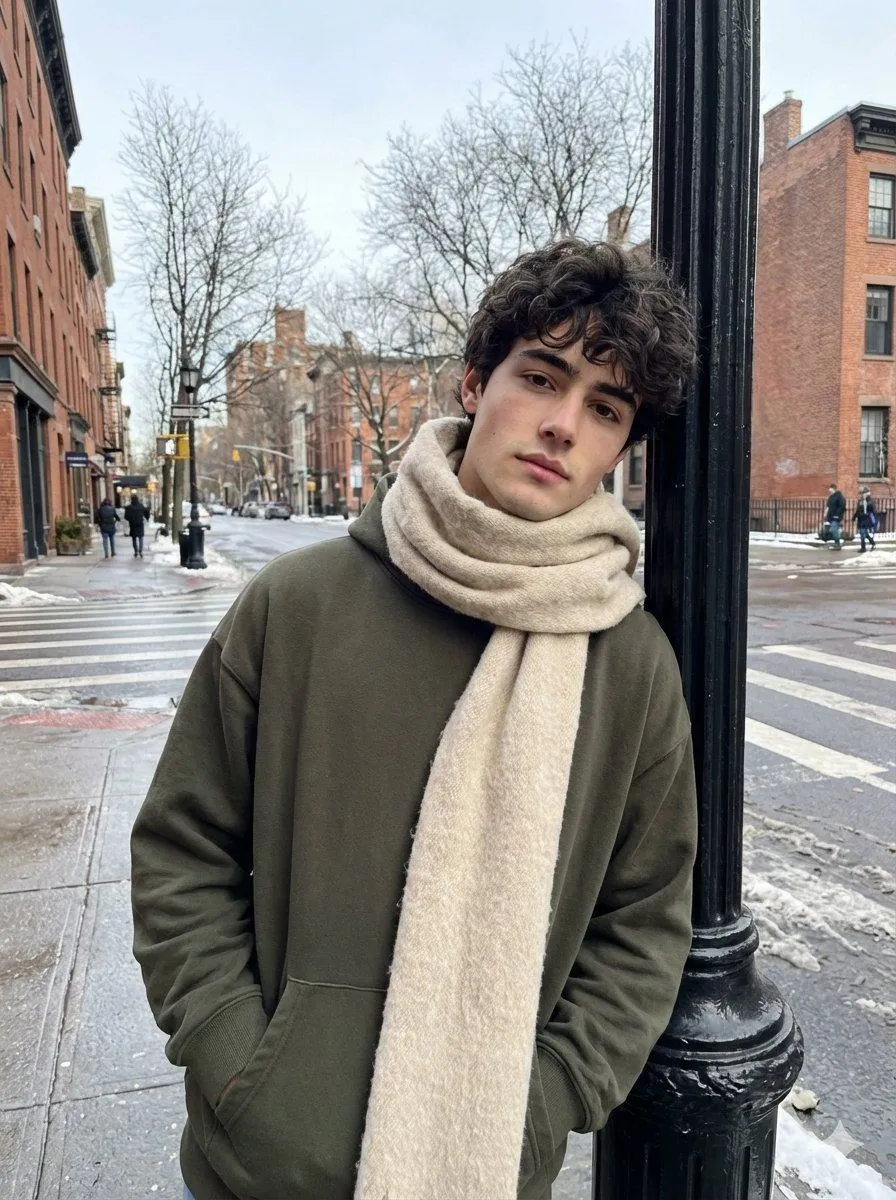
Ultra-Realistic Street Photo with Specific Subject Preservation

Made with Nano Banana Pro in Gemini by Library Social. Promptclay never generates images.

Did it work?

No reports yet. Tell others if it worked for you.

No comments yet. Be the first.

    Ultra-Realistic Street Photo with Specific Subject Preservation

    Nano Banana Pro3:4Needs your photoAI-generated

    Prompt

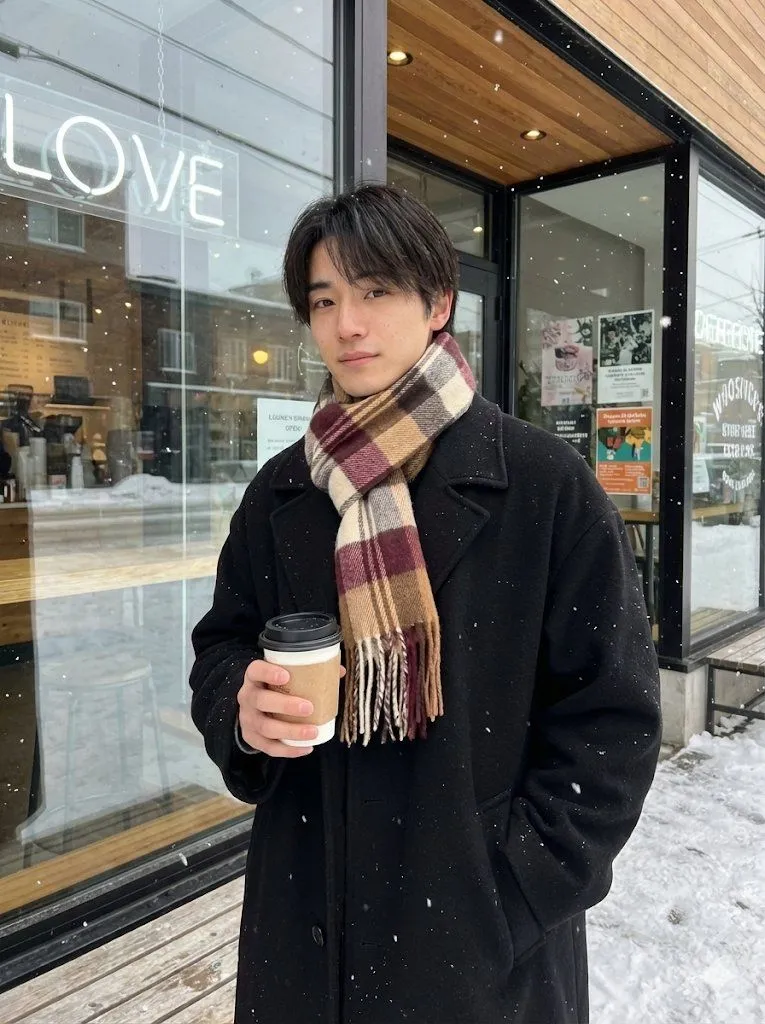
    Generate a realistic street photo of a guy on your iPhone in the casual street photography style. Use the face from the uploaded photo as the only and precise appearance standard: preserve facial features, face and body proportions, age, hair color and length at a 1:1 ratio, without even 1% change. The guy is standing on a city street in winter, leaning his shoulder slightly against a black street lamp on the sidewalk. His pose is relaxed, one hand in his pocket, the other hanging loosely. In the background are an intersection, bare winter trees, tall buildings, and a few people in the distance; the asphalt is wet after snow, creating a cool city atmosphere. Clothing: an oversized dark olive hoodie without a hood, a voluminous beige-cream scarf partially covers his head and hangs down slightly; the fabric is wool, the fibers are visible. Light: natural winter daylight, soft shadows, cool white balance, no flash. Realism: ultra-realistic photo, natural skin texture, pores, subtle imperfections, realistic fabric textures (scarf wool, thick cotton hoodie), no neural network effects. Quality: photo from the iPhone's main camera, RAW iPhone look, slight digital noise, natural sharpness. Aspect ratio 3:4.

    Use only photos you have the right to usePhoto tips
    • Your photo stays with your app. You upload it to Gemini, ChatGPT or the app you use. Promptclay never sees or stores it.
    • Crop to what the prompt needs. Your face for a portrait. Leave out other people, house numbers, cards and screens.
    • Check the result before you post. Apps sometimes add things that were not in your photo, like a mole, a tattoo or bare shoulders. Run it again or ask the app to remove them.
    Works in
    Gemini, ChatGPT
    Status
    Free to copy
    0
    DetailsVersions, settings and questions

    Written for

    What's in the prompt

    Subject
    Model
    Nano Banana Pro

    If your face changes

    keep my face exactly the same

    Questions

    Does this work in the Gemini app?
    Yes. Gemini runs Nano Banana, so paste the prompt and attach your photo if it uses one.
    It changed my face. What do I do?
    Add "keep my face exactly the same" to the end and run it again.
    Can I use the images I make?
    Check the terms of the app you use. Promptclay never generates images and claims nothing you make.
    Similar prompts

    See more
    • Ultra Realistic Cinematic Urban Portrait
    • AI Profile Photo Generation Prompt (Angled Shot Modification)
    • Clothing items laid out on asphalt
    • Night Rooftop iPhone Portrait
    • Winter Noir Cinematic Portrait of Man in Snowy Street
    • Photorealistic Night Portrait of Man Smoking in Snow
    • Cinematic Paparazzi Night Portrait
    • Urban Alley Cinematic Portrait
    • Cinematic Film-Noir Rain Portrait
    • Disposable Flash Night Candid
    • Cinematic low-key urban portrait prompt
    • Raw Realistic Amateur Photography Style
    • Rugged Urban Portrait
    • Double Exposure Pensive Portrait
    • City Heatwave Editorial Photography
    • Ultra-realistic Studio Fashion Portrait
    • Low-Angle Streetwear Editorial
    • Neo-Noir Sci-Fi Sky Portrait
    • Rugged Heritage Wear Editorial Portrait
    • Surreal Botanical Fashion Editorial
    • Hand-Carved Wooden Miniature Figure
    • Multi-Angle Scene Generation Prompt (Oshi no Ko Style)
    • Nano Banana Pro Thumbnail Generation Example
    • Sophisticated Oil Portrait Painting

    Show more

    Run it on your phone

    1. Prompt copiedRead it

      Generate a realistic street photo of a guy on your iPhone in the casual street photography style. Use the face from the uploaded photo as the only and precise appearance standard: preserve facial features, face and body proportions, age, hair color and length at a 1:1 ratio, without even 1% change. The guy is standing on a city street in winter, leaning his shoulder slightly against a black street lamp on the sidewalk. His pose is relaxed, one hand in his pocket, the other hanging loosely. In the background are an intersection, bare winter trees, tall buildings, and a few people in the distance; the asphalt is wet after snow, creating a cool city atmosphere. Clothing: an oversized dark olive hoodie without a hood, a voluminous beige-cream scarf partially covers his head and hangs down slightly; the fabric is wool, the fibers are visible. Light: natural winter daylight, soft shadows, cool white balance, no flash. Realism: ultra-realistic photo, natural skin texture, pores, subtle imperfections, realistic fabric textures (scarf wool, thick cotton hoodie), no neural network effects. Quality: photo from the iPhone's main camera, RAW iPhone look, slight digital noise, natural sharpness. Aspect ratio 3:4.

    2. Open your app

    3. Paste and run

      Press and hold the message box, then tap Paste. Add your photo first if the prompt uses one. You may need to sign in.

    Ultra-Realistic Street Photo with Specific Subject Preservation