Tell us anything

An idea, a bug, something you love. We read every note.

⌘↵ to send. The page you're on comes along.

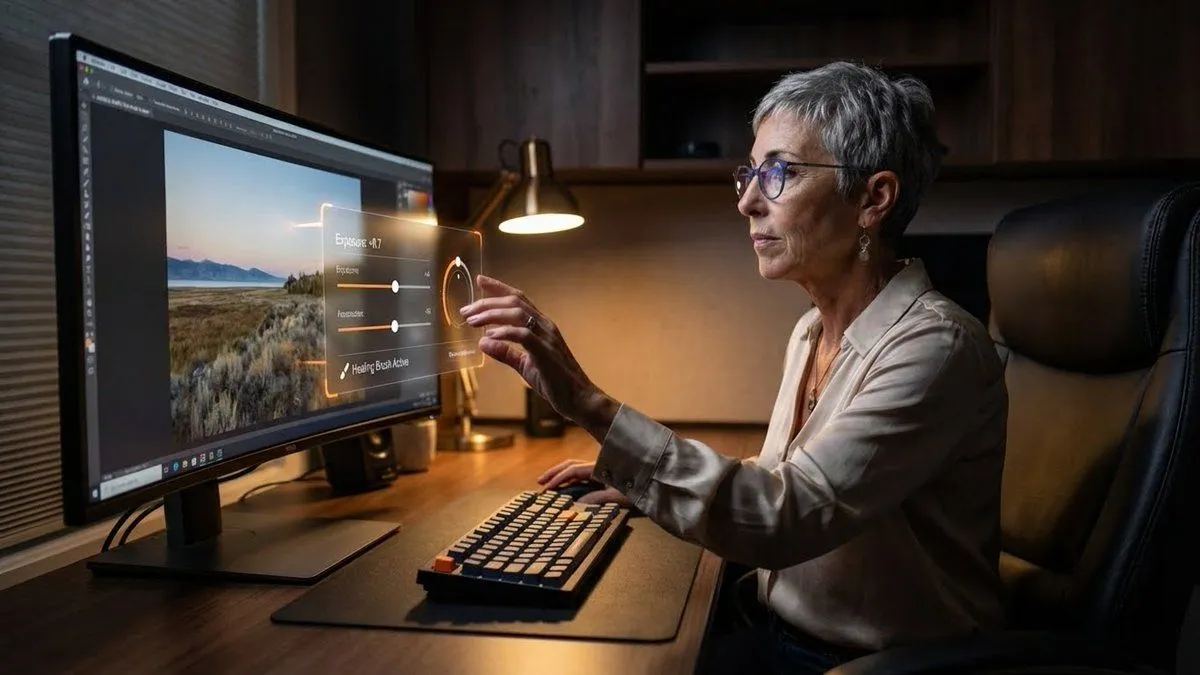
Professional Photo Editor HUD Prompt

Made with Nano Banana Pro in Gemini by Library Product. Promptclay never generates images.

Did it work?

No reports yet. Tell others if it worked for you.

No comments yet. Be the first.

    Professional Photo Editor HUD Prompt

    Nano Banana Pro16:9AI-generated

    Prompt

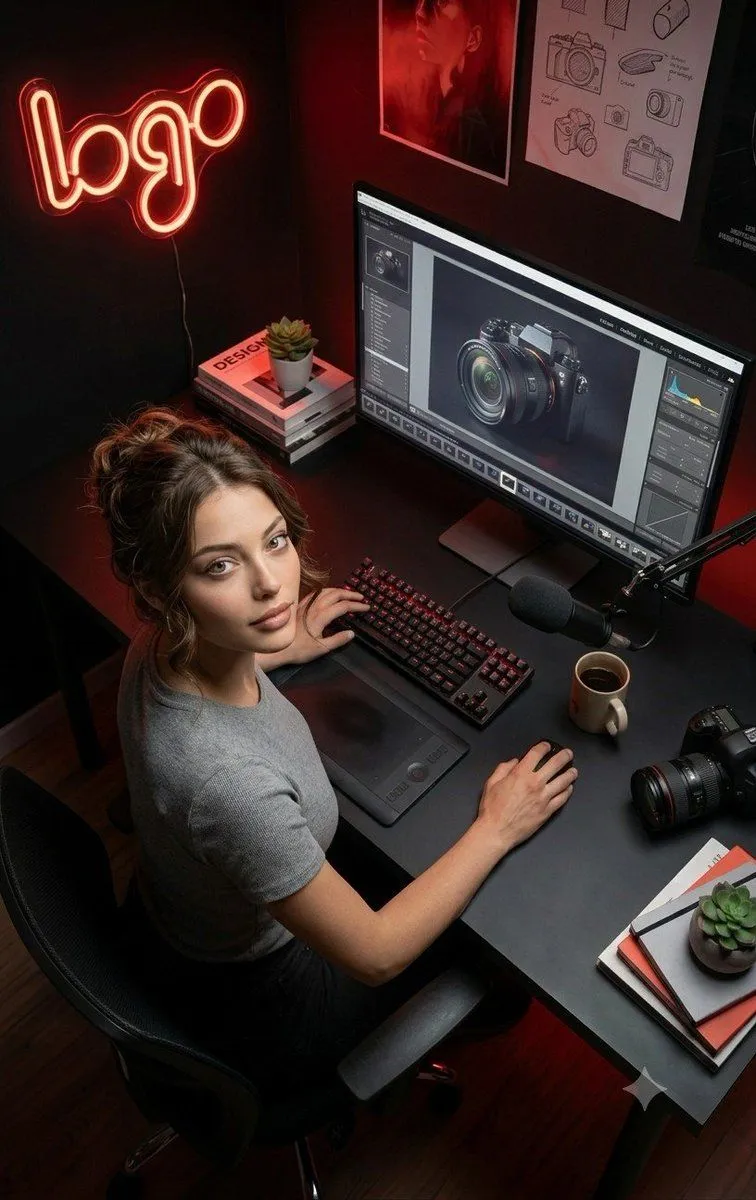
    { "promptDetails": { "description": "A professional photo editor at their workstation, interacting with a floating, 'in-air' professional grade Heads-Up Display for editing controls.", "styleTags": [ "Desk Setup Aesthetic", "Dark Academia (Modern)", "High Resolution Detail", "Productivity" ] }, "scene": { "background": { "setting": "A dedicated, professional editing suite/desk setup", "details": "An ultra-wide, color-calibrated monitor (showing a sample photo), a mechanical keyboard, a large, comfortable chair, dark wooden desk surface, and soft ambient lighting." }, "subject": { "description": "The person defined by `[UPLOADED IMAGE]`, wearing business-casual attire, eyes focused on the screen/overlay.", "pose": "Sitting in front of the monitor, one hand extended in front of the screen, subtly manipulating the floating UI with their fingers.", "focus": "The subject and the floating UI/tools are sharply defined." } }, "overlayObject": { "type": "In-Air Professional Editing Control Panel", "relationshipToEnvironment": "A complex control panel floating between the subject's hand and the monitor, with sliders and dials.", "transform": "The panel is slightly curved to feel ergonomic, 3D graphic design.", "surfaceInteraction": "Transparent black background with bright, glowing orange and white vector controls (like 'Exposure', 'Contrast', 'Highlights').", "components": { "control": "Exposure Slider: +0.7", "toolActive": "Healing Brush", "position": "Floating just above the keyboard area." } }, "technicalStyle": { "aspectRatio": "16:9 (Landscape)", "photographyStyle": "Commercial/Setup, Low-Key", "camera": { "shotType": "Medium Shot/Wide Shot (to capture the setup)", "angle": "Slightly side-on, capturing the subject's profile and the monitor's glow.", "depthOfField": "Deep, to show off the entire desk setup as a product shot." }, "lighting": { "type": "Screen Glow and Desk Lamp", "description": "Cool-white light from the monitor acting as the main fill, with a warm, subtle desk lamp providing accent lighting." }, "color": { "palette": "Deep grays, blacks, dark woods, and the saturated colors of the digital tools." } } }

    Works in
    Gemini, ChatGPT
    Status
    Free to copy
    0
    DetailsVersions, settings and questions

    Written for

    What's in the prompt

    Subject
    Model
    Nano Banana Pro

    If your face changes

    keep my face exactly the same

    Questions

    Does this work in the Gemini app?
    Yes. Gemini runs Nano Banana, so paste the prompt and attach your photo if it uses one.
    It changed my face. What do I do?
    Add "keep my face exactly the same" to the end and run it again.
    Can I use the images I make?
    Check the terms of the app you use. Promptclay never generates images and claims nothing you make.
    Similar prompts

    See more
    • Grok Imagine Image 2.0 Launch Banner
    • Premium Futuristic AI Workspace
    • Futuristic Life System Hologram Portrait
    • Template Prompt for High-Resolution AI Art
    • Photorealistic Cinematic Triptych Portrait Prompt
    • Creative Professional Studio Portrait
    • Nano Banana Pro Camera Control Template and Example Prompt
    • Futuristic Holographic Dashboard
    • Futuristic AI Windows Login Poster
    • Cartoon version of an existing image
    • Golden Hour Brand Design Studio
    • Simple Monitor Shot Prompt
    • Holographic Canvas Glass Studio
    • Request for a 'More Complete' Image Generation
    • Photographer Magazine Cover with Sony Camera
    • Aesthetic Creator Workspace
    • Font Change Prompt
    • Futuristic Boardroom Analytics Meeting
    • Dramatic Film Filter Processing
    • Cinematic Golden Hour Gaming Setup Portrait
    • Cinematic Red Blue Split-Light Portrait
    • Double Exposure Portrait of an AI Engineer
    • Forcing Left-Handed Writing
    • Four-Panel Collage of Trader in High-Rise Office

    Show more

    Run it on your phone

    1. Prompt copiedRead it

      { "promptDetails": { "description": "A professional photo editor at their workstation, interacting with a floating, 'in-air' professional grade Heads-Up Display for editing controls.", "styleTags": [ "Desk Setup Aesthetic", "Dark Academia (Modern)", "High Resolution Detail", "Productivity" ] }, "scene": { "background": { "setting": "A dedicated, professional editing suite/desk setup", "details": "An ultra-wide, color-calibrated monitor (showing a sample photo), a mechanical keyboard, a large, comfortable chair, dark wooden desk surface, and soft ambient lighting." }, "subject": { "description": "The person defined by `[UPLOADED IMAGE]`, wearing business-casual attire, eyes focused on the screen/overlay.", "pose": "Sitting in front of the monitor, one hand extended in front of the screen, subtly manipulating the floating UI with their fingers.", "focus": "The subject and the floating UI/tools are sharply defined." } }, "overlayObject": { "type": "In-Air Professional Editing Control Panel", "relationshipToEnvironment": "A complex control panel floating between the subject's hand and the monitor, with sliders and dials.", "transform": "The panel is slightly curved to feel ergonomic, 3D graphic design.", "surfaceInteraction": "Transparent black background with bright, glowing orange and white vector controls (like 'Exposure', 'Contrast', 'Highlights').", "components": { "control": "Exposure Slider: +0.7", "toolActive": "Healing Brush", "position": "Floating just above the keyboard area." } }, "technicalStyle": { "aspectRatio": "16:9 (Landscape)", "photographyStyle": "Commercial/Setup, Low-Key", "camera": { "shotType": "Medium Shot/Wide Shot (to capture the setup)", "angle": "Slightly side-on, capturing the subject's profile and the monitor's glow.", "depthOfField": "Deep, to show off the entire desk setup as a product shot." }, "lighting": { "type": "Screen Glow and Desk Lamp", "description": "Cool-white light from the monitor acting as the main fill, with a warm, subtle desk lamp providing accent lighting." }, "color": { "palette": "Deep grays, blacks, dark woods, and the saturated colors of the digital tools." } } }

    2. Open your app

    3. Paste and run

      Press and hold the message box, then tap Paste. Add your photo first if the prompt uses one. You may need to sign in.

    Professional Photo Editor HUD Prompt