Tell us anything

An idea, a bug, something you love. We read every note.

⌘↵ to send. The page you're on comes along.

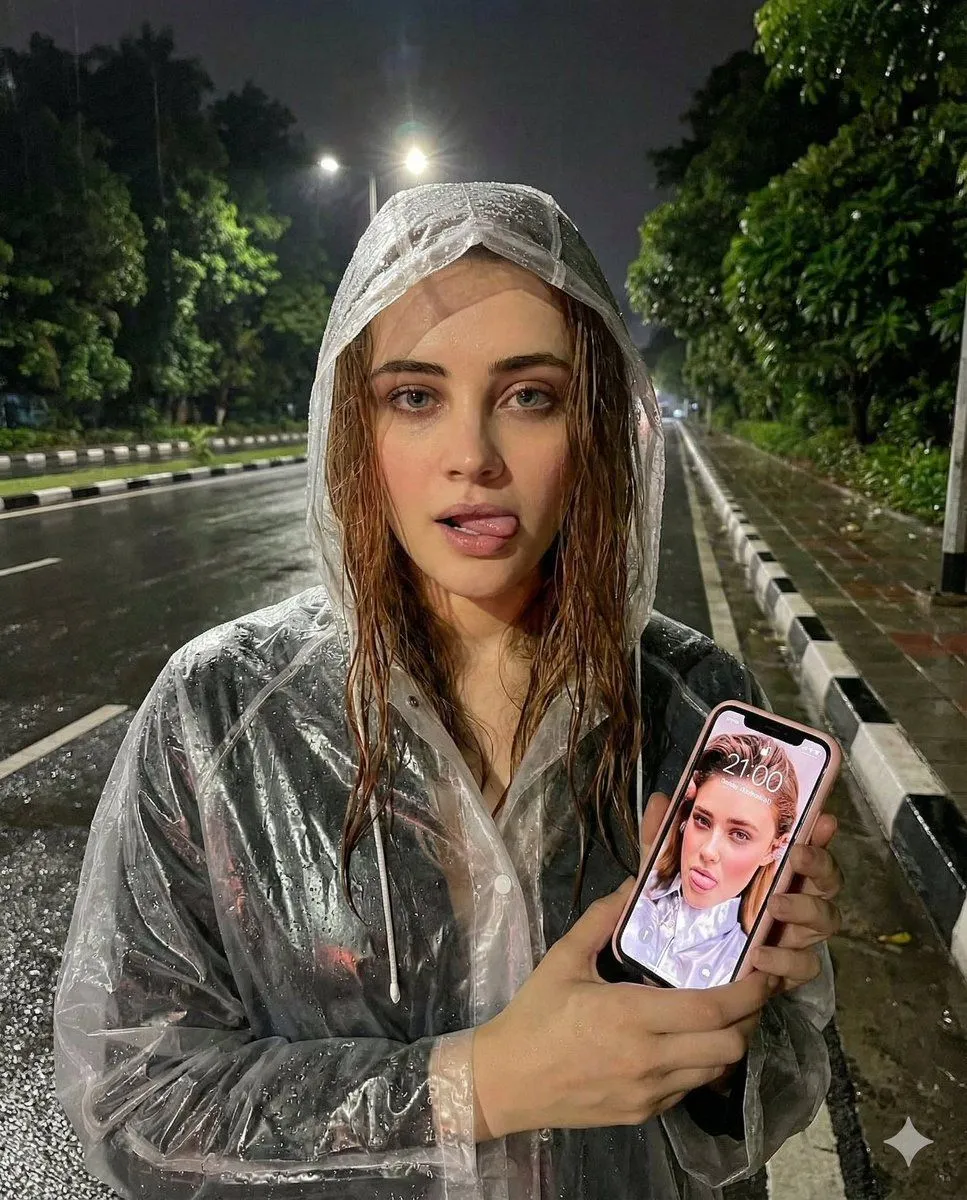
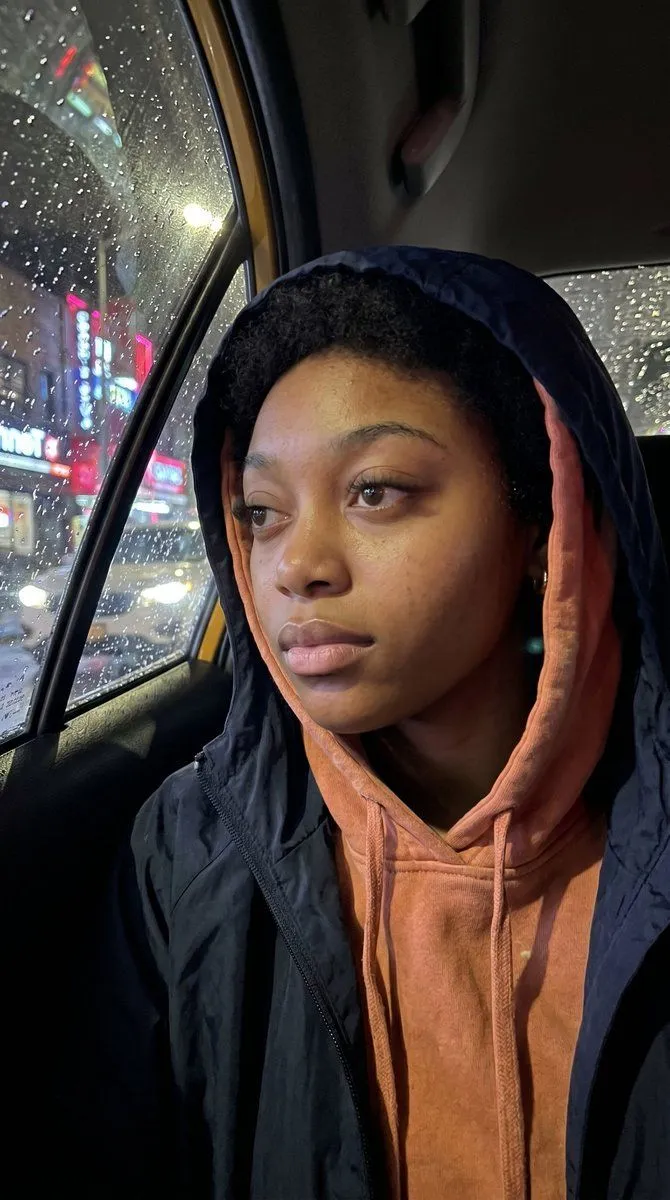
Nighttime Rainy Street Selfie Photo Edit Prompt

Made with Nano Banana Pro in Gemini by Library Social. Promptclay never generates images.

Did it work?

No reports yet. Tell others if it worked for you.

No comments yet. Be the first.

    Nighttime Rainy Street Selfie Photo Edit Prompt

    Nano Banana Pro4:5Needs your photoAI-generated

    Prompt

    { "task": "photo_edit", "rules": { "face_change": false, "keep_identity": true }, "subject": { "gender": "female", "expression": "looking straight into the camera with tongue slightly sticking out to the side of lips", "hair": { "condition": "wet", "style": "slightly falling out from raincoat" }, "outfit": { "type": "transparent clear white plastic raincoat", "details": "rain droplets visible, glossy texture" }, "pose": { "hands": "both hands holding an iPhone", "camera_angle": "upper front" } }, "phone": { "brand": "iPhone", "case_color": "pink", "screen": { "status": "on", "time_displayed": "21:00", "wallpaper": "same uploaded photo of the woman" } }, "environment": { "time": "night", "weather": "after rain", "location": "street roadside", "road": { "condition": "wet", "surface": "shiny due to rain" }, "sidewalk": { "material": "concrete", "curbs": "black and white painted" }, "background": { "trees": "lush dark green leaves", "coverage": "partially covering background" }, "lighting": { "street_lights": true, "focus": "bright lighting on face", "mood": "humid, calm nighttime atmosphere" } }, "visual_style": { "realism": "high", "details": "clear reflections, sharp facial details, transparent raincoat highlights" } }

    Use only photos you have the right to usePhoto tips
    • Your photo stays with your app. You upload it to Gemini, ChatGPT or the app you use. Promptclay never sees or stores it.
    • Crop to what the prompt needs. Your face for a portrait. Leave out other people, house numbers, cards and screens.
    • Check the result before you post. Apps sometimes add things that were not in your photo, like a mole, a tattoo or bare shoulders. Run it again or ask the app to remove them.
    Works in
    Gemini, ChatGPT
    Status
    Free to copy
    0
    DetailsVersions, settings and questions

    Written for

    What's in the prompt

    Subject
    Model
    Nano Banana Pro

    If your face changes

    keep my face exactly the same

    Questions

    Does this work in the Gemini app?
    Yes. Gemini runs Nano Banana, so paste the prompt and attach your photo if it uses one.
    It changed my face. What do I do?
    Add "keep my face exactly the same" to the end and run it again.
    Can I use the images I make?
    Check the terms of the app you use. Promptclay never generates images and claims nothing you make.
    Similar prompts

    See more
    • Night Car Selfie via iPhone Screen
    • Realistic iPhone Photo Rainy Taxi Night
    • Candid Night Street Photo Prompt
    • Rainy Night City Portrait
    • Cinematic Urban Rain Scene Prompt (Neo-Noir)
    • Cinematic Noir Rainy Portrait
    • Cinematic Night Street Scene Prompt
    • Cinematic Rainy City Portrait
    • Cinematic Urban Night Billboard Portrait
    • Cinematic HDR Night Photograph on a Rainy Rooftop
    • Rainy Street Triptych Portrait
    • Cinematic Rainy Night Car Portrait Prompt
    • Rainy French Street at Night
    • Midnight Manhattan Luxury Scene
    • Anime Character to Neon Street Photo
    • Cyberpunk J-Pop Neon-Noir Street Portrait
    • Cinematic Fashion Portrait in Tropical Greenhouse
    • Wong Kar-wai Style Portrait in Taxi
    • Cinematic Rainy Night Noir Triptych
    • Cyberpunk Split Lighting Portrait
    • Anonymous Night Bus Portrait
    • Hand-Carved Wooden Miniature Figure
    • Multi-Angle Scene Generation Prompt (Oshi no Ko Style)
    • Nano Banana Pro Thumbnail Generation Example

    Show more

    Run it on your phone

    1. Prompt copiedRead it

      { "task": "photo_edit", "rules": { "face_change": false, "keep_identity": true }, "subject": { "gender": "female", "expression": "looking straight into the camera with tongue slightly sticking out to the side of lips", "hair": { "condition": "wet", "style": "slightly falling out from raincoat" }, "outfit": { "type": "transparent clear white plastic raincoat", "details": "rain droplets visible, glossy texture" }, "pose": { "hands": "both hands holding an iPhone", "camera_angle": "upper front" } }, "phone": { "brand": "iPhone", "case_color": "pink", "screen": { "status": "on", "time_displayed": "21:00", "wallpaper": "same uploaded photo of the woman" } }, "environment": { "time": "night", "weather": "after rain", "location": "street roadside", "road": { "condition": "wet", "surface": "shiny due to rain" }, "sidewalk": { "material": "concrete", "curbs": "black and white painted" }, "background": { "trees": "lush dark green leaves", "coverage": "partially covering background" }, "lighting": { "street_lights": true, "focus": "bright lighting on face", "mood": "humid, calm nighttime atmosphere" } }, "visual_style": { "realism": "high", "details": "clear reflections, sharp facial details, transparent raincoat highlights" } }

    2. Open your app

    3. Paste and run

      Press and hold the message box, then tap Paste. Add your photo first if the prompt uses one. You may need to sign in.

    Nighttime Rainy Street Selfie Photo Edit Prompt