Tell us anything

An idea, a bug, something you love. We read every note.

⌘↵ to send. The page you're on comes along.

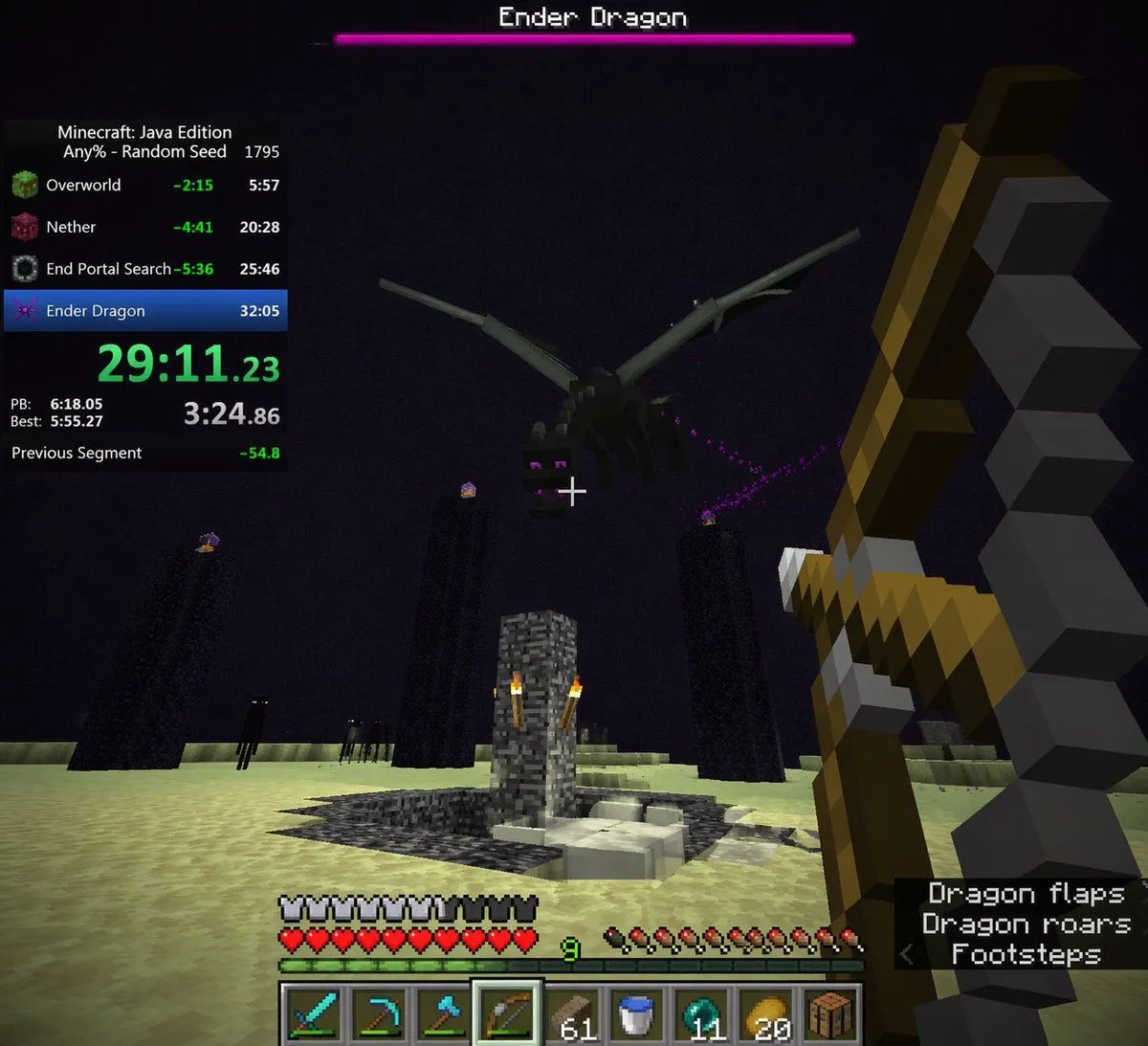
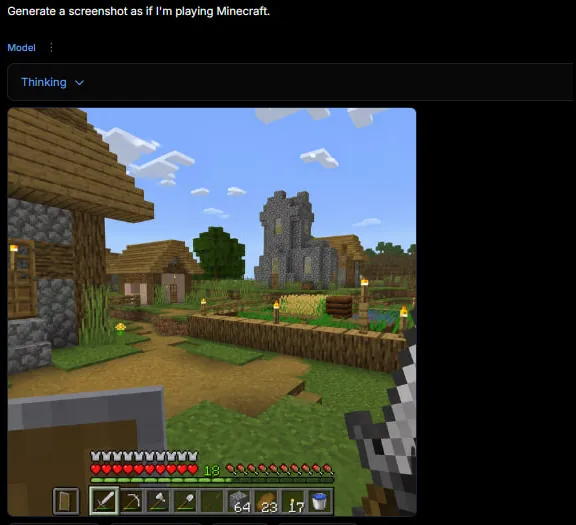
Minecraft Speedrun Screenshot

Made with GPT Image 2 in ChatGPT by Library Game Art. Promptclay never generates images.

Did it work?

No reports yet. Tell others if it worked for you.

No comments yet. Be the first.

    Minecraft Speedrun Screenshot

    GPT Image 2AI-generated

    Prompt

    { "type": "first-person video game screenshot", "setting": "The End dimension in Minecraft", "scene": { "environment": "pale yellow end stone ground, dark purple sky, tall obsidian pillars with end crystals on top, central bedrock exit portal structure with torches, dark endermen figures in the background", "subject": "a large black dragon flying overhead", "player_view": "first-person perspective, holding a {argument name=\"held weapon\" default=\"drawn bow\"} in the right hand, white crosshair in the center" }, "ui_overlay": { "top": { "boss_bar": "pink health bar with text '{argument name=\"boss name\" default=\"Ender Dragon\"}'" }, "left": { "speedrun_timer": { "header": "Minecraft: Java Edition, {argument name=\"speedrun category\" default=\"Any% - Random Seed\"} 1795", "splits_count": 4, "splits_labels": ["Overworld", "Nether", "End Portal Search", "Ender Dragon"], "main_time": "{argument name=\"current time\" default=\"29:11.23\"} in bright green", "stats": "PB, Best, and Previous Segment times" } }, "bottom": { "status_bars": "full armor bar, full heart health bar, green experience bar at level {argument name=\"experience level\" default=\"9\"}, full hunger bar", "hotbar": { "slots_count": 9, "items": ["diamond sword", "diamond pickaxe", "diamond axe", "bow (highlighted)", "61 wood planks", "water bucket", "11 ender pearls", "20 golden apples", "crafting table"] } }, "bottom_right": { "subtitles": { "lines_count": 3, "text": ["Dragon flaps", "Dragon roars", "< Footsteps"] } } } }

    Works in
    ChatGPT, Gemini
    Status
    Free to copy
    0
    DetailsVersions, settings and questions

    Written for

    What's in the prompt

    Subject
    Model
    GPT Image 2

    If your face changes

    keep my face exactly the same

    Questions

    Does this work in the ChatGPT app?
    Yes. Paste the prompt and attach your photo if it uses one.
    It changed my face. What do I do?
    Add "keep my face exactly the same" to the end and run it again.
    Can I use the images I make?
    Check the terms of the app you use. Promptclay never generates images and claims nothing you make.
    Similar prompts

    See more
    • Minecraft Teleport Compass Screenshot
    • Minecraft Gameplay in AI Generator UI
    • Tokyo DisneySea Front-Row Battle UI
    • Chroma Key Video Editor Screenshot
    • Tiny Man vs Giant Ant Scoreboard Scene
    • Nano Banana Pro Dynasty Warriors/Final Fantasy Prompt (Full Screen)
    • Mecha Anime Poster Art
    • Software UI Desktop Screenshot
    • Retro Pixel Industrial Travel Archive
    • Generate Side View from Reference Image
    • Pixel Art Sprite Sheet Generation
    • Monster Hunter Alatreon Battle Scene
    • Mystic Ruins Platformer Screenshot
    • Character Anthropomorphism Prompt
    • Cut-out Style Character Illustration
    • Dark Medieval Sorceress Scene
    • Dark TRPG Antagonist Character Sheet
    • GPT Image 2 Fantasy Forest Ritual Storyboard
    • Nine Chibi Kitten Costume Variants
    • Parisian Sidewalk Fashion Editorial
    • Pastel Beluga Idol Gacha Card
    • Pastel Street Lolita Reference Sheet
    • Personalized Minecraft Skin Prompt
    • Pixel Game Asset Atlas Template

    Show more

    Run it on your phone

    1. Prompt copiedRead it

      { "type": "first-person video game screenshot", "setting": "The End dimension in Minecraft", "scene": { "environment": "pale yellow end stone ground, dark purple sky, tall obsidian pillars with end crystals on top, central bedrock exit portal structure with torches, dark endermen figures in the background", "subject": "a large black dragon flying overhead", "player_view": "first-person perspective, holding a {argument name=\"held weapon\" default=\"drawn bow\"} in the right hand, white crosshair in the center" }, "ui_overlay": { "top": { "boss_bar": "pink health bar with text '{argument name=\"boss name\" default=\"Ender Dragon\"}'" }, "left": { "speedrun_timer": { "header": "Minecraft: Java Edition, {argument name=\"speedrun category\" default=\"Any% - Random Seed\"} 1795", "splits_count": 4, "splits_labels": ["Overworld", "Nether", "End Portal Search", "Ender Dragon"], "main_time": "{argument name=\"current time\" default=\"29:11.23\"} in bright green", "stats": "PB, Best, and Previous Segment times" } }, "bottom": { "status_bars": "full armor bar, full heart health bar, green experience bar at level {argument name=\"experience level\" default=\"9\"}, full hunger bar", "hotbar": { "slots_count": 9, "items": ["diamond sword", "diamond pickaxe", "diamond axe", "bow (highlighted)", "61 wood planks", "water bucket", "11 ender pearls", "20 golden apples", "crafting table"] } }, "bottom_right": { "subtitles": { "lines_count": 3, "text": ["Dragon flaps", "Dragon roars", "< Footsteps"] } } } }

    2. Open your app

    3. Paste and run

      Press and hold the message box, then tap Paste. Add your photo first if the prompt uses one. You may need to sign in.

    Minecraft Speedrun Screenshot