Tell us anything

An idea, a bug, something you love. We read every note.

⌘↵ to send. The page you're on comes along.

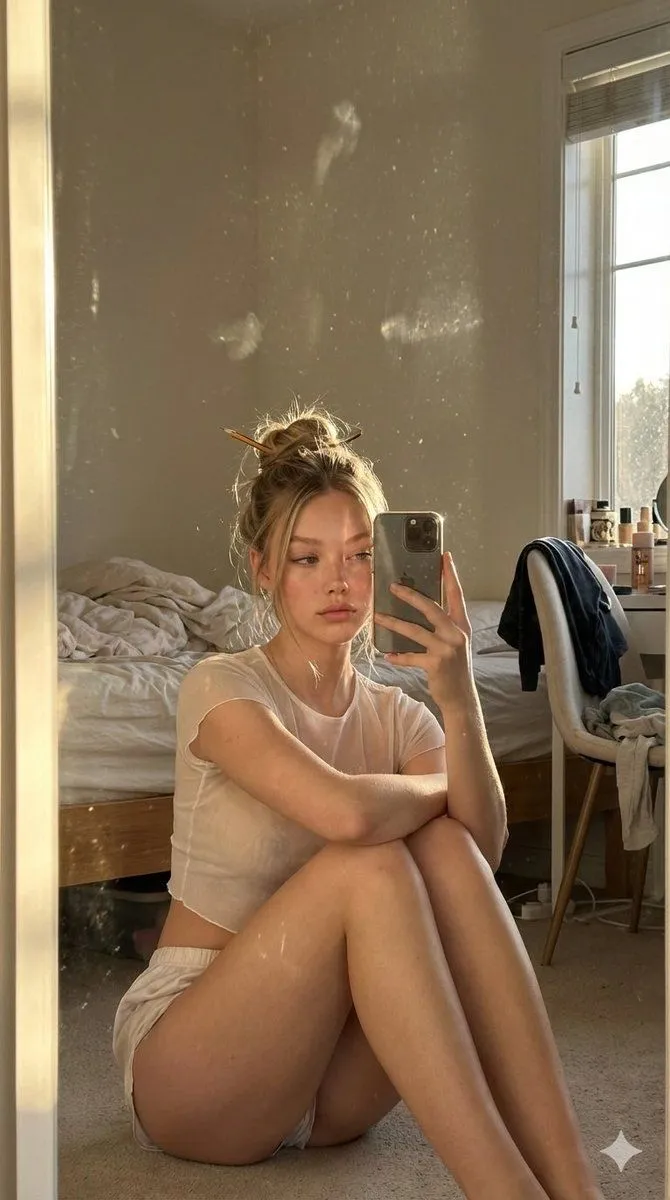
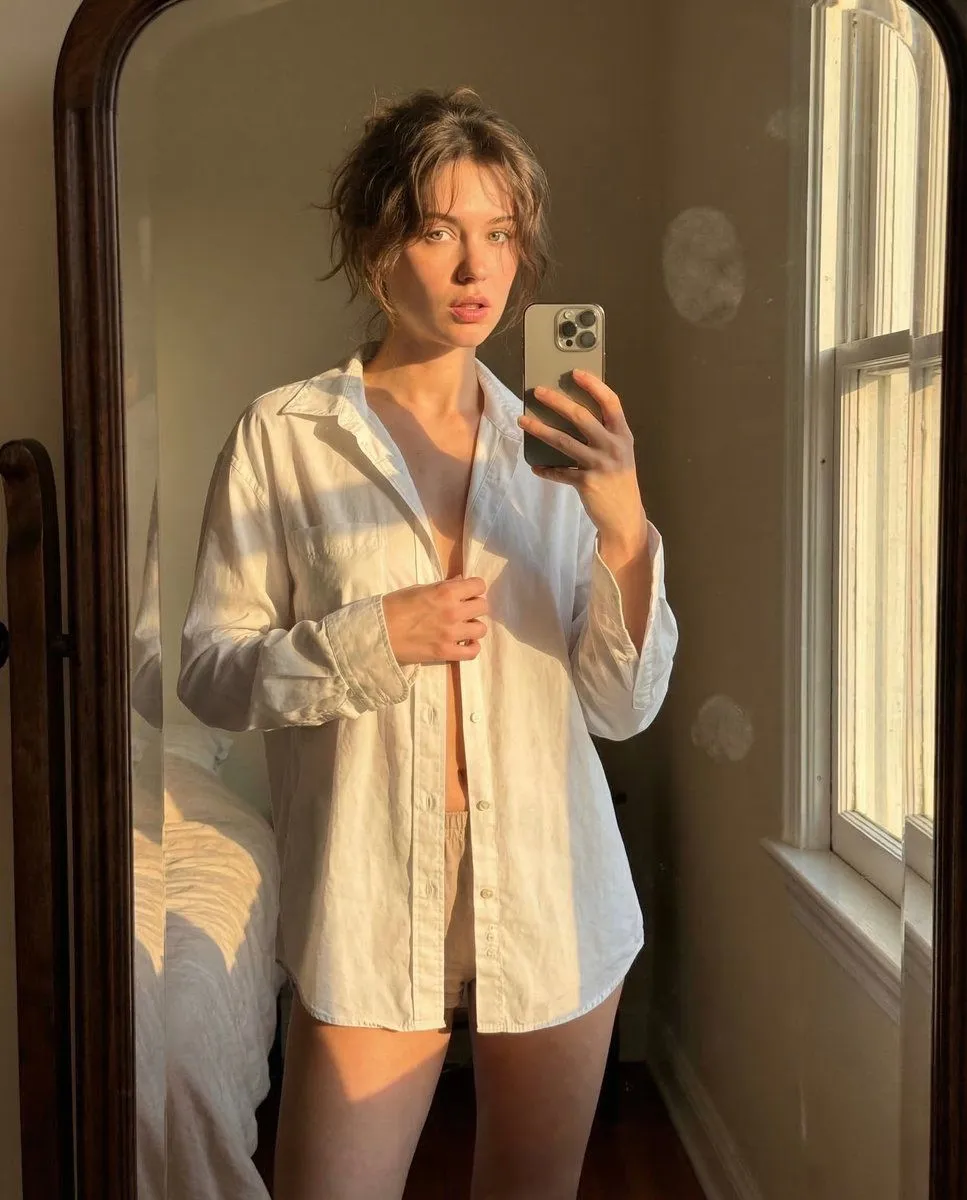
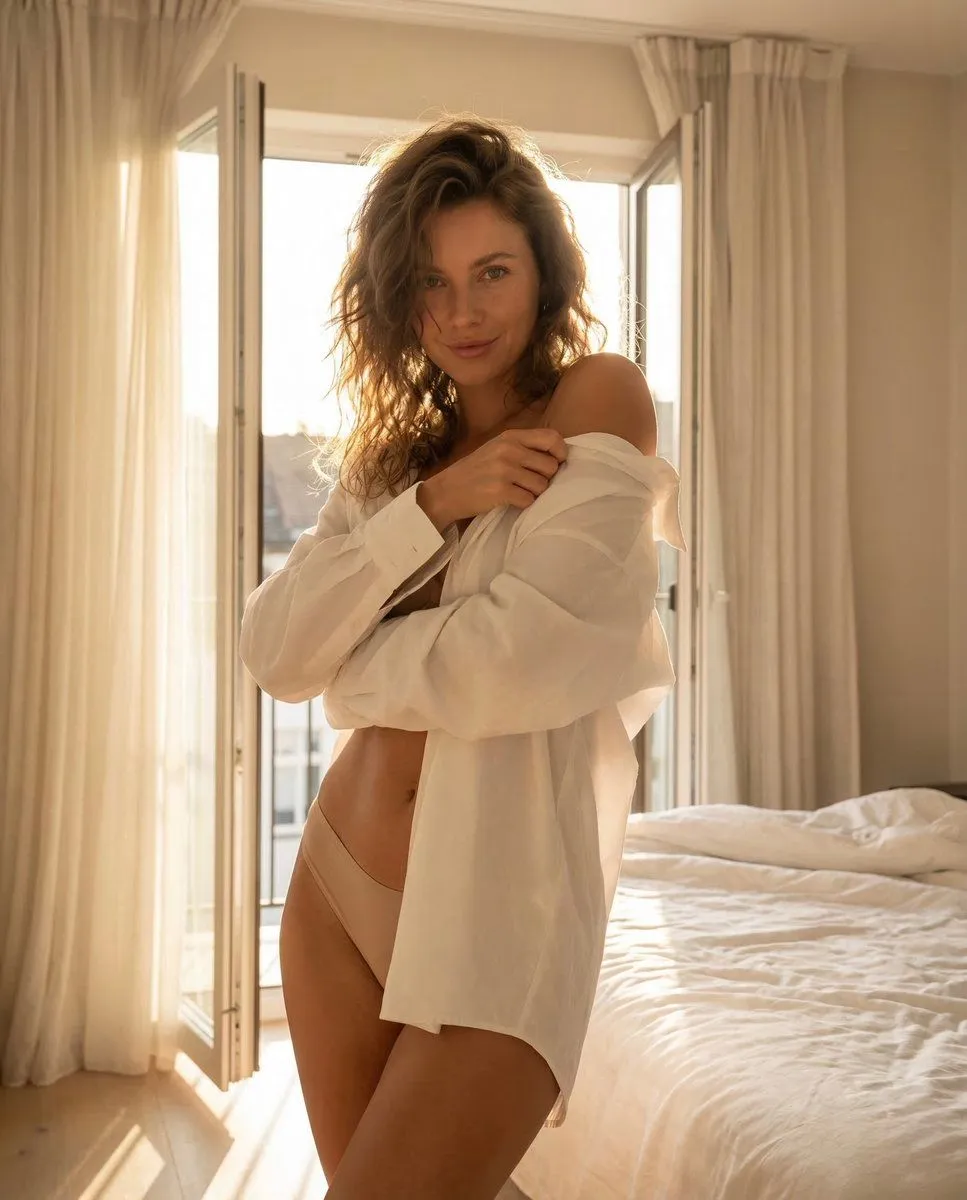
Golden Hour Mirror Selfie Realism

Made with Nano Banana Pro in Gemini, collected by Library Portraits. Promptclay never generates images.

Did it work?

No reports yet. Tell others if it worked for you.

No comments yet. Be the first.

    Golden Hour Mirror Selfie Realism

    Nano Banana Pro4:5AI-generated

    Prompt

    {   "meta": {     "camera": "iPhone 17 Pro",     "lens": "35mm",     "aspect_ratio": "4:5",     "style": "raw iphone indoor realism, natural HDR, soft grain"   },   "scene": {     "location": "bedroom mirror",     "time": "golden hour sunset leaking through window",     "atmosphere": "warm quiet room, soft shadows, intimate silence"   },   "lighting": {     "primary": "golden sunlight hitting from side",     "effect": "fabric slightly translucent, warm glow on skin, natural highlights"   },   "subject": {     "pose": {       "position": "standing in front of mirror",       "action": "mid-unbutton shirt moment",       "body": "one hand holding shirt open slightly, other holding phone",       "torso": "subtle forward lean"     },     "expression": {       "eyes": "locked into mirror",       "mouth": "barely parted",       "energy": "caught in a private moment"     },     "hair": {       "style": "soft messy natural fall"     },     "outfit": {       "top": {         "type": "oversized white button-up",         "state": "half unbuttoned",         "effect": "light passing through fabric, shape hinted not shown"       },       "bottom": {         "type": "minimal lounge shorts",         "color": "neutral"       }     }   },   "camera": {     "angle": "mirror selfie slight tilt",     "distance": "medium",     "imperfection": "tiny blur + fingerprint smudge on mirror"   } }

    Works in
    Gemini, ChatGPT
    Status
    Free to copy
    0
    DetailsVersions, settings and questions

    Written for

    What's in the prompt

    Subject
    Model
    Nano Banana Pro

    If your face changes

    keep my face exactly the same

    Questions

    Does this work in the Gemini app?
    Yes. Gemini runs Nano Banana, so paste the prompt and attach your photo if it uses one.
    It changed my face. What do I do?
    Add "keep my face exactly the same" to the end and run it again.
    Can I use the images I make?
    Check the terms of the app you use. Promptclay never generates images and claims nothing you make.
    Similar prompts

    See more
    • Ana de Armas Mirror Selfie Simulation
    • Ultra Photorealistic Early Morning Bedroom Scene
    • Candid Golden Hour iPhone Mirror Selfie in a Messy Bedroom
    • Intimate Late Night iPhone Selfie in Oversized T-Shirt
    • Warm iPhone Mirror Selfie
    • Afternoon Room Selfie Portrait
    • Golden Hour Organic Outdoor Selfie
    • Candid Kitchen Lifestyle Photo
    • Red Hair Garden Portrait
    • Cinematic Podcast Studio Portrait
    • Fashion Editorial with Giant Teddy Bear Prompt
    • Hand-Carved Wooden Miniature Figure
    • Imagination Coming to Life
    • Man with Zootopia Characters in Alpine Cable Car
    • Stylized Wicker Caricature Figurine
    • Upscale and Detail Enhancement
    • Vintage Studio Portrait with Picture-in-Picture Effect
    • Charcoal and Pencil Couple Drawings
    • Human Fragments Editorial Poster
    • Hyperrealistic Tattooed Elf Couple
    • Multi-Angle Scene Generation Prompt (Oshi no Ko Style)
    • Nano Banana Pro Thumbnail Generation Example
    • Object Reasoning Test Prompt for Nano Banana 2
    • RPG Status Screen Overlay

    Show more

    Run it on your phone

    1. Prompt copiedRead it

      {   "meta": {     "camera": "iPhone 17 Pro",     "lens": "35mm",     "aspect_ratio": "4:5",     "style": "raw iphone indoor realism, natural HDR, soft grain"   },   "scene": {     "location": "bedroom mirror",     "time": "golden hour sunset leaking through window",     "atmosphere": "warm quiet room, soft shadows, intimate silence"   },   "lighting": {     "primary": "golden sunlight hitting from side",     "effect": "fabric slightly translucent, warm glow on skin, natural highlights"   },   "subject": {     "pose": {       "position": "standing in front of mirror",       "action": "mid-unbutton shirt moment",       "body": "one hand holding shirt open slightly, other holding phone",       "torso": "subtle forward lean"     },     "expression": {       "eyes": "locked into mirror",       "mouth": "barely parted",       "energy": "caught in a private moment"     },     "hair": {       "style": "soft messy natural fall"     },     "outfit": {       "top": {         "type": "oversized white button-up",         "state": "half unbuttoned",         "effect": "light passing through fabric, shape hinted not shown"       },       "bottom": {         "type": "minimal lounge shorts",         "color": "neutral"       }     }   },   "camera": {     "angle": "mirror selfie slight tilt",     "distance": "medium",     "imperfection": "tiny blur + fingerprint smudge on mirror"   } }

    2. Open your app

    3. Paste and run

      Press and hold the message box, then tap Paste. Add your photo first if the prompt uses one. You may need to sign in.

    Golden Hour Mirror Selfie Realism