Tell us anything

An idea, a bug, something you love. We read every note.

⌘↵ to send. The page you're on comes along.

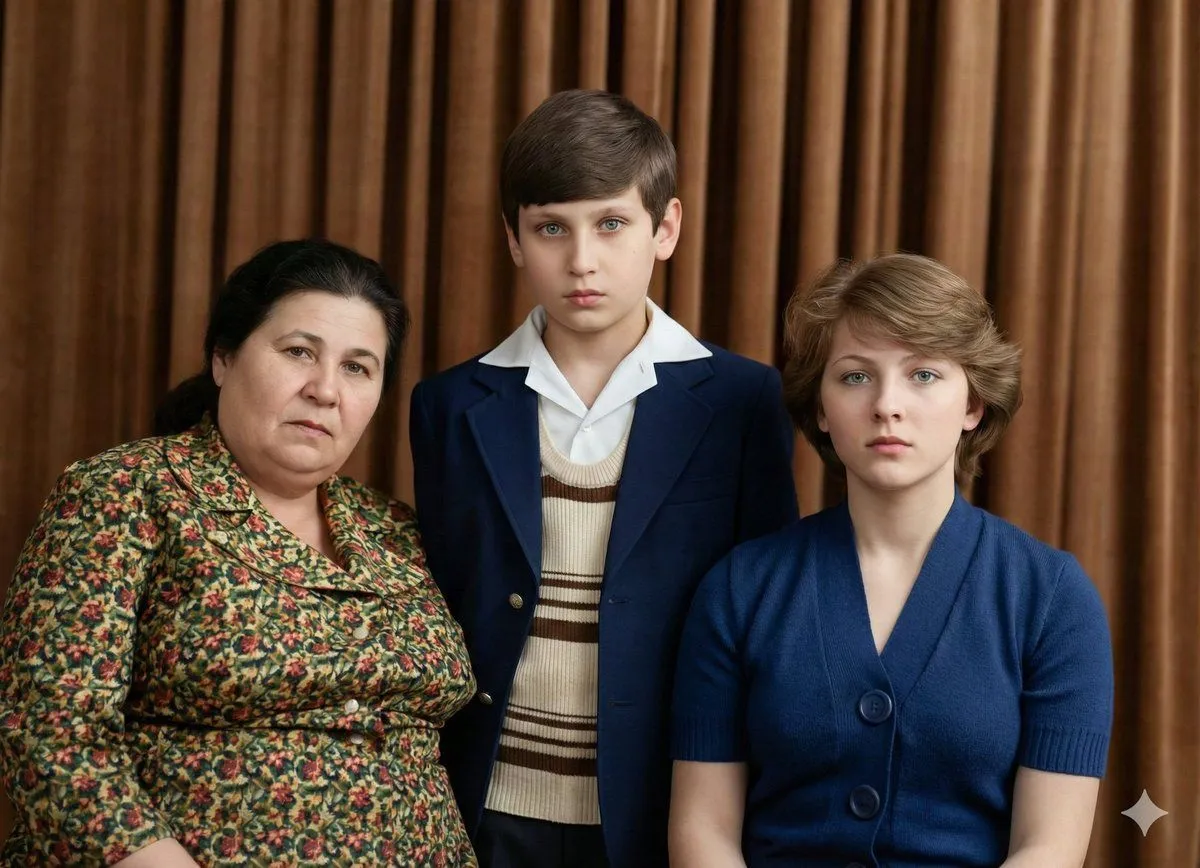
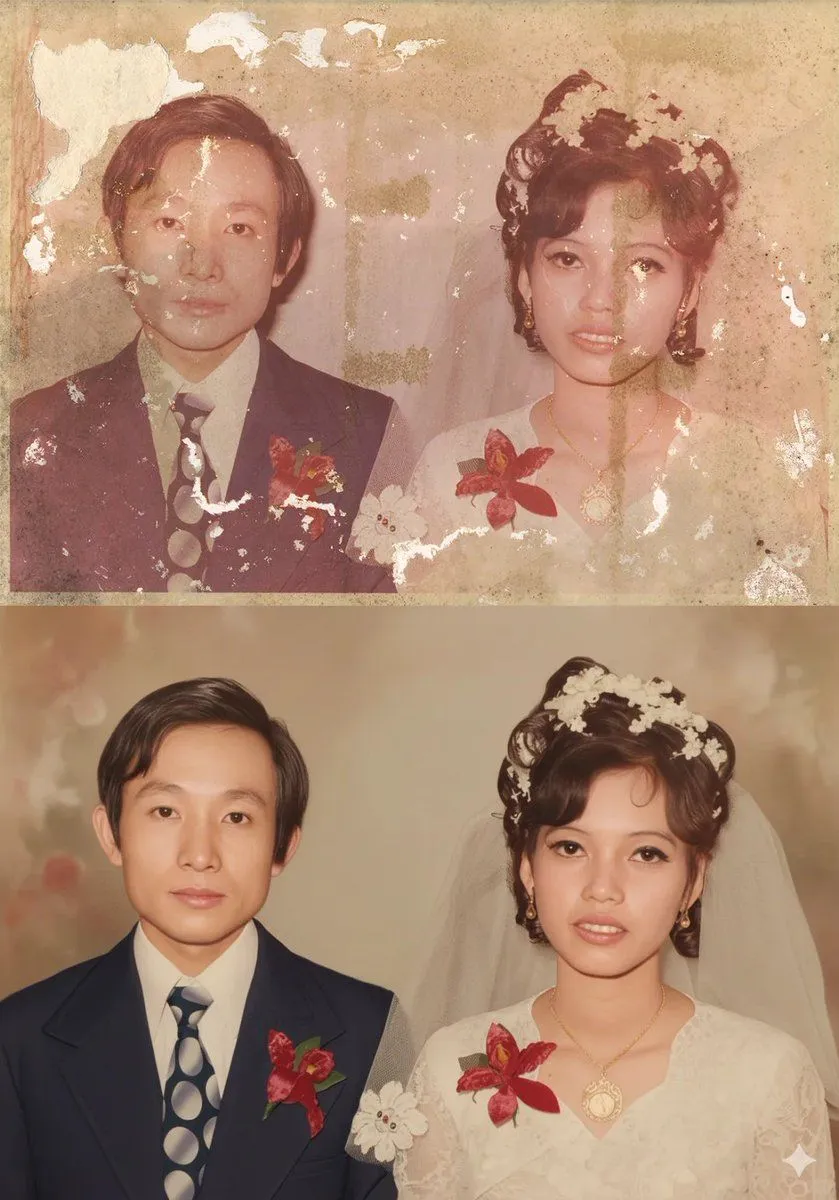
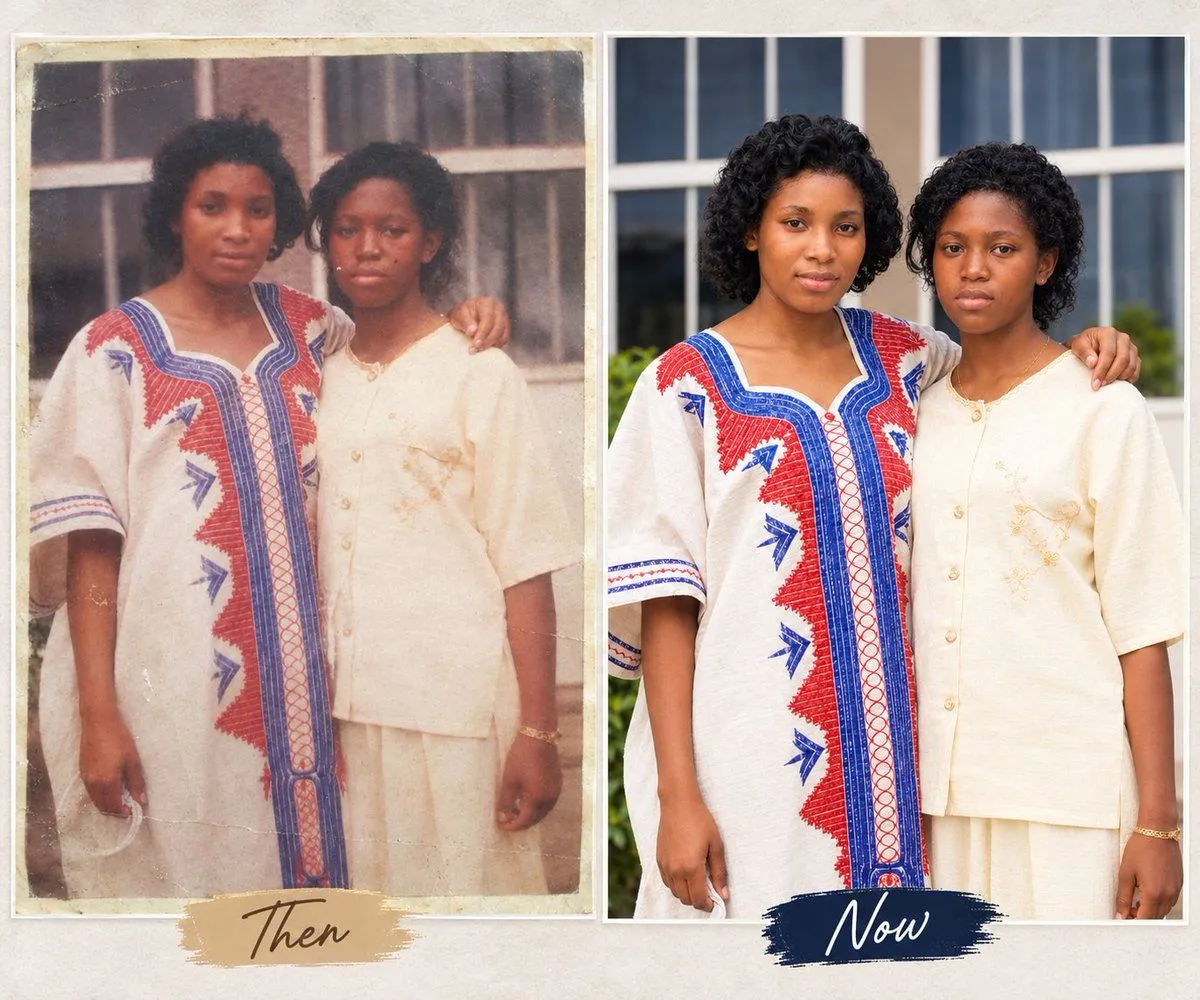
Detailed prompt for old photo restoration using GPT Image 1.5

Made with GPT Image 1.5 in ChatGPT by Library Concept. Promptclay never generates images.

Did it work?

No reports yet. Tell others if it worked for you.

No comments yet. Be the first.

    Detailed prompt for old photo restoration using GPT Image 1.5

    GPT Image 1.55:4AI-generated

    Prompt

    { "task": "portrait_restoration", "language": "zh-CN", "prompt": { "subject": { "type": "human_portrait", "identity_fidelity": "match_uploaded_face_100_percent", "no_facial_modification": true, "expression": "natural", "eye_detail": "sharp_clear", "skin_texture": "ultra_realistic", "hair_detail": "natural_individual_strands", "fabric_detail": "rich_high_frequency_detail" }, "lighting": { "exposure": "bright_clear", "style": "soft_studio_light", "brightness_balance": "even", "specular_highlights": "natural_on_face_and_eyes", "shadow_transition": "smooth_gradual" }, "image_quality": { "resolution": "8k", "clarity": "high", "noise": "clean_low", "artifacts": "none", "over_smoothing": "none" }, "optics": { "camera_style": "full_frame_dslr", "lens": "85mm", "aperture": "f/1.8", "depth_of_field": "soft_shallow", "bokeh": "smooth_natural" }, "background": { "style": "clean_elegant", "distraction_free": true, "tone": "neutral" }, "color_grading": { "style": "cinematic", "saturation": "rich_but_natural", "white_balance": "accurate", "skin_tone": "natural_true_to_subject" }, "style_constraints": { "no_cartoon": true, "no_beauty_filter": true, "no_plastic_skin": true, "no_face_reshaping": true, "no_ai_face_swap": true } }, "negative_prompt": [ "cartoon", "anime", "cgi", "painterly", "plastic skin", "over-smoothing", "over-sharpening halos", "heavy skin retouching", "face reshaping", "identity drift", "face swap", "beauty filter", "uncanny", "washed out", "color cast", "blown highlights", "crushed shadows", "banding", "jpeg artifacts", "extra fingers", "deformed eyes", "asymmetrical face", "warped features" ], "parameters": { "fidelity_priority": "identity", "detail_priority": "eyes_skin_hair_fabric", "realism_strength": 0.95, "sharpening": "micro_contrast_only", "skin_retention": "keep_pores_and_microtexture", "recommended_denoise": "low_to_medium" } }

    Works in
    ChatGPT, Gemini
    Status
    Free to copy
    0
    DetailsVersions, settings and questions

    Written for

    What's in the prompt

    Subject
    Model
    GPT Image 1.5

    If your face changes

    keep my face exactly the same

    Questions

    Does this work in the ChatGPT app?
    Yes. Paste the prompt and attach your photo if it uses one.
    It changed my face. What do I do?
    Add "keep my face exactly the same" to the end and run it again.
    Can I use the images I make?
    Check the terms of the app you use. Promptclay never generates images and claims nothing you make.
    Similar prompts

    See more
    • Old Photo Restoration Prompt for Nano Banana Pro
    • Vintage Portrait Photo Restoration
    • Vintage Photo Restoration and Enhancement
    • Extreme Zoom Comparison Crop
    • Image-to-Image Restoration of Vintage Photos
    • Moody Portrait with Dripping Candles
    • Photorealistic Woman Laughing on a Beanbag
    • Glasses Glare Removal Comparison
    • Character Pose Variation Prompt
    • Cinematic Panning Studio Portrait with Motion Blur
    • Prompt for Generating Image Variations from a Base Image
    • Medical Aesthetic Analysis Comparison Prompt
    • Face-to-Career Matching Composite Image Generator
    • Aging Progression Grid
    • Hyper-Realistic Surreal Horror Portrait
    • Ultra-Realistic Beauty Close-Up
    • Patterned Light Beauty Portrait
    • High-Contrast Abstract Mixed Media Portrait Prompt
    • Human Life Progression Composite
    • Cyber Projector Numbers Beauty Portrait Prompt (JSON format)
    • Fragmented Geometric Figurative Illustration
    • Abstract Philosophical Mixed Media Portrait
    • Vintage Mixed-Media Muse Portrait
    • Five-Slice Emotional Fashion Portrait

    Show more

    Run it on your phone

    1. Prompt copiedRead it

      { "task": "portrait_restoration", "language": "zh-CN", "prompt": { "subject": { "type": "human_portrait", "identity_fidelity": "match_uploaded_face_100_percent", "no_facial_modification": true, "expression": "natural", "eye_detail": "sharp_clear", "skin_texture": "ultra_realistic", "hair_detail": "natural_individual_strands", "fabric_detail": "rich_high_frequency_detail" }, "lighting": { "exposure": "bright_clear", "style": "soft_studio_light", "brightness_balance": "even", "specular_highlights": "natural_on_face_and_eyes", "shadow_transition": "smooth_gradual" }, "image_quality": { "resolution": "8k", "clarity": "high", "noise": "clean_low", "artifacts": "none", "over_smoothing": "none" }, "optics": { "camera_style": "full_frame_dslr", "lens": "85mm", "aperture": "f/1.8", "depth_of_field": "soft_shallow", "bokeh": "smooth_natural" }, "background": { "style": "clean_elegant", "distraction_free": true, "tone": "neutral" }, "color_grading": { "style": "cinematic", "saturation": "rich_but_natural", "white_balance": "accurate", "skin_tone": "natural_true_to_subject" }, "style_constraints": { "no_cartoon": true, "no_beauty_filter": true, "no_plastic_skin": true, "no_face_reshaping": true, "no_ai_face_swap": true } }, "negative_prompt": [ "cartoon", "anime", "cgi", "painterly", "plastic skin", "over-smoothing", "over-sharpening halos", "heavy skin retouching", "face reshaping", "identity drift", "face swap", "beauty filter", "uncanny", "washed out", "color cast", "blown highlights", "crushed shadows", "banding", "jpeg artifacts", "extra fingers", "deformed eyes", "asymmetrical face", "warped features" ], "parameters": { "fidelity_priority": "identity", "detail_priority": "eyes_skin_hair_fabric", "realism_strength": 0.95, "sharpening": "micro_contrast_only", "skin_retention": "keep_pores_and_microtexture", "recommended_denoise": "low_to_medium" } }

    2. Open your app

      This prompt is long, so it is copied instead of sent in the link. Paste it in the app.

    3. Paste and run

      Press and hold the message box, then tap Paste. Add your photo first if the prompt uses one. You may need to sign in.

    Detailed prompt for old photo restoration using GPT Image 1.5