Tell us anything

An idea, a bug, something you love. We read every note.

⌘↵ to send. The page you're on comes along.

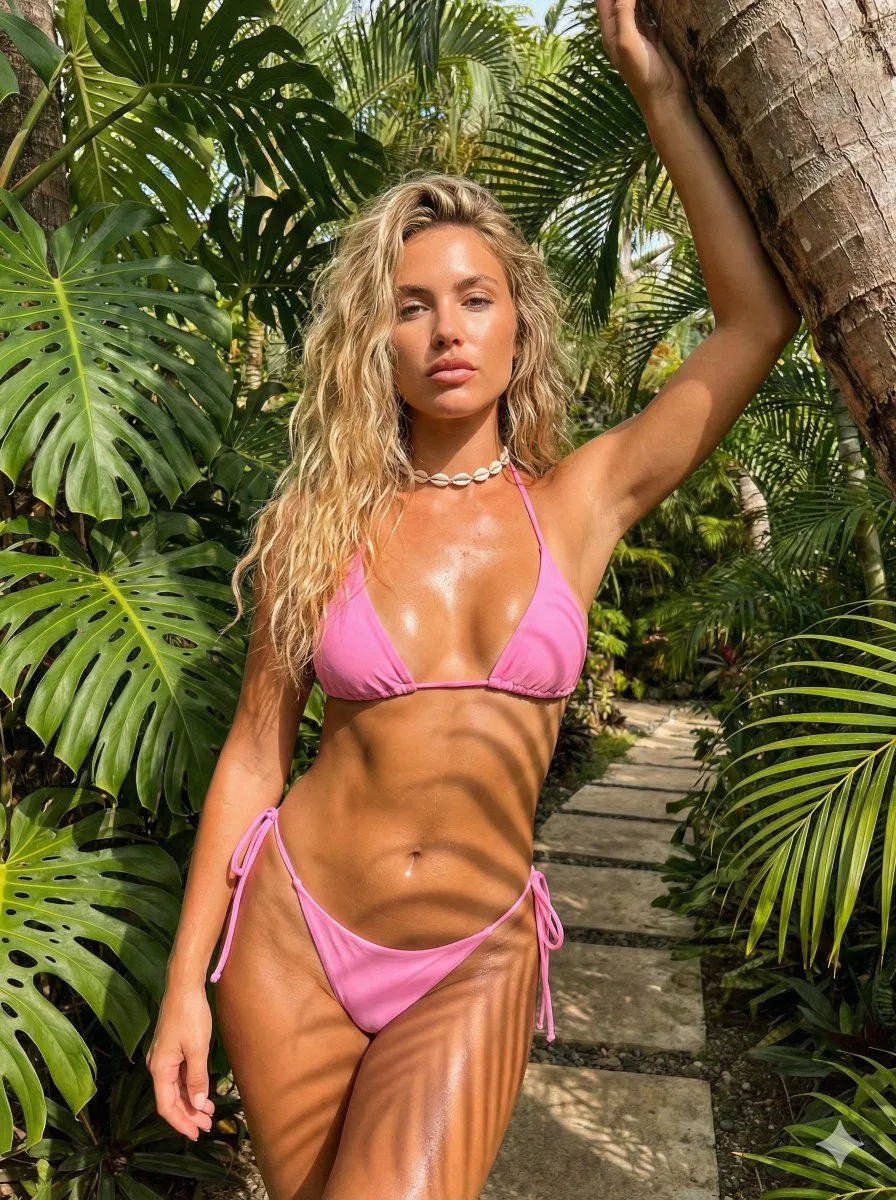
Detailed JSON Prompt with ControlNet for Summer Vibe Photo

Made with Nano Banana Pro in Gemini by Library Social. Promptclay never generates images.

Did it work?

No reports yet. Tell others if it worked for you.

No comments yet. Be the first.

    Detailed JSON Prompt with ControlNet for Summer Vibe Photo

    Nano Banana Pro3:4AI-generated

    Prompt

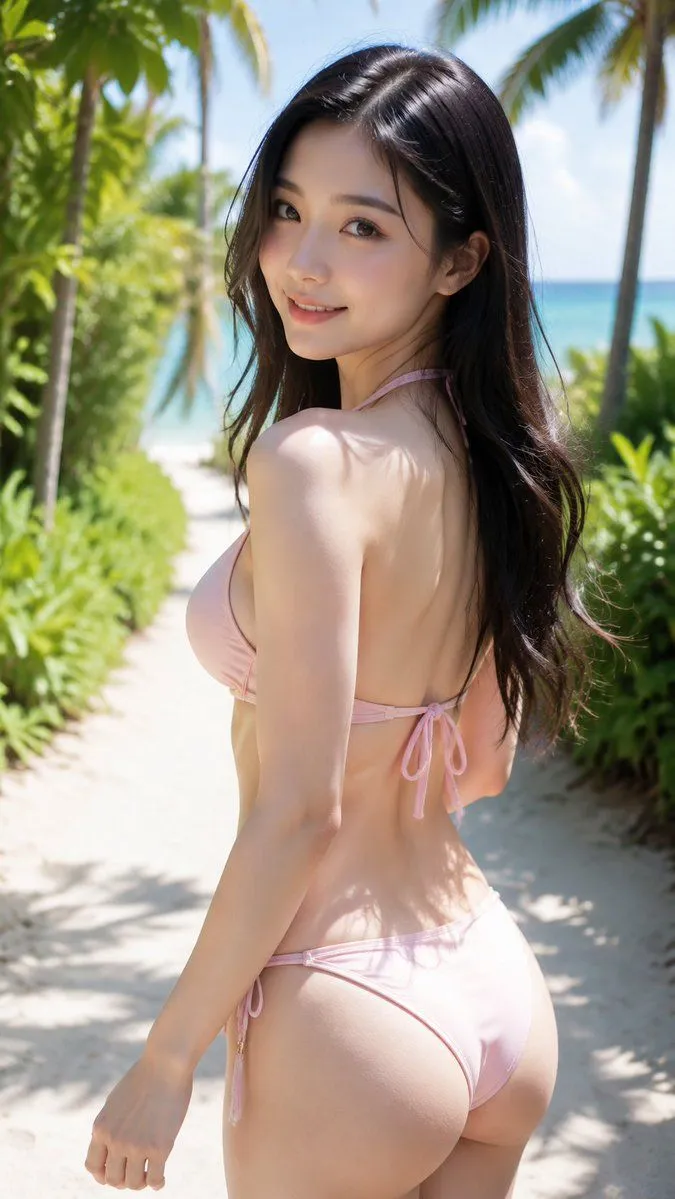
    { "subject": "Woman with tanned skin, long wavy blonde hair, wearing a bright pink string bikini and shell choker.", "pose": "Leaning back against a tree, right hand raised resting on trunk, left arm down, hips forward, direct gaze.", "environment": "Outdoor tropical garden with tree trunks, large green leaves, and a stone path.", "camera": "Medium-full shot, eye-level, centered framing.", "lighting": "Direct bright sunlight, strong dappled shadows, glossy skin highlights.", "mood_and_expression": "Confident, neutral expression with a slight pout.", "style_and_realism": "Photorealistic, unstylized lifestyle photography.", "colors_and_tone": "Vibrant warm tones, high contrast, prominent hot pink and green.", "quality_and_technical_details": "High resolution, sharp focus, visible skin texture and specular reflections.", "aspect_ratio_and_output": "3:4", "controlnet": { "pose_control": { "model_type": "DWPose", "purpose": "Pose alignment", "constraints": [ "preserve shoulder alignment", "preserve hip alignment", "preserve limb placement" ], "recommended_weight": 0.95 }, "depth_control": { "model_type": "MiDaS", "purpose": "Depth alignment", "constraints": [ "preserve foreground depth", "maintain subject-background separation" ], "recommended_weight": 0.8 } }, "negative_prompt": "stylization, distortion, proportion changes, depth flattening, beautification filters" }

    Works in
    Gemini, ChatGPT
    Status
    Free to copy
    0
    DetailsVersions, settings and questions

    Written for

    What's in the prompt

    Subject
    Model
    Nano Banana Pro

    If your face changes

    keep my face exactly the same

    Questions

    Does this work in the Gemini app?
    Yes. Gemini runs Nano Banana, so paste the prompt and attach your photo if it uses one.
    It changed my face. What do I do?
    Add "keep my face exactly the same" to the end and run it again.
    Can I use the images I make?
    Check the terms of the app you use. Promptclay never generates images and claims nothing you make.
    Similar prompts

    See more
    • Tropical Bikini Portrait with Natural Skin Texture Prompt
    • Cinematic Realism Portrait on Tropical Beach with Identity Lock
    • Hyper-Realistic Bikini Mirror Selfie Prompt
    • Neon City Rooftop Portrait Prompt
    • Natural Beach Resort Portrait
    • Detailed Anatomical Pose Description for Bikini Portrait
    • Nano Banana Pro Image Generation Prompt
    • Golden Hour Tropical Portrait
    • Photorealistic Summer Poolside Portrait
    • Barbie Style Tropical Night Portrait Prompt
    • JSON prompt for construction site AR blueprint overlay
    • Man with Zootopia Characters in Alpine Cable Car
    • Nano Banana Pro Thumbnail Generation Example
    • Cyberpunk Science Portrait
    • Early 2000s Rom-Com Movie Poster
    • Hand-Carved Wooden Miniature Figure
    • Human Fragments Editorial Poster
    • Hyperrealistic Tattooed Elf Couple
    • Multi-Angle Scene Generation Prompt (Oshi no Ko Style)
    • Newspaper Collage Shadow Portrait
    • RPG Status Screen Overlay
    • Stylized Wicker Caricature Figurine
    • Ultra-Realistic Studio Portrait of Man in Green Hoodie
    • Nano Banana Pro Camera Control Template and Example Prompt

    Show more

    Run it on your phone

    1. Prompt copiedRead it

      { "subject": "Woman with tanned skin, long wavy blonde hair, wearing a bright pink string bikini and shell choker.", "pose": "Leaning back against a tree, right hand raised resting on trunk, left arm down, hips forward, direct gaze.", "environment": "Outdoor tropical garden with tree trunks, large green leaves, and a stone path.", "camera": "Medium-full shot, eye-level, centered framing.", "lighting": "Direct bright sunlight, strong dappled shadows, glossy skin highlights.", "mood_and_expression": "Confident, neutral expression with a slight pout.", "style_and_realism": "Photorealistic, unstylized lifestyle photography.", "colors_and_tone": "Vibrant warm tones, high contrast, prominent hot pink and green.", "quality_and_technical_details": "High resolution, sharp focus, visible skin texture and specular reflections.", "aspect_ratio_and_output": "3:4", "controlnet": { "pose_control": { "model_type": "DWPose", "purpose": "Pose alignment", "constraints": [ "preserve shoulder alignment", "preserve hip alignment", "preserve limb placement" ], "recommended_weight": 0.95 }, "depth_control": { "model_type": "MiDaS", "purpose": "Depth alignment", "constraints": [ "preserve foreground depth", "maintain subject-background separation" ], "recommended_weight": 0.8 } }, "negative_prompt": "stylization, distortion, proportion changes, depth flattening, beautification filters" }

    2. Open your app

    3. Paste and run

      Press and hold the message box, then tap Paste. Add your photo first if the prompt uses one. You may need to sign in.

    Detailed JSON Prompt with ControlNet for Summer Vibe Photo