Tell us anything

An idea, a bug, something you love. We read every note.

⌘↵ to send. The page you're on comes along.

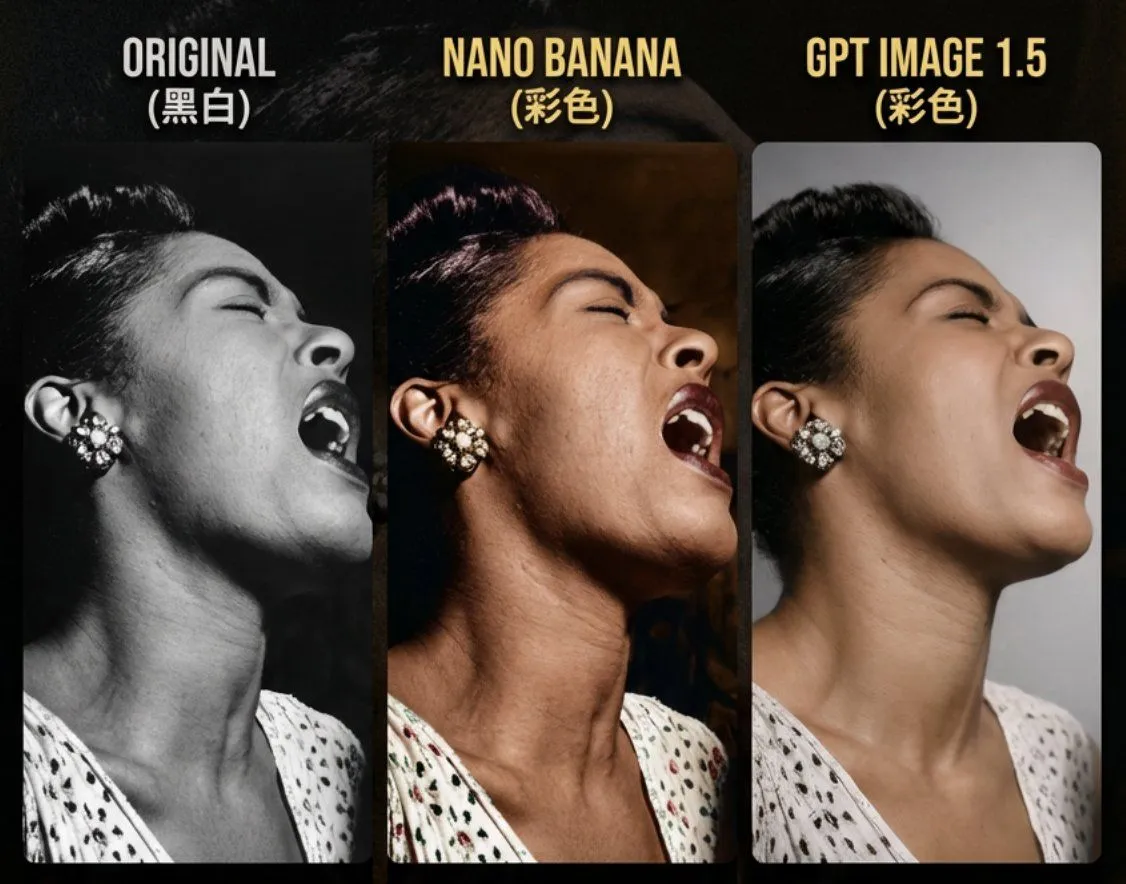
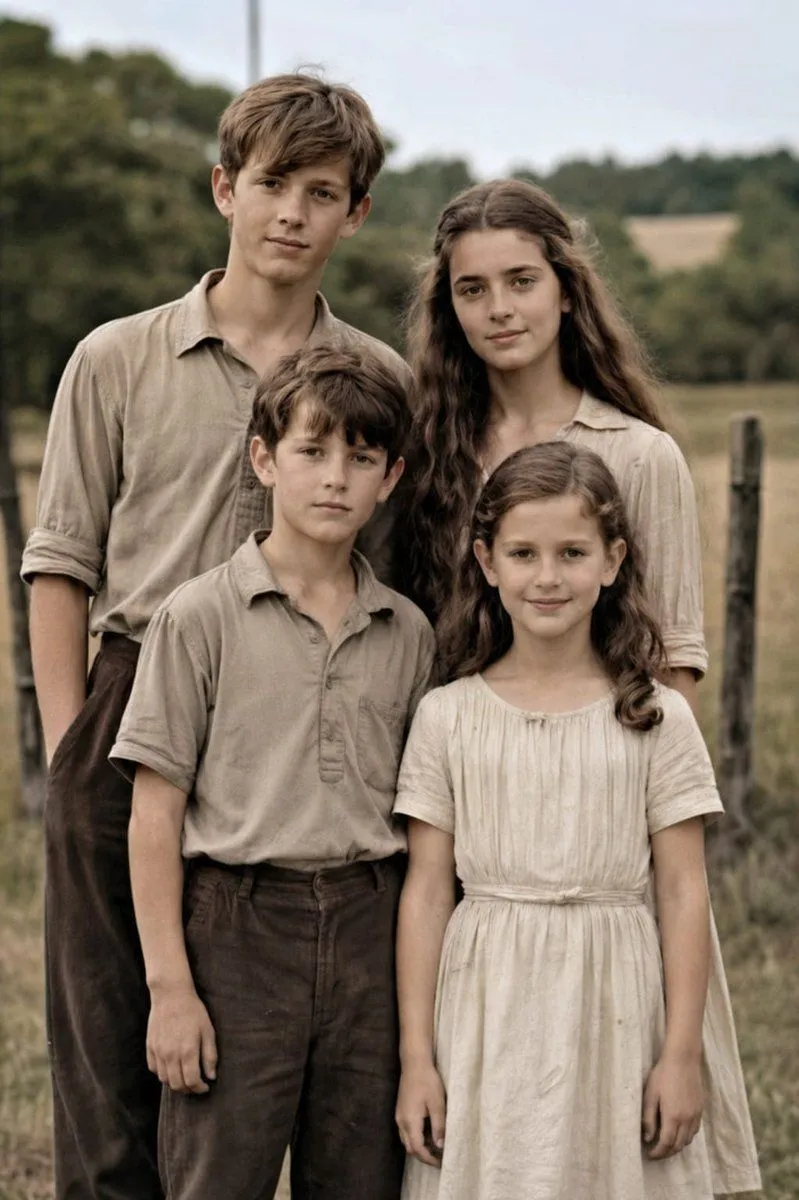
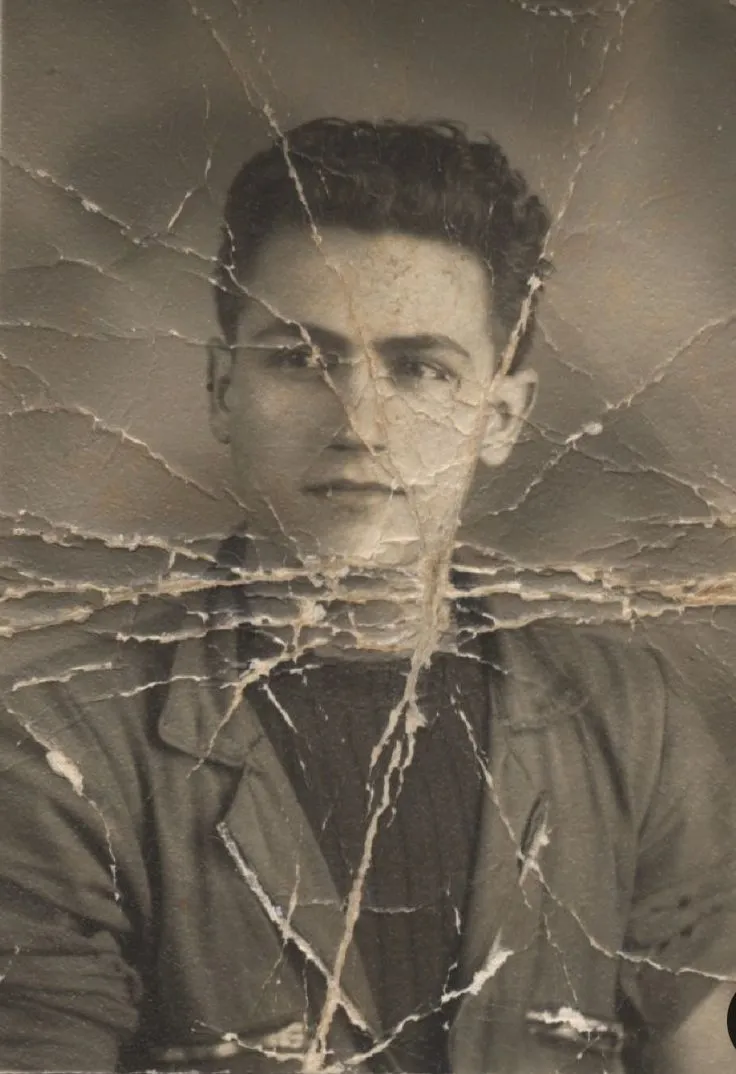
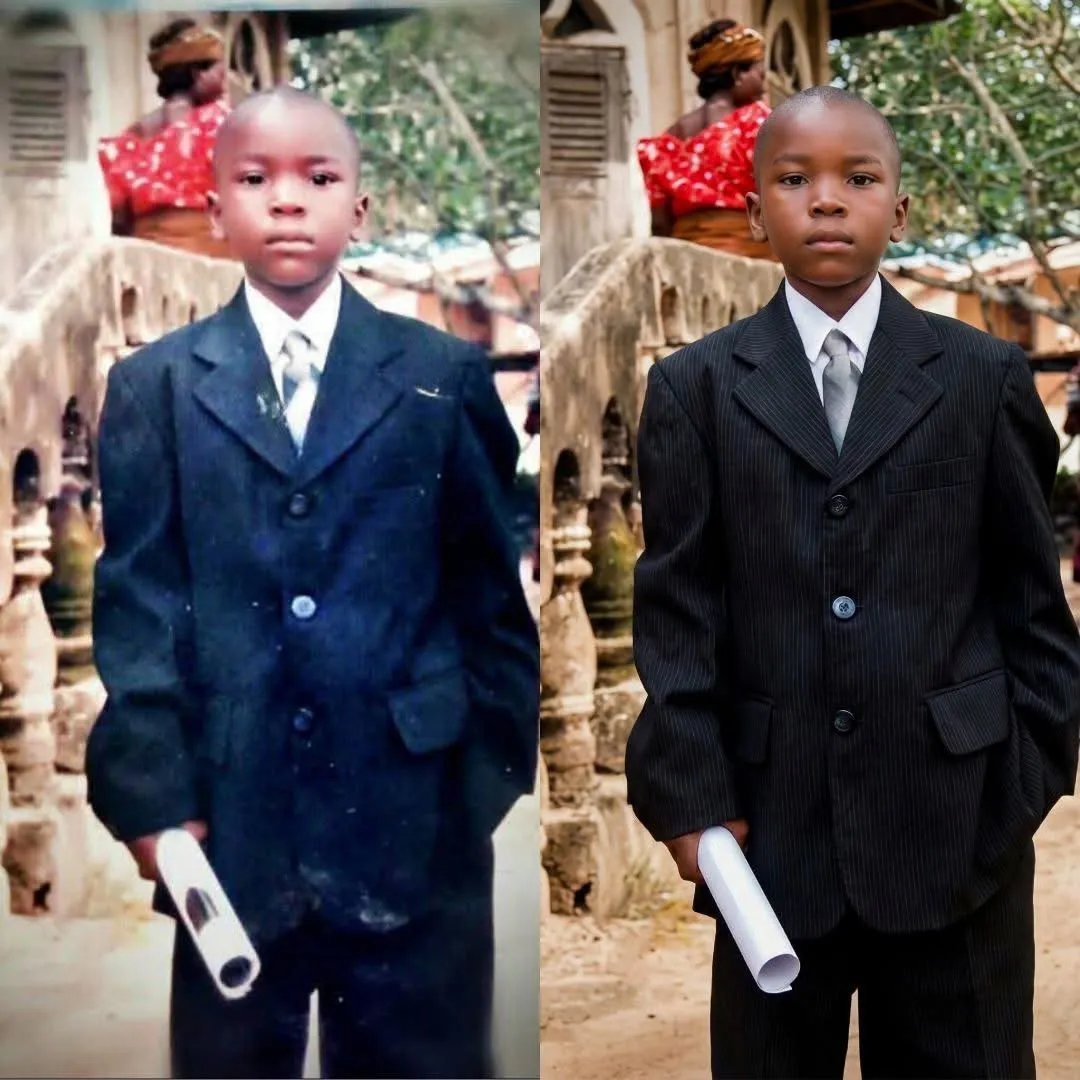
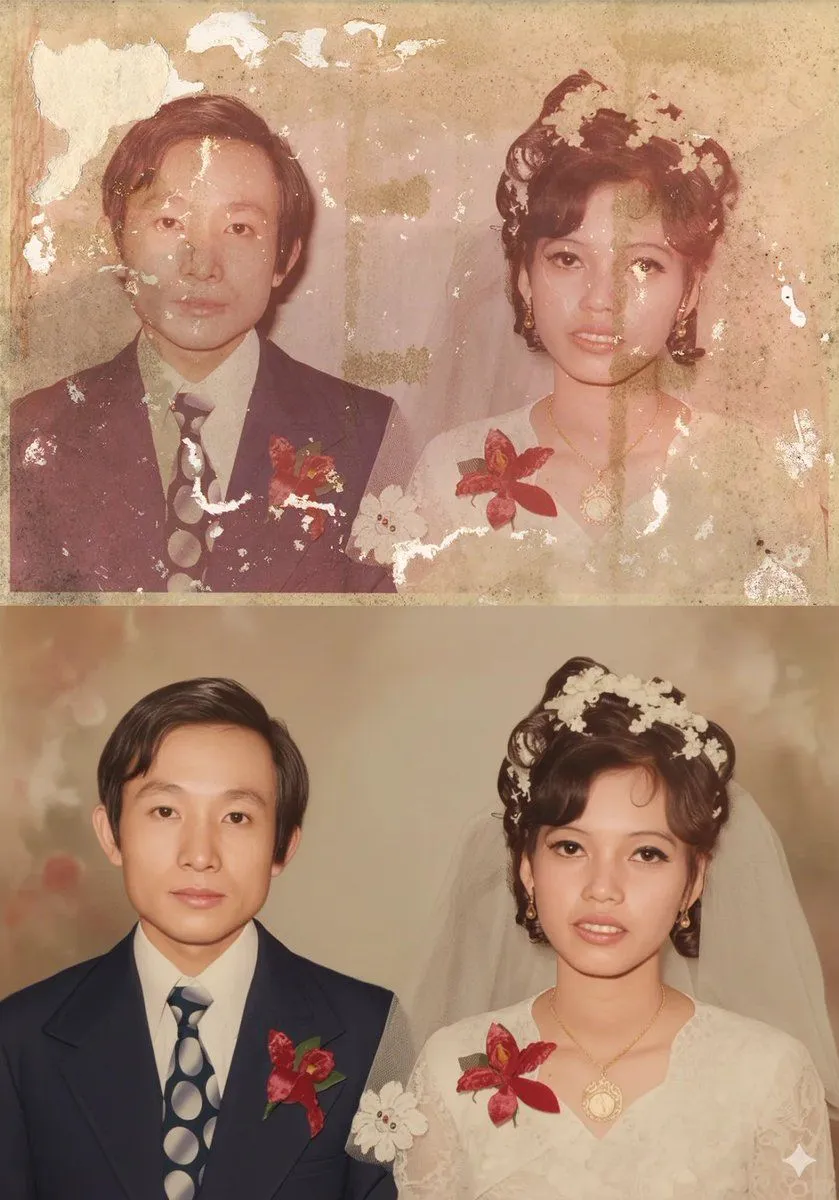
Childhood Photo Recolorization and Restoration Prompt

Made with Nano Banana Pro in Gemini by Library Art. Promptclay never generates images.

Did it work?

No reports yet. Tell others if it worked for you.

No comments yet. Be the first.

    Childhood Photo Recolorization and Restoration Prompt

    Nano Banana Pro1:1AI-generated

    Prompt

    Recolonize this image into a modern digital photography. Do not change the facial structure and features of the subject. Keep the background the same. The composition should be photorealistic, with sharp details in their clothes, skin textures, The lighting should highlight her expressions. The image should have a 9:16 aspect ratio.","size": "16k". Negative_prompt: "low resolution, CGI, cartoon style, plastic skin, over-smoothed face, distorted anatomy, extra fingers, bad hands, harsh lighting, flat lighting, blown highlights, motion blur, noise, grain, watermark, logo, text, oversharpening", "style": "photorealistic, cinematic realism, documentary-style", "resolution": "15360x8640", "aspect_ratio": "16:9", "camera": { "lens": "50mm prime", "aperture": "f/1.8", "iso": 100, "shutter_speed": "1/125" }, "lighting": { "type": "soft natural daylight", "direction": "side-lit from windows", "contrast": "balanced" }, "composition": { "framing": "medium shot", "angle": "eye-level", "depth_of_field": "shallow" }, "quality_tags": [ "16K", "ultra-realistic", "hyper-detailed", "cinematic", "education portrait", "full-frame look", "16:9 composition" ]

    Works in
    Gemini, ChatGPT
    Status
    Free to copy
    0
    DetailsVersions, settings and questions

    Written for

    What's in the prompt

    Subject
    Model
    Nano Banana Pro

    If your face changes

    keep my face exactly the same

    Questions

    Does this work in the Gemini app?
    Yes. Gemini runs Nano Banana, so paste the prompt and attach your photo if it uses one.
    It changed my face. What do I do?
    Add "keep my face exactly the same" to the end and run it again.
    Can I use the images I make?
    Check the terms of the app you use. Promptclay never generates images and claims nothing you make.
    Similar prompts

    See more
    • Vintage Portrait Photo Restoration
    • Old Photo Restoration Prompt for Nano Banana Pro
    • Detailed prompt for old photo restoration using GPT Image 1.5
    • Old Photo Restoration to DSLR Portrait
    • Image Restoration and Enhancement Prompt
    • Old Photo Restoration Prompt for Nano Banana Pro 2.0
    • South Asian Rural Bioscope Documentary
    • Photo to Storybook Illustration Split
    • AI-Generated Face Cinematic Portrait Prompt (Dual-Tone Lighting)
    • Moody Cinematic Suit Portrait
    • Cosmic Comic Portrait
    • Convert Photo to Professional Passport Size Image
    • Disintegration Effect Function Prompt
    • Photoreal FACS Expression Grid
    • Illustration Refinement and Restoration
    • Black and White Editorial Portrait
    • Retro National Team Football Player Portrait
    • Cinematic Fashion Portrait of a Stylish Man
    • Photorealistic Superhero on Skyscraper Rooftop
    • High-Contrast Black and White Cinematic Portrait
    • Cinematic Double Exposure Man Poster
    • Surreal Fashion Street Scene with Oversized Heads
    • Luxury Mirror Fragment Fashion Portrait
    • Vintage Magazine Red Cover Art

    Show more

    Run it on your phone

    1. Prompt copiedRead it

      Recolonize this image into a modern digital photography. Do not change the facial structure and features of the subject. Keep the background the same. The composition should be photorealistic, with sharp details in their clothes, skin textures, The lighting should highlight her expressions. The image should have a 9:16 aspect ratio.","size": "16k". Negative_prompt: "low resolution, CGI, cartoon style, plastic skin, over-smoothed face, distorted anatomy, extra fingers, bad hands, harsh lighting, flat lighting, blown highlights, motion blur, noise, grain, watermark, logo, text, oversharpening", "style": "photorealistic, cinematic realism, documentary-style", "resolution": "15360x8640", "aspect_ratio": "16:9", "camera": { "lens": "50mm prime", "aperture": "f/1.8", "iso": 100, "shutter_speed": "1/125" }, "lighting": { "type": "soft natural daylight", "direction": "side-lit from windows", "contrast": "balanced" }, "composition": { "framing": "medium shot", "angle": "eye-level", "depth_of_field": "shallow" }, "quality_tags": [ "16K", "ultra-realistic", "hyper-detailed", "cinematic", "education portrait", "full-frame look", "16:9 composition" ]

    2. Open your app

    3. Paste and run

      Press and hold the message box, then tap Paste. Add your photo first if the prompt uses one. You may need to sign in.

    Childhood Photo Recolorization and Restoration Prompt