Tell us anything

An idea, a bug, something you love. We read every note.

⌘↵ to send. The page you're on comes along.

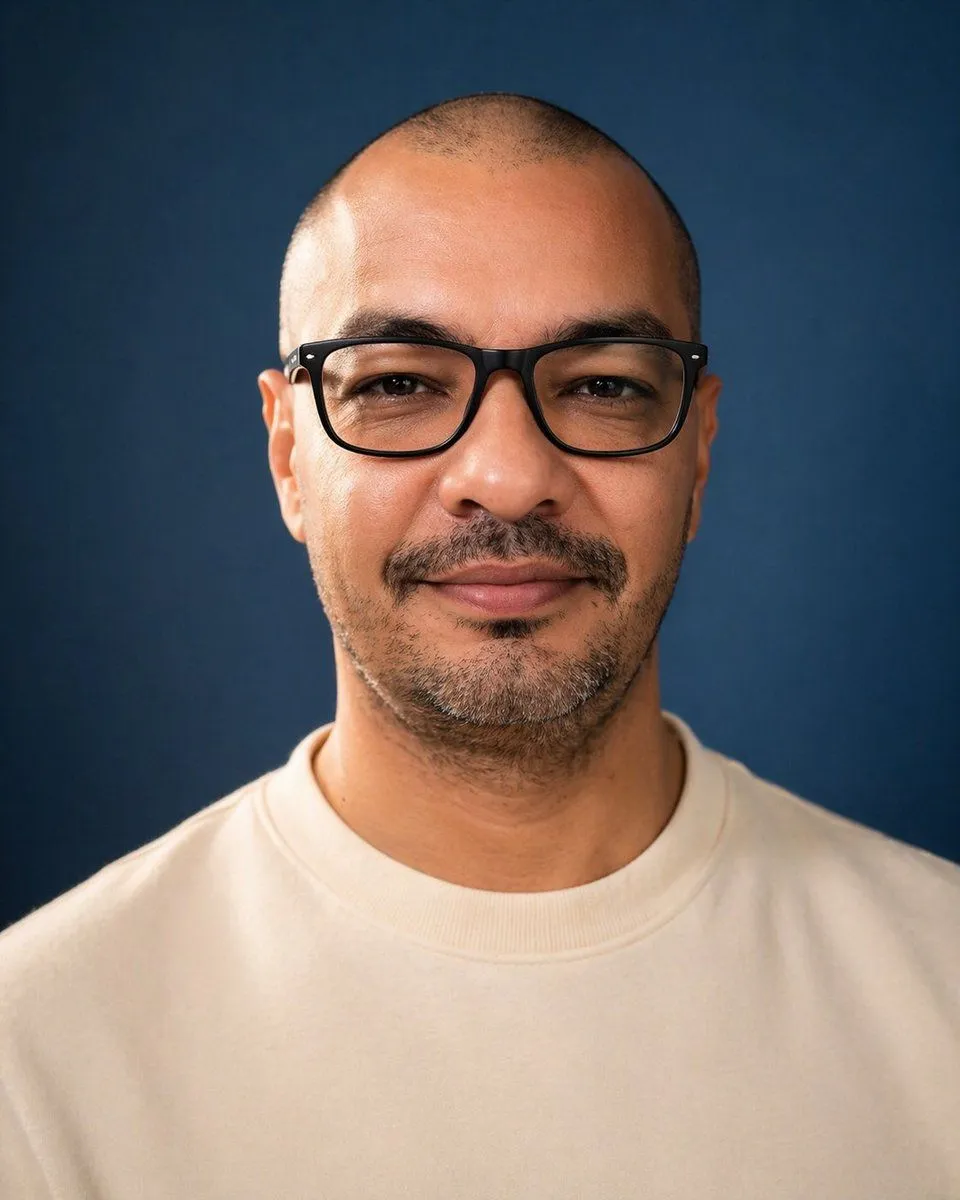
Censored Studio Portrait

Made with GPT Image 2 in ChatGPT by Library Avatars. Promptclay never generates images.

Did it work?

No reports yet. Tell others if it worked for you.

No comments yet. Be the first.

    Censored Studio Portrait

    GPT Image 24:5AI-generated

    Prompt

    A centered studio portrait photo of a single adult man from upper chest to top of head, facing straight toward the camera against a smooth deep navy-blue backdrop. He has a very closely shaved buzz cut, visible ears on both sides, medium tan skin, and short dark facial hair concentrated along the chin and jawline with a faint mustache. Dress him in a plain off-white or cream crewneck sweatshirt with no logo. Use soft professional studio lighting with gentle highlights on the scalp, ears, neck, and sweatshirt, realistic skin texture, shallow depth of field, and a clean photographic look. Compose it symmetrically with the head near the top of frame and broad shoulders filling the lower half, in a vertical portrait orientation. Overlay 1 large opaque rectangular censor block centered over the face, covering from forehead to below the nose area and spanning most of the facial width; make the block a flat muted brown tone with slightly soft edges so the facial features are completely hidden.

    Works in
    ChatGPT, Gemini
    Status
    Free to copy
    0
    DetailsVersions, settings and questions

    Written for

    What's in the prompt

    Subject
    Model
    GPT Image 2

    If your face changes

    keep my face exactly the same

    Questions

    Does this work in the ChatGPT app?
    Yes. Paste the prompt and attach your photo if it uses one.
    It changed my face. What do I do?
    Add "keep my face exactly the same" to the end and run it again.
    Can I use the images I make?
    Check the terms of the app you use. Promptclay never generates images and claims nothing you make.
    Similar prompts

    See more
    • Studio Portrait with Vintage Glasses
    • Cinematic Studio Portrait Reference
    • Professional Studio Portrait Headshots
    • Cinematic Studio Portrait of an Intellectual Man
    • Cinematic Portrait of a Stylish Man in Burnt Orange
    • High-Contrast Fashion Studio Portrait with Striped Shadows
    • Cinematic Luxury Fashion Portrait
    • Ultra-Realistic Neon Portrait
    • Passport Photo Style Portrait Replication Prompt
    • Studio Portrait From Vacation Selfie
    • Magical Forest Creature Portrait Prompt (from ALT text)
    • Ultra-realistic Cinematic Portrait with Miniature Self
    • Abstract Audio Visualization Portrait
    • Image Style Transfer Prompt: Viking to Dragon Quest X 'Sage's Breath of God'
    • Minimalist Blind Embossed Paper Art
    • Atmospheric Afternoon Window Portrait
    • Candid Street Fashion Snapshot
    • Anime Floral Personality Poster
    • Cinematic Dark Movie Poster
    • Convenience Store Fight Scene
    • Japanese Creator Branding Poster
    • Pop Idol Typography Cover Art
    • Risograph Style Poetic Illustration
    • Victorian Railroad Ceremony Scene

    Show more

    Run it on your phone

    1. Prompt copiedRead it

      A centered studio portrait photo of a single adult man from upper chest to top of head, facing straight toward the camera against a smooth deep navy-blue backdrop. He has a very closely shaved buzz cut, visible ears on both sides, medium tan skin, and short dark facial hair concentrated along the chin and jawline with a faint mustache. Dress him in a plain off-white or cream crewneck sweatshirt with no logo. Use soft professional studio lighting with gentle highlights on the scalp, ears, neck, and sweatshirt, realistic skin texture, shallow depth of field, and a clean photographic look. Compose it symmetrically with the head near the top of frame and broad shoulders filling the lower half, in a vertical portrait orientation. Overlay 1 large opaque rectangular censor block centered over the face, covering from forehead to below the nose area and spanning most of the facial width; make the block a flat muted brown tone with slightly soft edges so the facial features are completely hidden.

    2. Open your app

    3. Paste and run

      Press and hold the message box, then tap Paste. Add your photo first if the prompt uses one. You may need to sign in.

    Censored Studio Portrait