Tell us anything

An idea, a bug, something you love. We read every note.

⌘↵ to send. The page you're on comes along.

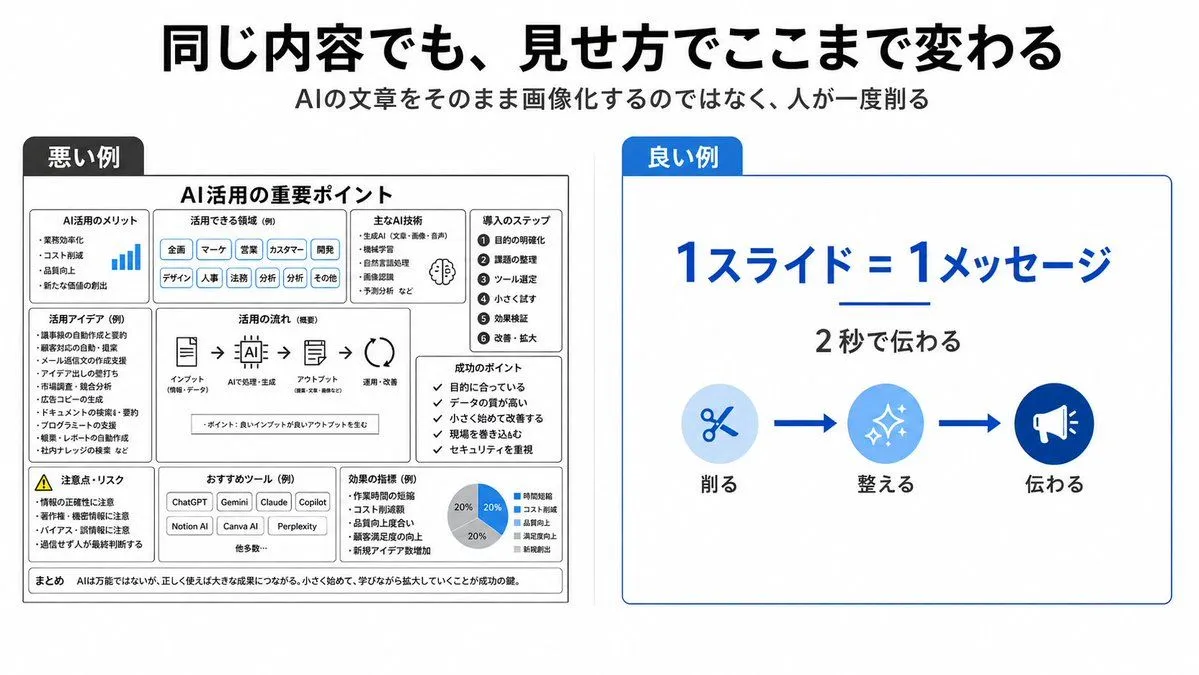
Bad vs Good Slide Design Infographic

Made with GPT Image 2 in ChatGPT, collected by Library Explainers. Promptclay never generates images.

Did it work?

No reports yet. Tell others if it worked for you.

No comments yet. Be the first.

    Bad vs Good Slide Design Infographic

    GPT Image 216:9AI-generated

    Prompt

    {"type":"clean Japanese presentation infographic comparing bad and good slide design","format":"wide 16:9 slide, white background, minimalist corporate style","headline":"{argument name=\"headline text\" default=\"同じ内容でも、見せ方でここまで変わる\"}","subtitle":"{argument name=\"subtitle text\" default=\"AIの文章をそのまま画像化するのではなく、人が一度削る\"}","layout":{"top":"large bold black Japanese headline centered, smaller gray subtitle centered underneath","comparison_panels":[{"title":"悪い例","position":"left half","style":"dense monochrome black and gray boxed slide with many tiny sections, intentionally cluttered and hard to read","main_heading":"AI活用の重要ポイント","section_count":9,"sections":[{"label":"AI活用のメリット","description":"small list with a tiny blue bar chart icon"},{"label":"活用できる領域(例)","description":"row of many pill tags such as 企画, マーケ, 営業, カスタマー, 開発, デザイン, 人事, 法務, 分析, その他"},{"label":"主なAI技術","description":"compact bullet list with a small brain icon"},{"label":"導入のステップ","description":"numbered vertical list of 6 steps: 1 目的の明確化, 2 課題の整理, 3 ツール選定, 4 小さく試す, 5 効果検証, 6 改善・拡大"},{"label":"活用アイデア(例)","description":"dense bullet list of use cases"},{"label":"活用の流れ(概要)","description":"horizontal process diagram with 5 icons connected by arrows: インプット, AIで処理・生成, アウトプット, 活用・改善"},{"label":"成功のポイント","description":"checklist of 5 short items"},{"label":"注意点・リスク","description":"warning triangle and risk bullet list"},{"label":"おすすめツール(例)","description":"small buttons for ChatGPT, Gemini, Claude, Copilot, Notion AI, Canva AI, Perplexity plus 他多数"}],"bottom_note":"まとめ AIは万能ではないが、正しく使えば大きな成果につながる。小さく始めて、学びながら拡大していくことが成功の鍵。"},{"title":"良い例","position":"right half","style":"simple spacious white card with thin blue border and a blue title tab","main_message":"{argument name=\"main message\" default=\"1スライド=1メッセージ\"}","sub_message":"{argument name=\"sub message\" default=\"2秒で伝わる\"}","visual_flow":{"count":3,"items":[{"label":"削る","icon":"scissors in pale blue circle"},{"label":"整える","icon":"sparkles in medium blue circle"},{"label":"伝わる","icon":"megaphone in dark blue circle"}],"connectors":"two thick blue arrows between the three icons"}}]},"colors":{"primary_blue":"#0057d8","light_blue":"#d6ebff","black":"#111111","gray":"#555555"},"typography":"bold modern Japanese sans-serif, strong hierarchy, right side very readable, left side deliberately overloaded","composition":"clear side-by-side contrast: cluttered bad example on the left and simplified good example on the right, with generous margins and crisp vector graphics"}

    Works in
    ChatGPT, Gemini
    Status
    Free to copy
    0
    DetailsVersions, settings and questions

    Written for

    What's in the prompt

    Subject
    Model
    GPT Image 2

    If your face changes

    keep my face exactly the same

    Questions

    Does this work in the ChatGPT app?
    Yes. Paste the prompt and attach your photo if it uses one.
    It changed my face. What do I do?
    Add "keep my face exactly the same" to the end and run it again.
    Can I use the images I make?
    Check the terms of the app you use. Promptclay never generates images and claims nothing you make.
    Similar prompts

    See more
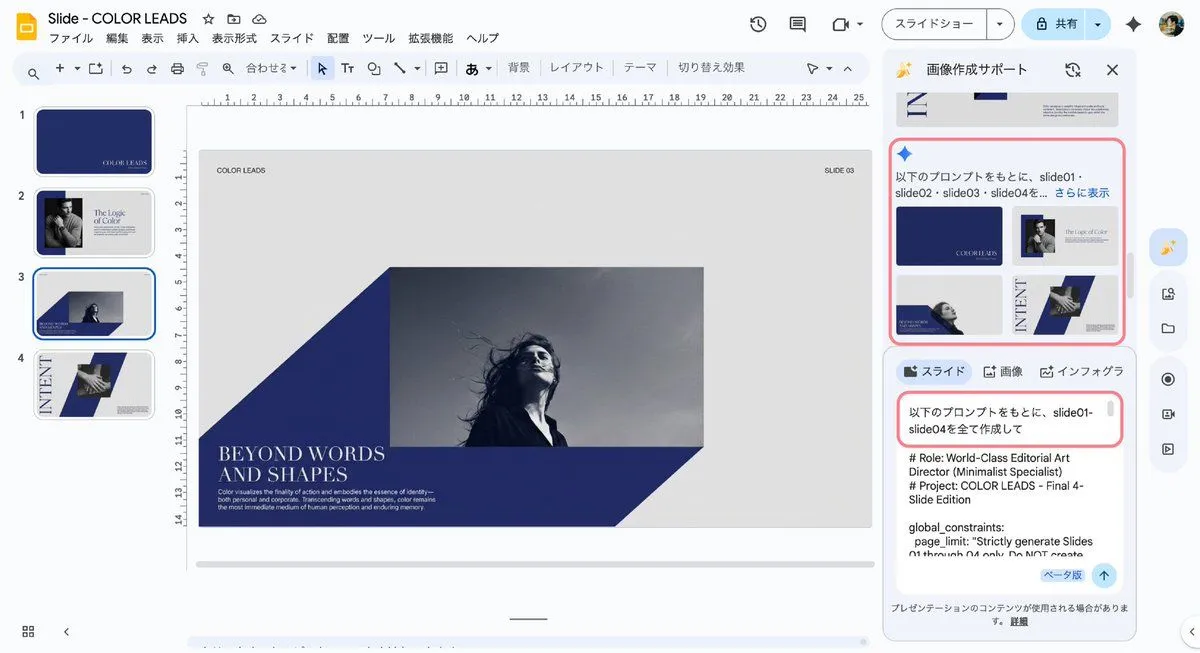
    • Manus GPT Image 2.0 Comparison Slide
    • News Article Diagram Generation
    • Nano Banana Pro Prompting Strategy for Stable Output
    • Japanese Business Slide on E-Application
    • Slide Document Generation Feature
    • AI-Generated Board Report Slide
    • 2026 AI Image Tool Tier List
    • AI Use Comparison Infographic
    • ChatGPT Prompt for Self-Introduction Text Generation
    • Intentionally Poor UI/UX Landing Page Design
    • Multi-Slide Document Generation with Nano Banana and NotebookLM
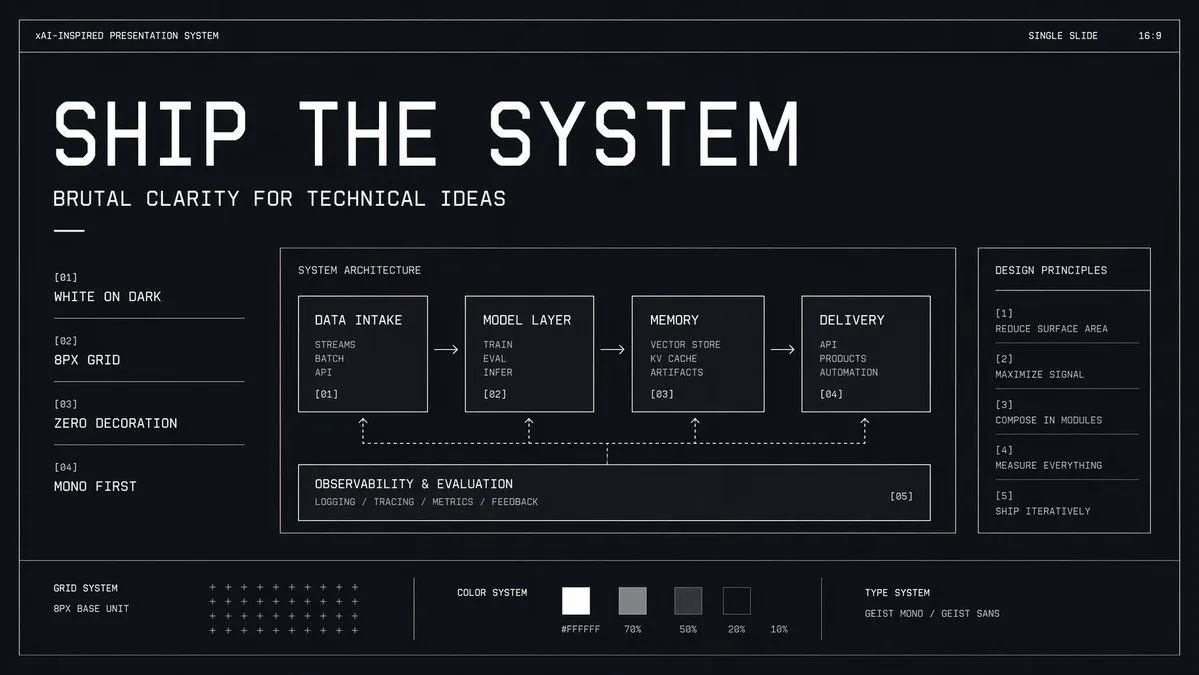
    • Brutalist Technical System Slide
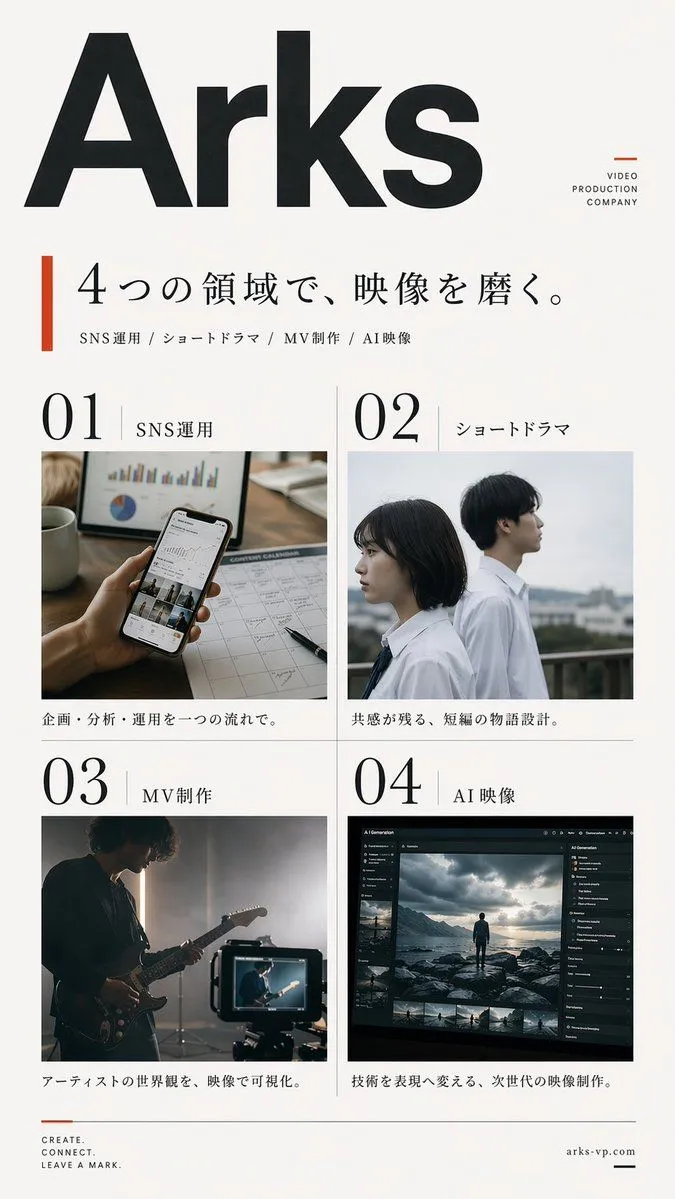
    • Japanese Video Production Poster
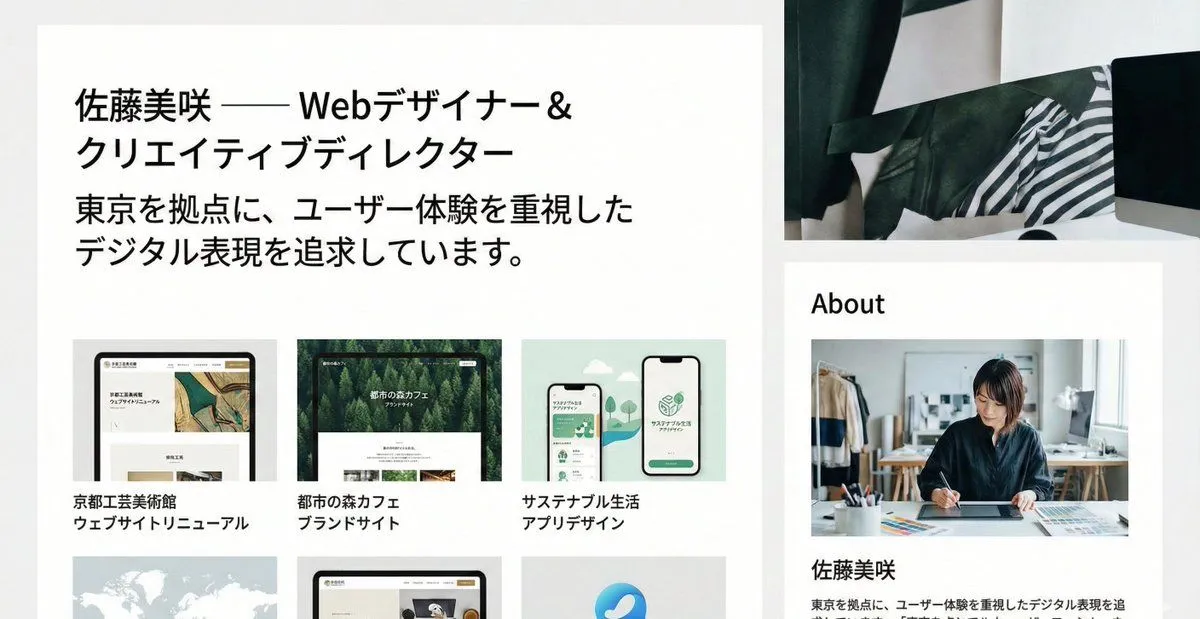
    • Portfolio image for a fictional web designer
    • Cyberpunk Flash Sale Landing Hero
    • Geometric Milestone Celebration Poster
    • Japanese AI Telop Thumbnail
    • Minimal GPT Image 2 Logo Lockup
    • Tech Tutorial Thumbnail with UI Mockup
    • Japanese Follower Milestone Thank-You Graphic
    • Kinetic News Storyboard Sheet
    • Mechanical Keyboard Product Page Mockup
    • Convenience Store Fight Scene
    • Video Game Lobby Interface Prompt

    Show more

    Run it on your phone

    1. Prompt copiedRead it

      {"type":"clean Japanese presentation infographic comparing bad and good slide design","format":"wide 16:9 slide, white background, minimalist corporate style","headline":"{argument name=\"headline text\" default=\"同じ内容でも、見せ方でここまで変わる\"}","subtitle":"{argument name=\"subtitle text\" default=\"AIの文章をそのまま画像化するのではなく、人が一度削る\"}","layout":{"top":"large bold black Japanese headline centered, smaller gray subtitle centered underneath","comparison_panels":[{"title":"悪い例","position":"left half","style":"dense monochrome black and gray boxed slide with many tiny sections, intentionally cluttered and hard to read","main_heading":"AI活用の重要ポイント","section_count":9,"sections":[{"label":"AI活用のメリット","description":"small list with a tiny blue bar chart icon"},{"label":"活用できる領域(例)","description":"row of many pill tags such as 企画, マーケ, 営業, カスタマー, 開発, デザイン, 人事, 法務, 分析, その他"},{"label":"主なAI技術","description":"compact bullet list with a small brain icon"},{"label":"導入のステップ","description":"numbered vertical list of 6 steps: 1 目的の明確化, 2 課題の整理, 3 ツール選定, 4 小さく試す, 5 効果検証, 6 改善・拡大"},{"label":"活用アイデア(例)","description":"dense bullet list of use cases"},{"label":"活用の流れ(概要)","description":"horizontal process diagram with 5 icons connected by arrows: インプット, AIで処理・生成, アウトプット, 活用・改善"},{"label":"成功のポイント","description":"checklist of 5 short items"},{"label":"注意点・リスク","description":"warning triangle and risk bullet list"},{"label":"おすすめツール(例)","description":"small buttons for ChatGPT, Gemini, Claude, Copilot, Notion AI, Canva AI, Perplexity plus 他多数"}],"bottom_note":"まとめ AIは万能ではないが、正しく使えば大きな成果につながる。小さく始めて、学びながら拡大していくことが成功の鍵。"},{"title":"良い例","position":"right half","style":"simple spacious white card with thin blue border and a blue title tab","main_message":"{argument name=\"main message\" default=\"1スライド=1メッセージ\"}","sub_message":"{argument name=\"sub message\" default=\"2秒で伝わる\"}","visual_flow":{"count":3,"items":[{"label":"削る","icon":"scissors in pale blue circle"},{"label":"整える","icon":"sparkles in medium blue circle"},{"label":"伝わる","icon":"megaphone in dark blue circle"}],"connectors":"two thick blue arrows between the three icons"}}]},"colors":{"primary_blue":"#0057d8","light_blue":"#d6ebff","black":"#111111","gray":"#555555"},"typography":"bold modern Japanese sans-serif, strong hierarchy, right side very readable, left side deliberately overloaded","composition":"clear side-by-side contrast: cluttered bad example on the left and simplified good example on the right, with generous margins and crisp vector graphics"}

    2. Open your app

      This prompt is long, so it is copied instead of sent in the link. Paste it in the app.

    3. Paste and run

      Press and hold the message box, then tap Paste. Add your photo first if the prompt uses one. You may need to sign in.

    Bad vs Good Slide Design Infographic