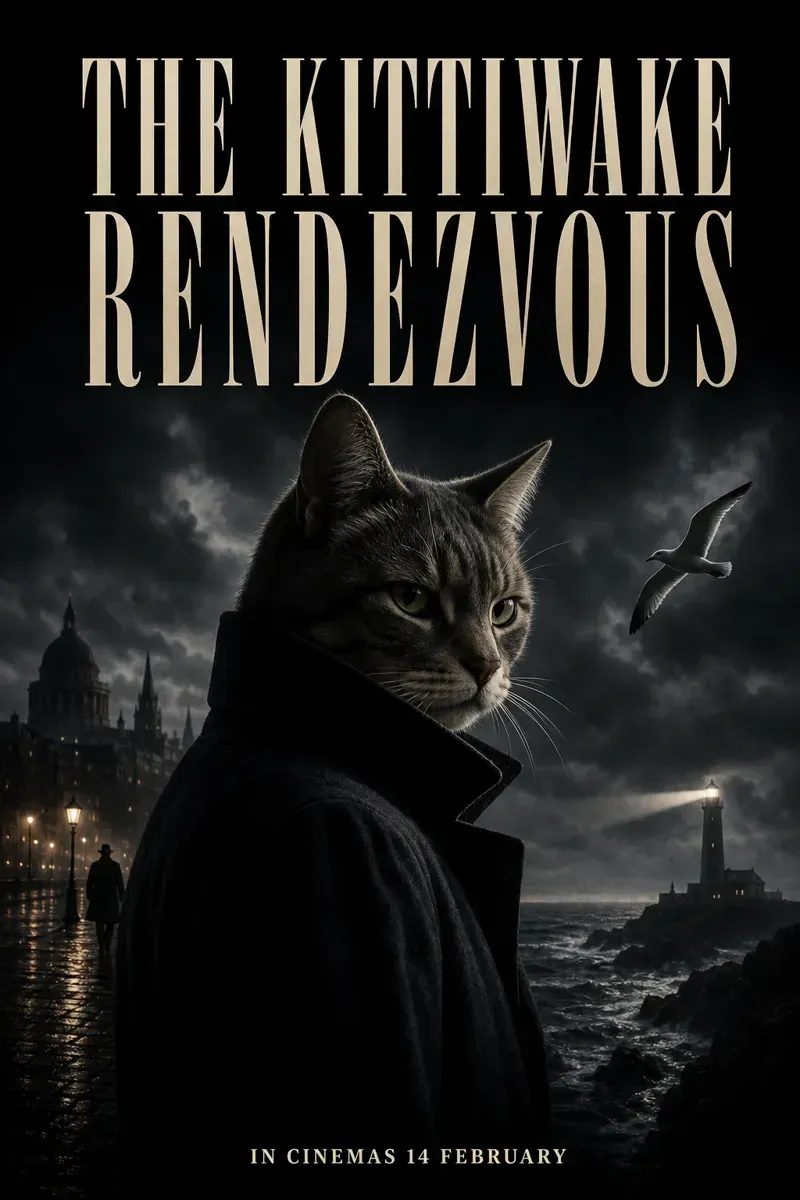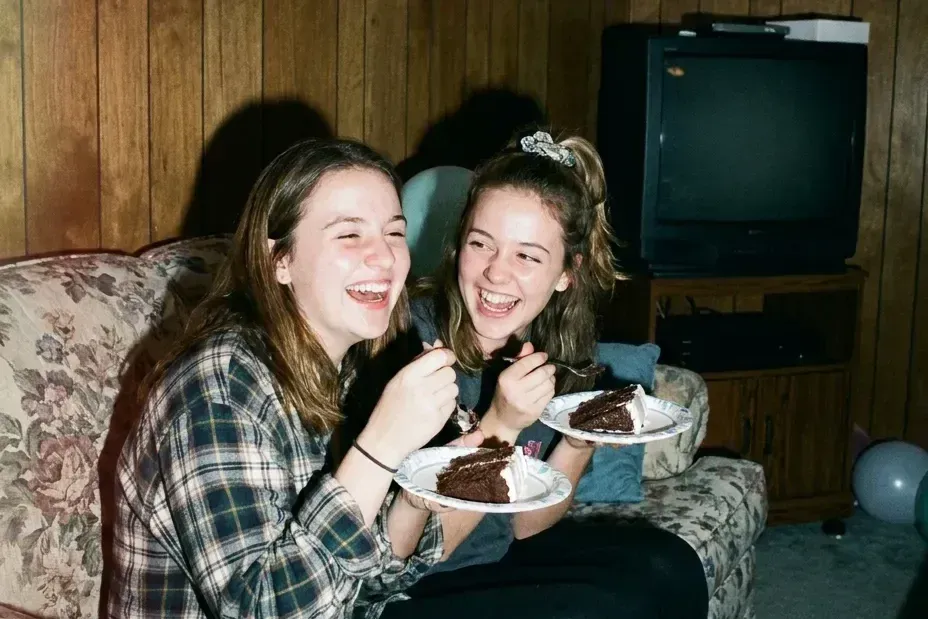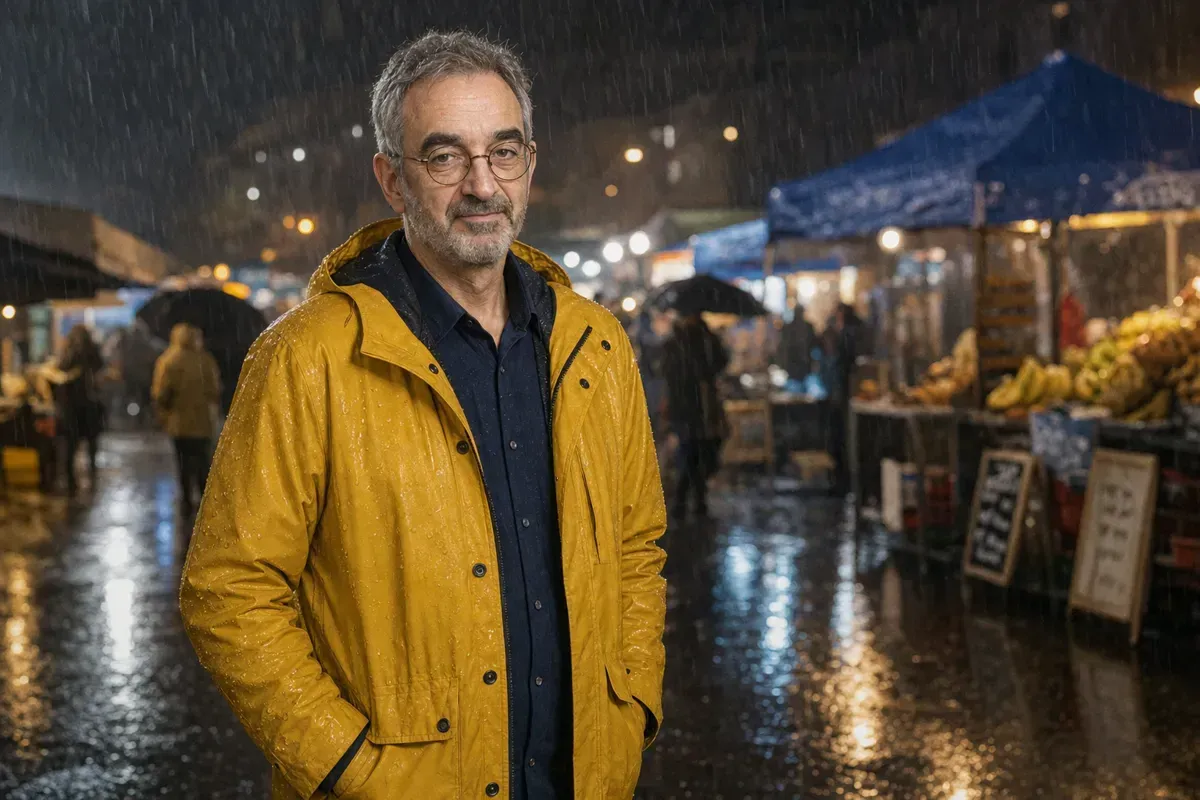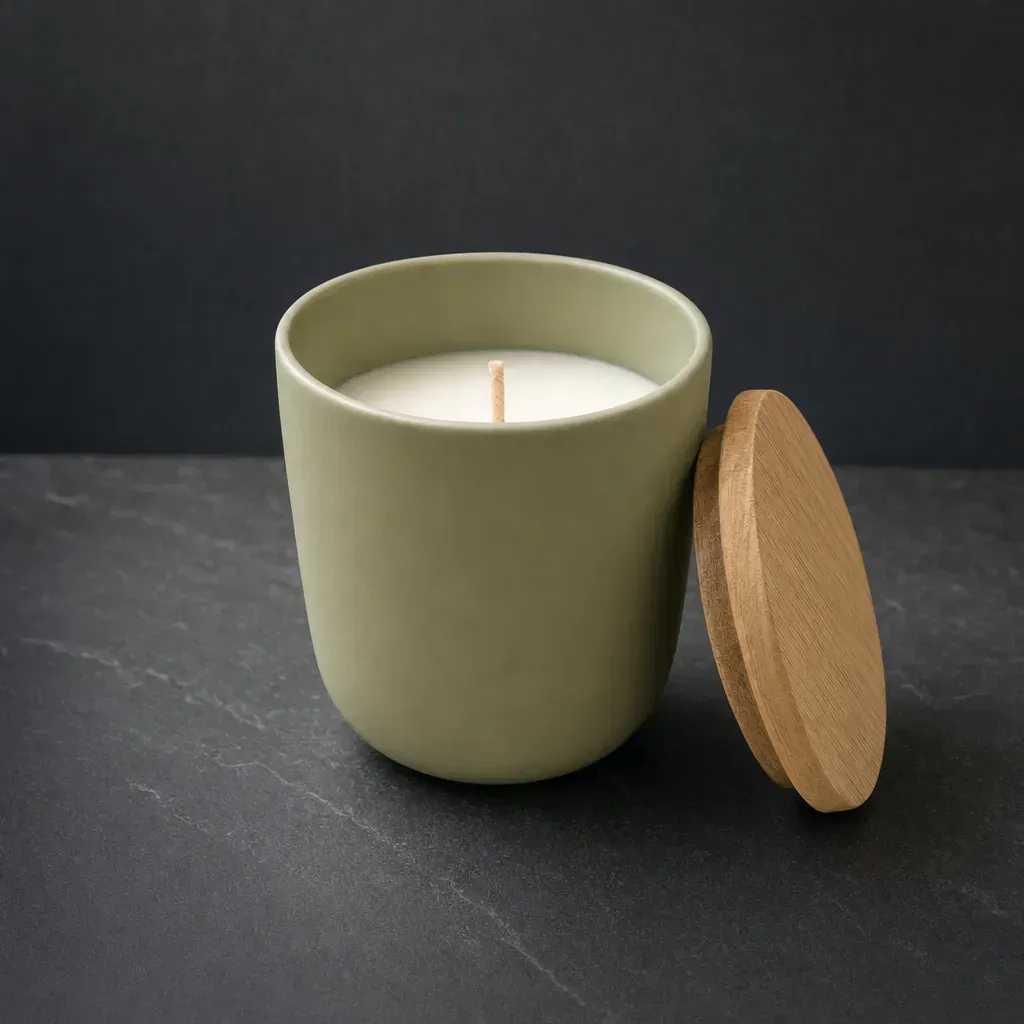

GPT Image 2 is OpenAI's image model, the one inside ChatGPT. It follows long prompts closely, so the fastest way to a better picture is to tell it more of what you already know: what the picture is for, how real it should look and where things go in the frame.
We ran three short prompts and three full ones through GPT Image 2 at medium quality, once each, following OpenAI's prompting guide. Every picture below is the first and only run.
Say what the picture is for
OpenAI's guide asks you to "include the intended use (ad, UI mock, infographic)", because the use sets the polish and the layout. Then write it in order: the scene, the subject, the details, and what must not appear.
 Before
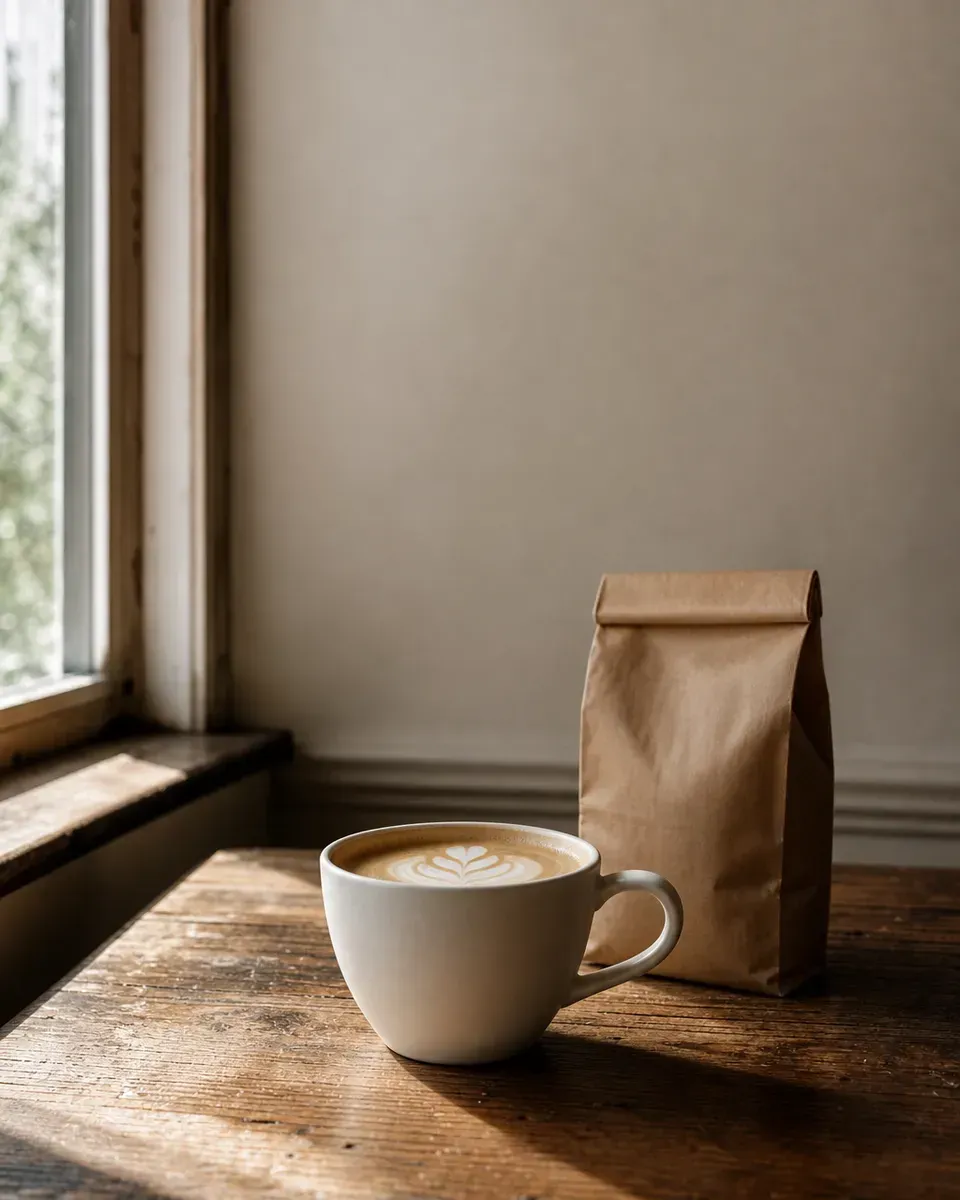 After
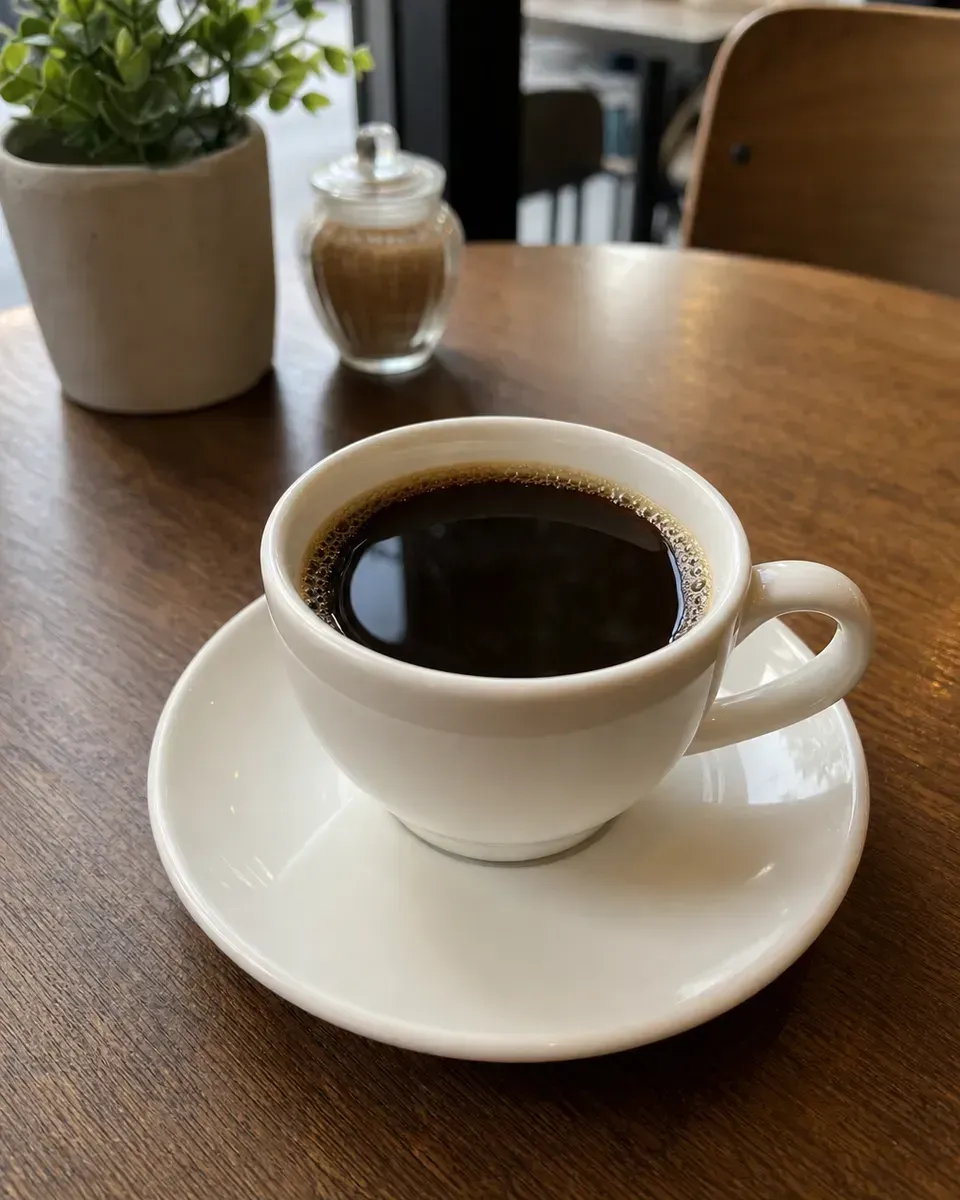
Before: a cup of coffee on a table. After: A photo for a small coffee roaster's Instagram post. A matte white ceramic cup of flat white on a worn oak cafe table beside a window, a brown paper bag of beans behind it, morning side light from the left. Eye level, 50mm lens, the cup in the lower half, empty wall space in the top third for a caption. No text, no logos.
The short prompt gave a tight close-up of black coffee with no room for words. The full one left the top of the frame empty for the caption, as asked. It put the bag beside the cup rather than behind it.
Say photorealistic, then ask for real texture
The guide says to write the word photorealistic to switch on the model's photo mode, and to ask for pores, wrinkles and worn materials. Words like no glamorization keep it from smoothing faces.
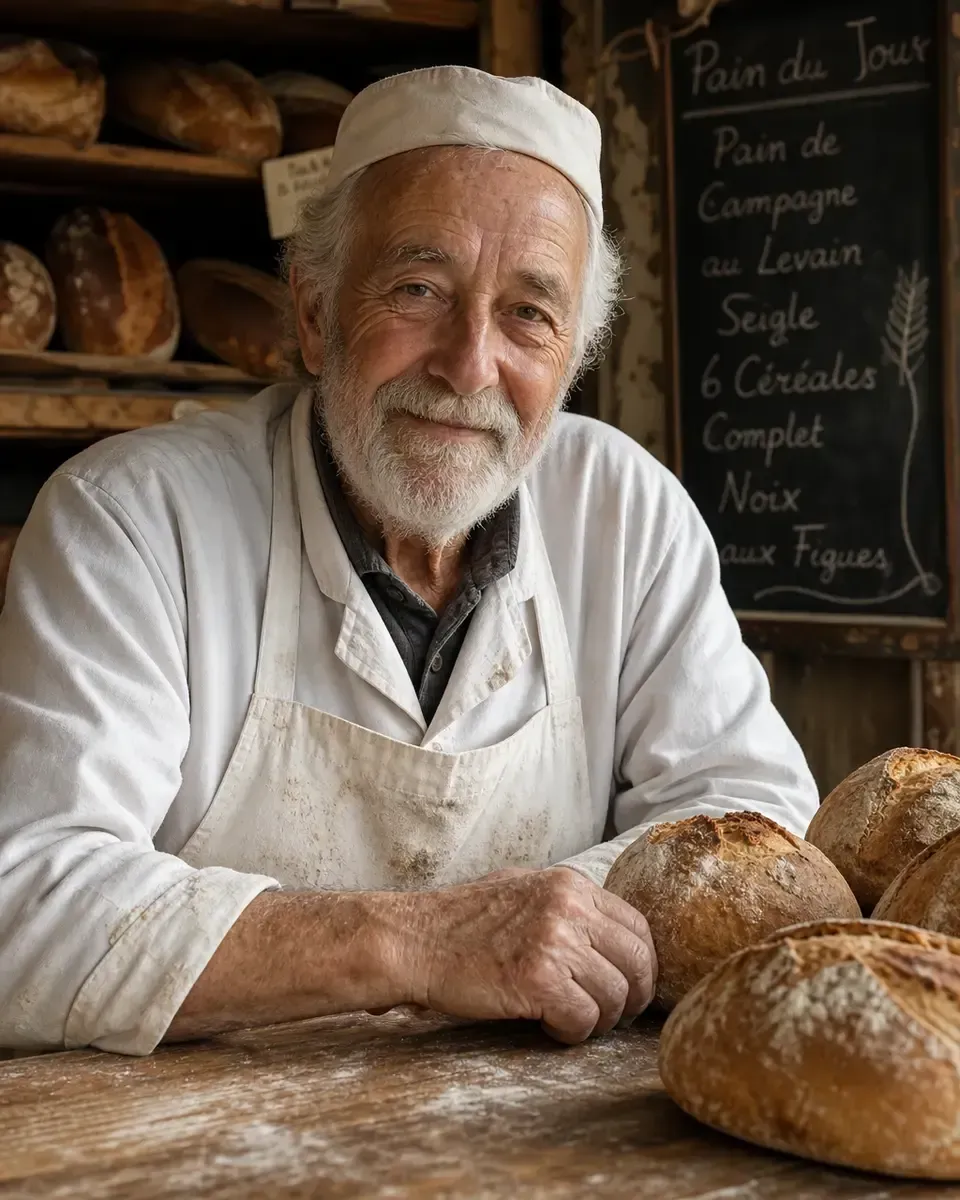 BeforeAfter
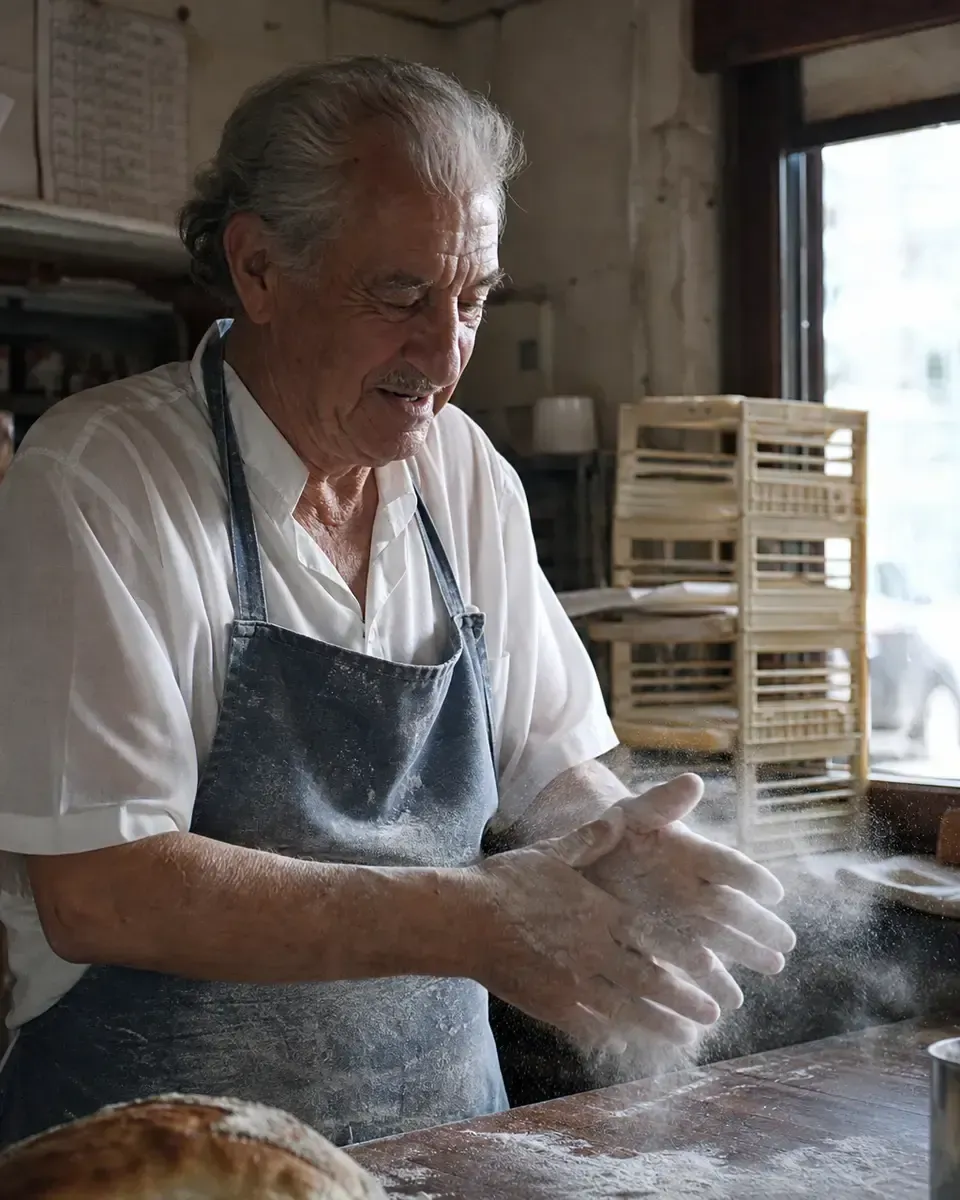
Before: portrait of an old baker in his bakery. After: A photorealistic candid photograph of an old baker in his small bakery at dawn, dusting flour off his hands over a wooden counter. Weathered skin with visible wrinkles, pores and flour in the creases of his knuckles, a faded blue apron with old stains. Shot like a 35mm film photo, medium close-up at eye level, soft light from the shop window, subtle film grain, natural colour. Honest and unposed: no glamorization, no heavy retouching.
The short prompt gave a posed, smiling stock portrait, and wrote a chalkboard menu in French we never asked for. The full one is a moment, not a pose, with flour in the air.
Say where things go in the frame
Name the framing, the angle and where the subject sits, and say which part stays empty. The guide's example is subject centered with negative space on left.
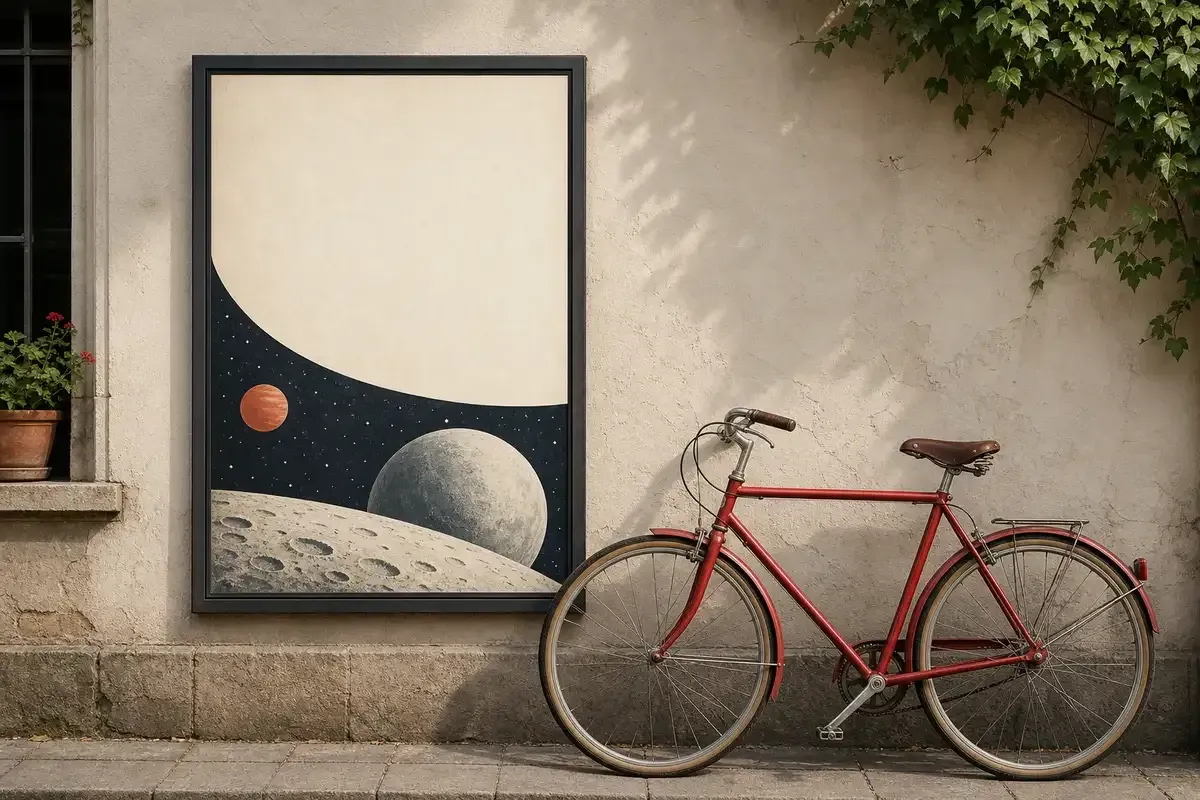 Before
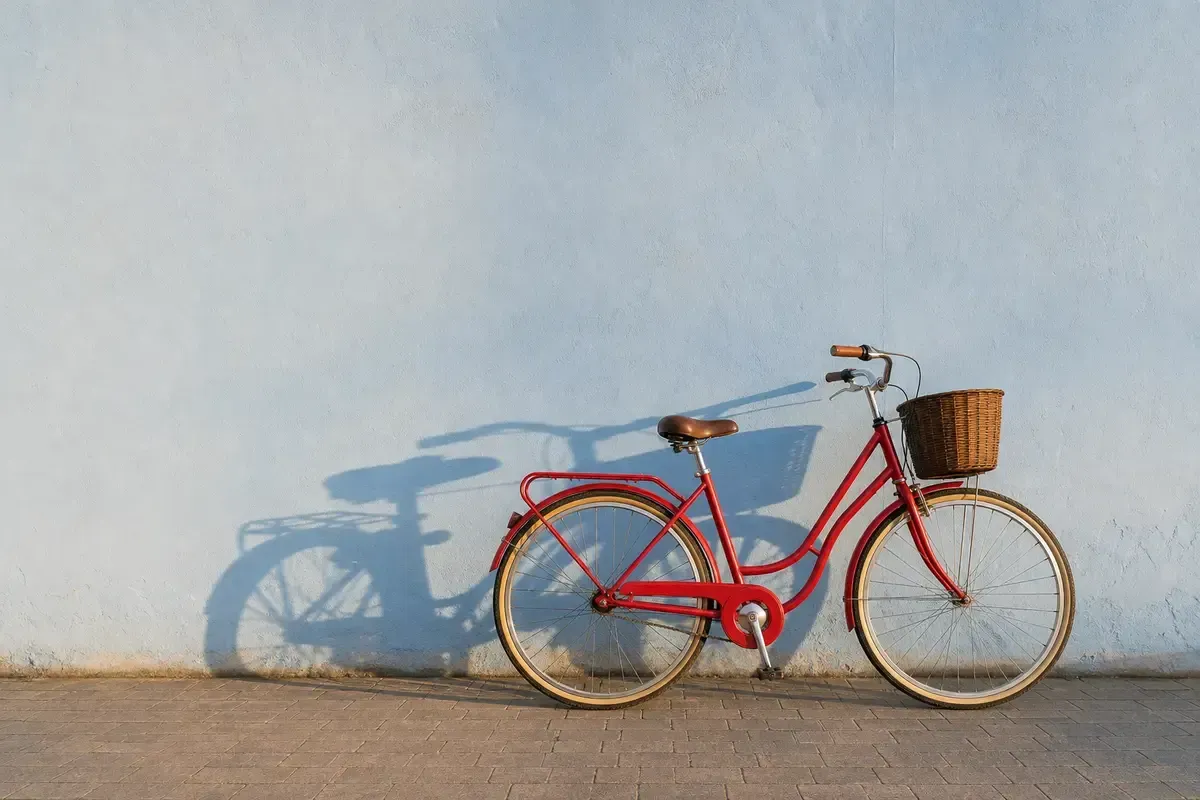 After
Before: a red bicycle by a wall, poster with space for a headline. After: A wide photo of a red city bicycle leaning on a pale blue plaster wall. The bike sits in the right third of the frame; the left half is empty wall, kept clear for a headline. Eye level, the whole bike visible, wheels included. Late afternoon sun from the left throws the bike's shadow across the wall. No text, no logos.
The short prompt read poster as a thing to draw and hung a framed poster on the wall. The full one kept the left half clear. One miss: we asked for sun from the left, and the shadow falls to the left, as if the sun came from the right. Check light against shadow before you use a picture.
Prompts to copy
Swap the highlighted words for your own, then paste the prompt into ChatGPT or any tool that runs GPT Image 2. Each one below puts a step from this guide to work.
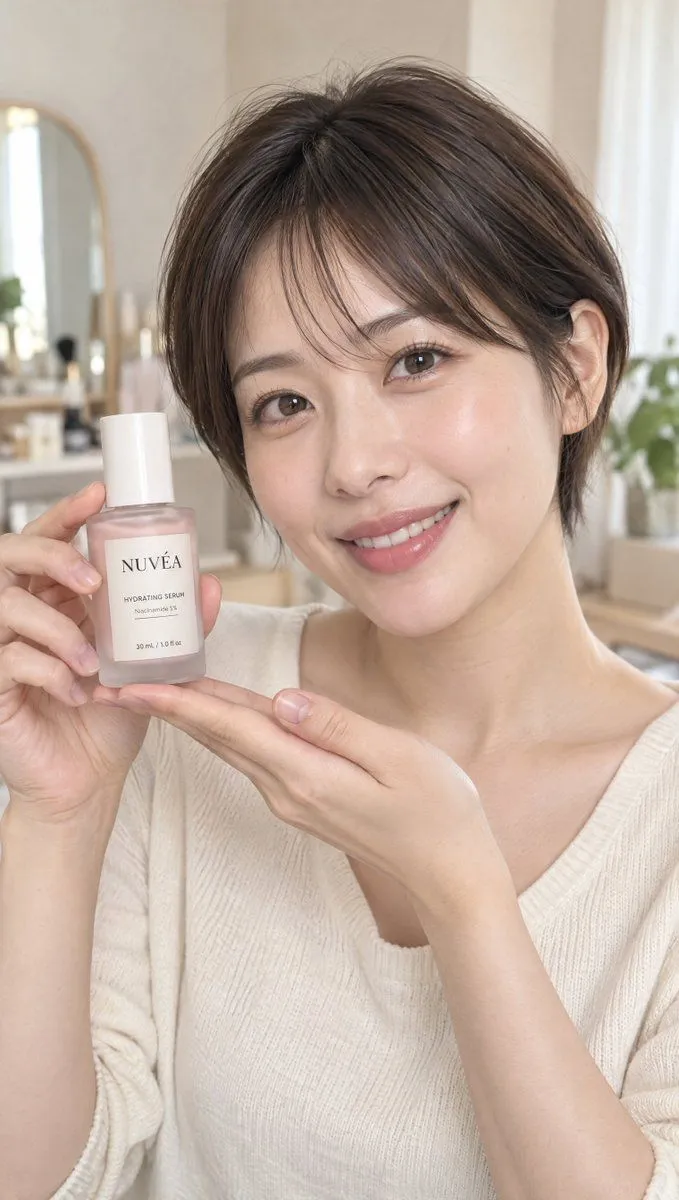
Step 1 as a product shot: the prompt says what the photo is (a beauty review), then gives the subject, the action and the label in labelled parts. Every word on the bottle is in quotes.
GPT Image 2Realistic Beauty Influencer Product Review
Photo: A realistic beauty content photo of a {age} female influencer with a short haircut introducing cosmetics to the camera. Vertical, aspect ratio 9:16. Subject: Short dark brown hair with clean lines around the ears and nape. Natural makeup with a healthy glow. Skin texture preserved. Wearing a simple ivory top, looking at the camera with a friendly smile. Action/Product: Holding a small frosted glass serum bottle next to her cheek with one hand, while supporting it with the other palm. The bottle contains a pale pink liquid and has a white cap. The label faces the camera, with the text clearly visible. The face and product do not overlap; both are sharply focused. Product Label: A professionally finished package for a fictional skincare brand named "{brand_name}." A matte ivory rectangular label is applied straight to the front of the bottle, following the curvature naturally with a subtle paper texture. The label must accurately print the following text exactly once: Top: "{brand_name}" Center: "{product_name}" Below that: "Niacinamide 5%" Bottom: "30 mL / 1.0 fl oz" The brand name uses a slightly larger, sophisticated serif font. The product name and other info use a smaller, legible sans-serif font. Use dark charcoal text with proper spacing and margins. Add a thin dusty pink line. The text must look like actual printing that conforms to the perspective and curve of the bottle. No extra text or certification marks. Composition/Background: A portrait shot at eye level from the top of the head to the chest. The entire hair, hands, and product are within the frame. Both the face and product are centered with the same depth of field. The product is large enough for the label to be readable. The background is a bright beige room with a soft-blurred vanity and small houseplant. Lighting/Finish: Soft natural light from a window strikes diagonally from the front, creating gentle shadows on the face. Subtle reflections on the glass and natural textures on skin and fabric. Looks like a clean, natural moment captured from a beauty review video on social media. Constraints: One person. Fingers and bottle shape must be natural and accurate. Avoid excessive skin filtering, plastic-like skin, or harsh lighting. Text should only appear on the product label. No subtitles, watermarks, or social media UI.
Use a made-up brand name, not a real one.
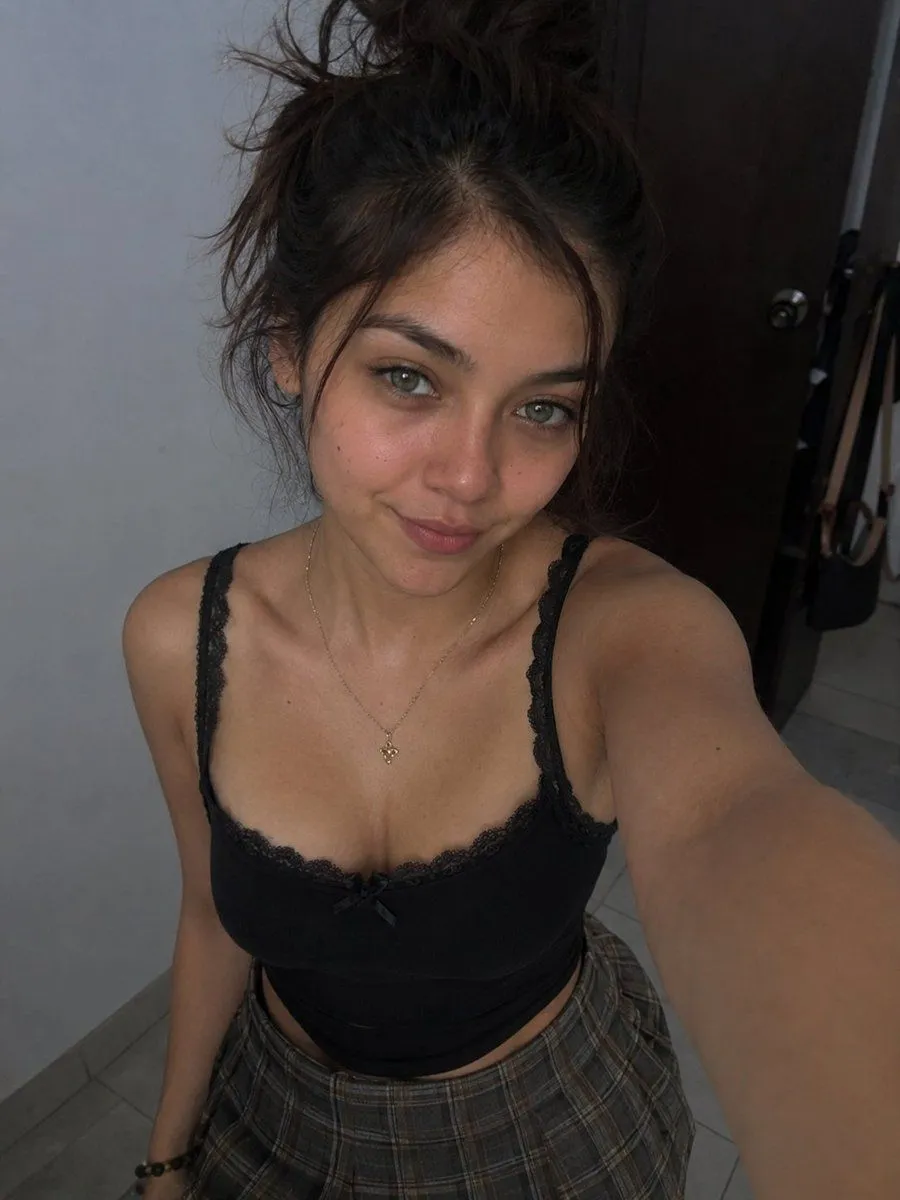
Step 2 as a phone selfie: it asks for a realistic smartphone selfie and then names what makes a phone photo look real, down to the dim light and no studio setup.
GPT Image 2High-Angle Indoor Selfie Portrait
Create a realistic vertical smartphone selfie photo of a young woman in an indoor hallway or bedroom corner. The camera is held high above her face with her arm extended toward the lower right foreground, creating a wide-angle selfie perspective and slight foreshortening of the arm. She looks directly into the lens with a soft closed-mouth smile and relaxed, confident expression. She has {hair_color} messy hair gathered into a loose high bun with wispy strands around her face, natural eyebrows, light hazel-green eyes, warm medium skin, and minimal natural makeup with a subtle rosy glow. She wears a fitted {top_color} camisole crop top with lace trim along the neckline and straps, a tiny bow at the center, a delicate gold necklace with a small pendant, a dark bracelet, and a high-waisted {skirt_pattern}. The composition crops from the top of the hair to mid-thigh, with shoulders and collarbones visible. Background: plain light gray wall on the left, dark wooden open door on the right with a round metal knob, tiled gray floor, and a few hanging bags partially visible near the doorway. Lighting is dim natural indoor light with soft shadows, slightly underexposed phone-camera look, realistic skin texture, casual candid mood, no studio setup, no text, no watermark.
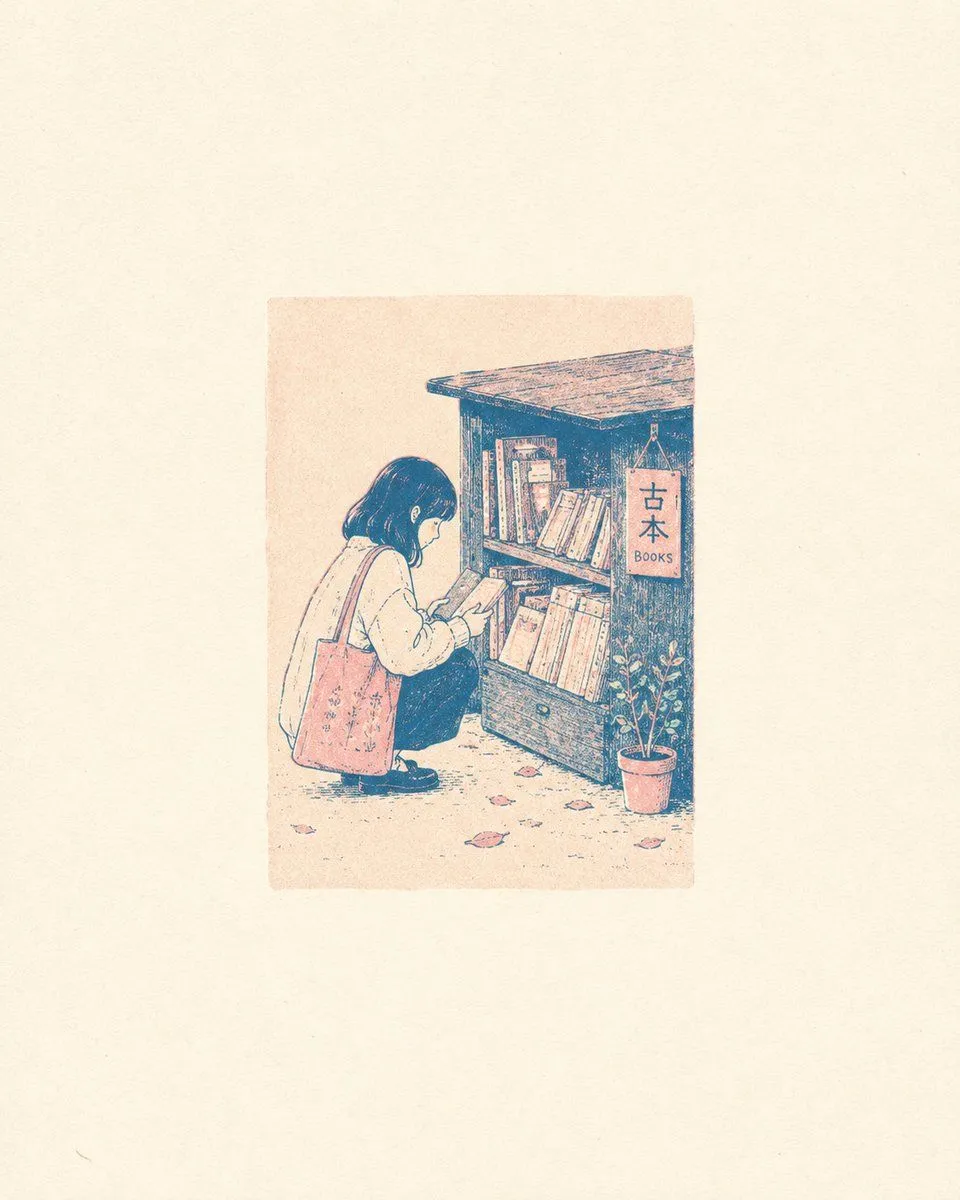
Step 3 as an illustration: one small printed block in the middle, and a lot of empty paper around it. The empty space is written first, before the subject.
GPT Image 2Risograph Style Poetic Illustration
A small image centered with significant off-white negative space. In the middle, there is a light-colored rectangular background block, resembling a small illustration printed on paper. {subject_description} are all contained within this color block, conveying a quiet, poetic feel. {art_style}, with {color_palette}. Features sharp outlines, slight distortion, paper grain, and minor overprint offset. The background is minimalist and should not fill the entire frame.
More ideas in GPT Image 2 prompts and the other GPT Image 2 guides: posters with every word spelled right and YouTube thumbnails you can read on a phone.
What OpenAI's own guide adds
Any format works, if it is clear
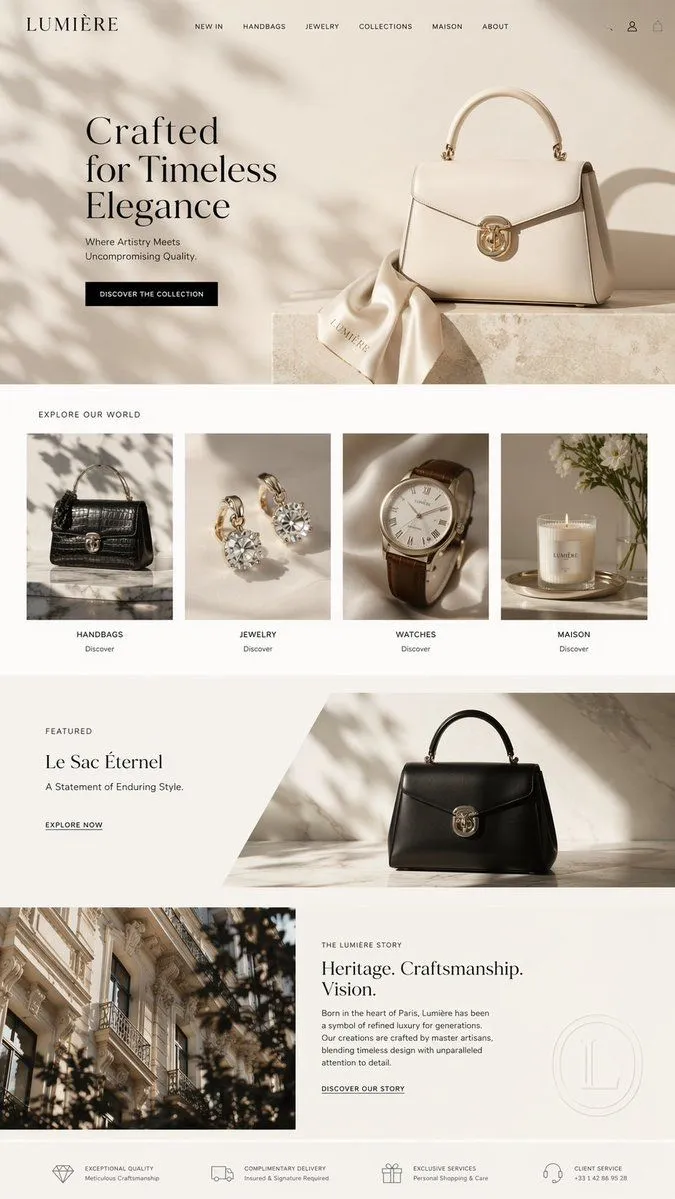
The guide says short prompts, paragraphs, JSON-like structures and tag lists "can all work well as long as the intent and constraints are clear". This landing page mockup is written as JSON: one block per section, with every word to print spelled out. Change the brand name everywhere it appears, and replace the phone number in the last block with your own or remove it.
GPT Image 2Luxury E-Commerce Landing Page Mockup
{ "type": "e-commerce landing page mockup", "brand": "{argument name=\"brand name\" default=\"LUMIÈRE\"}", "aesthetic": "{argument name=\"aesthetic\" default=\"luxury, minimalist, elegant, neutral tones\"}", "layout": { "header": { "logo": "{argument name=\"brand name\" default=\"LUMIÈRE\"}", "navigation": ["NEW IN", "HANDBAGS", "JEWELRY", "COLLECTIONS", "MAISON", "ABOUT"], "icons": ["search", "user", "cart"] }, "sections": [ { "name": "Hero", "text": { "headline": "{argument name=\"hero headline\" default=\"Crafted for Timeless Elegance\"}", "subheadline": "Where Artistry Meets Uncompromising Quality.", "button": "DISCOVER THE COLLECTION" }, "imagery": "cream structured handbag with gold clasp on stone plinth, silk scarf with brand name, soft leaf shadows" }, { "name": "Product Grid", "title": "EXPLORE OUR WORLD", "count": 4, "items": [ { "image": "black crocodile handbag on marble", "label": "HANDBAGS", "sublabel": "Discover" }, { "image": "diamond stud earrings on silk", "label": "JEWELRY", "sublabel": "Discover" }, { "image": "classic watch with leather strap on silk", "label": "WATCHES", "sublabel": "Discover" }, { "image": "white candle on gold tray", "label": "MAISON", "sublabel": "Discover" } ] }, { "name": "Featured Product", "layout": "diagonal split", "text": { "kicker": "FEATURED", "title": "{argument name=\"featured product name\" default=\"Le Sac Éternel\"}", "description": "A Statement of Enduring Style.", "link": "EXPLORE NOW" }, "imagery": "black structured handbag with gold clasp on marble surface" }, { "name": "Brand Story", "layout": "two-column", "imagery": "Parisian Haussmann architecture framed by leaves", "text": { "kicker": "THE LUMIÈRE STORY", "headline": "{argument name=\"story headline\" default=\"Heritage. Craftsmanship. Vision.\"}", "body": "Born in the heart of Paris, Lumière has been a symbol of refined luxury for generations. Our creations are crafted by master artisans, blending timeless design with unparalleled attention to detail.", "link": "DISCOVER OUR STORY", "watermark": "faint circular L logo" } }, { "name": "Trust Bar", "count": 4, "items": [ { "icon": "diamond", "title": "EXCEPTIONAL QUALITY", "subtitle": "Meticulous Craftsmanship" }, { "icon": "truck", "title": "COMPLIMENTARY DELIVERY", "subtitle": "Insured & Signature Required" }, { "icon": "gift box", "title": "EXCLUSIVE SERVICES", "subtitle": "Personal Shopping & Care" }, { "icon": "headset", "title": "CLIENT SERVICE", "subtitle": "+33 1 42 86 95 28" } ] } ] } }
Say what failure looks like
The guide asks you to state exclusions outright: no watermark, no extra text, no logos. The most copied GPT Image 2 prompt on promptclay goes one step further and names the failure itself: crowded elements, chaotic colors, thick fonts. Set your own theme and two colours in the last paragraph.
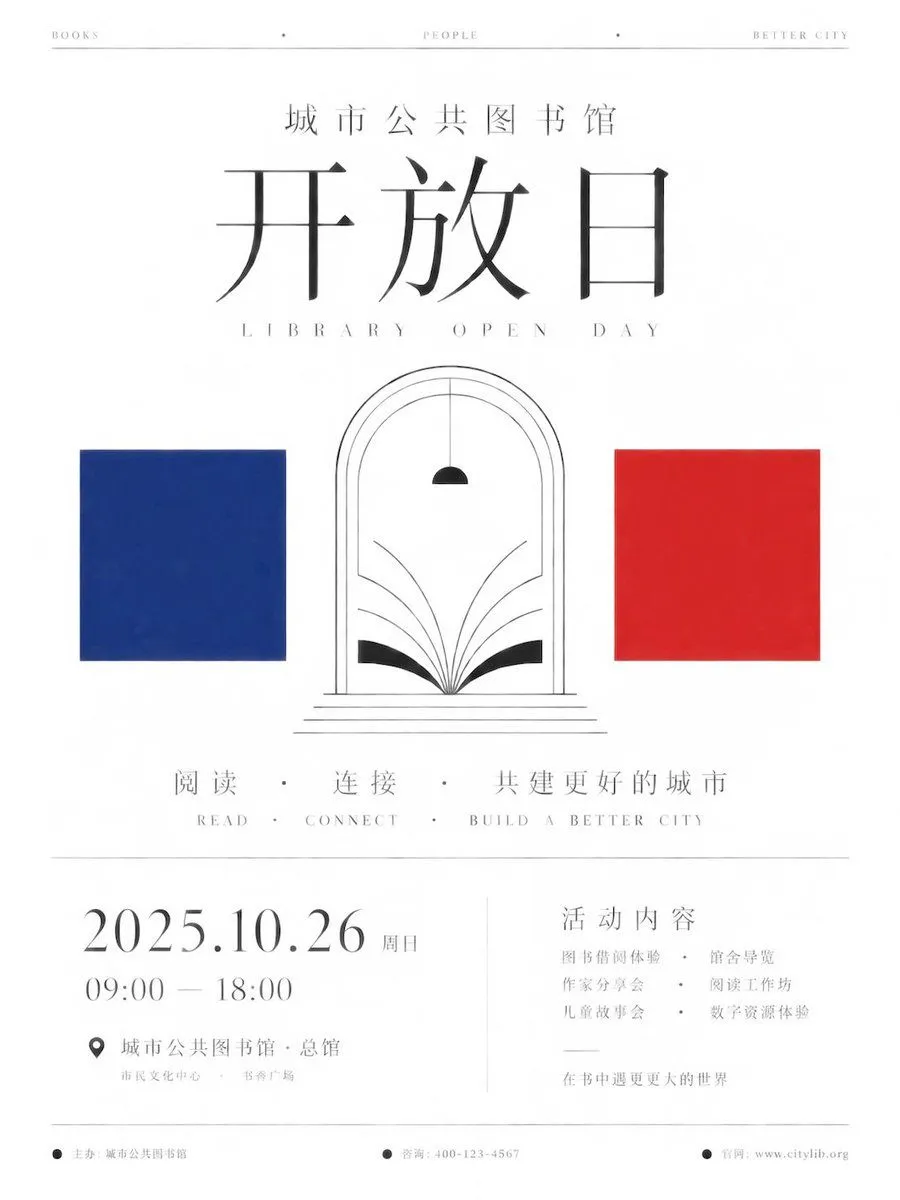
GPT Image 2Minimalist Ceremony Poster Prompt for GPT Image 2
Create a minimalist ceremonial information poster around any given theme. The first impression must be a large area of warm white empty space where the main title is precisely centered, engaging in solemn alignment with three thematic symbols: transform the core name, participants, or keywords provided by the theme into a large thin-stroke title at the top, a set of recognizable abstract logos in the center, and solid color blocks on both sides; semantics may change but order remains constant. Retain high-ratio whitespace, vertical central axis, upper-lower zoning, and the pause feeling of thin black horizontal lines; arrange all elements restrainedly like an exhibition catalog or international institutional yearbook. Use high-contrast fine serifs or equivalent glyph structures for the main text, with open counters, slender strokes, sharp terminals, and spacious rhythm, maintaining a slender skeleton, loose tracking, clear recognition, and calm breathing when switched to any writing system, rather than copying a specific Latin font. Extract two high-purity representative colors from the theme for hard-edged squares; use only black lines and minimal solid geometry for the central logo; keep the background as slightly paper-textured warm white, avoiding gradients, shadows, and decorative textures. Place subtitles and small explanatory text at a lower center of gravity at the bottom, with footer micro-information pressing the edges, creating a contrast where grand themes are tamed by museum-style whitespace; failure symptoms include crowded elements, chaotic colors, thick fonts, realistic icons, or the poster losing its cold ritual order. Set the theme to "City Public Library Open Day" for a public cultural institution event main poster: use indigo blue and cinnabar red as the two high-purity square colors; abstract opened book pages and door arches with black lines in the center, letting the symbol group fall steadily below the title along the vertical axis; place the main title in the center of the upper half, with subtitles and dates forming a sparse two-level information hierarchy below, retaining large areas of warm white whitespace and thin black line pauses; aspect ratio is vertical 3:4.
Number your photos
With more than one input, the guide says to refer to each one "by index and description" and say how they combine. This split portrait takes two photos, one for each half, and says what to keep from each.
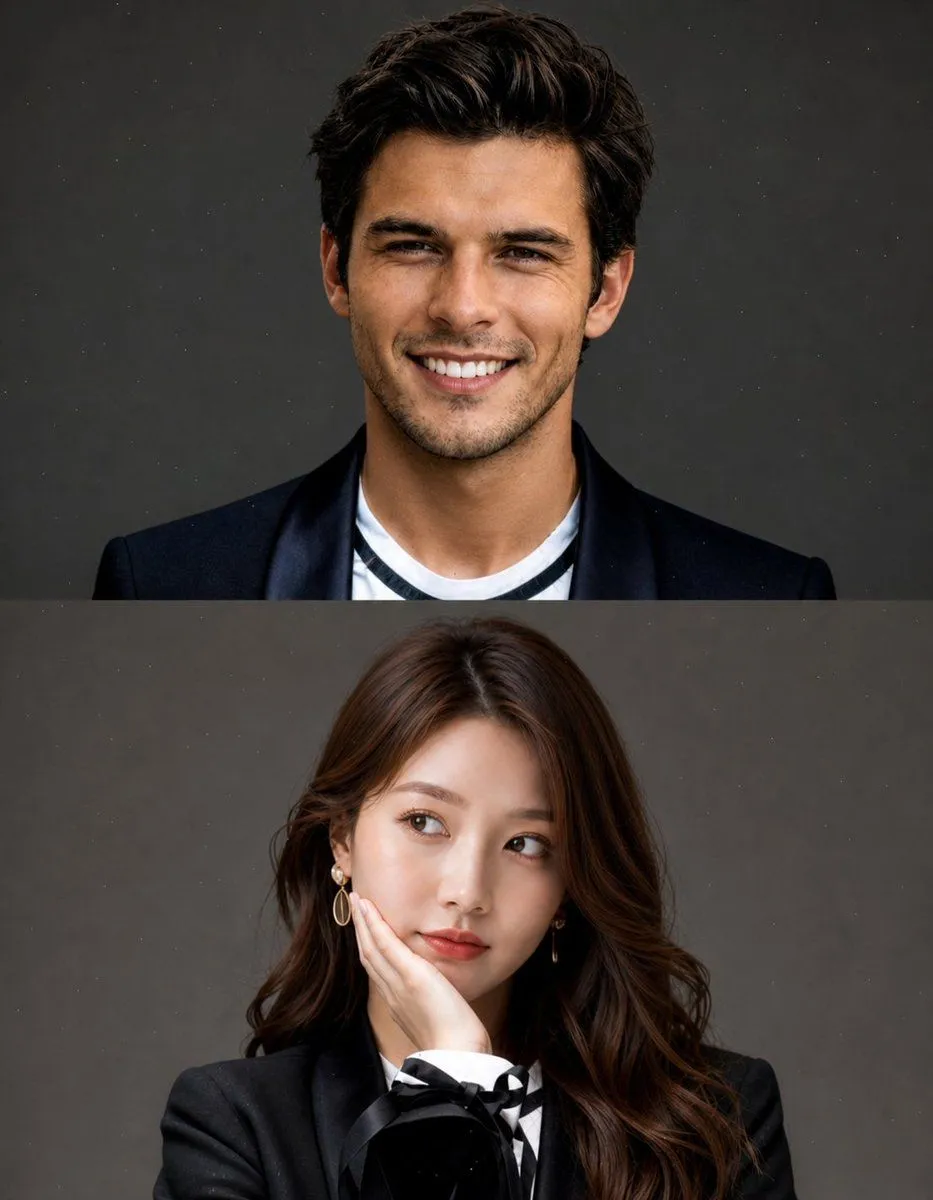
GPT Image 2Split Portrait Editorial Photography
Create a high-quality, studio-style split portrait composition with two stacked sections (top and bottom). Layout: Vertical split (top half + bottom half) Clean, minimal aesthetic No text, no watermark, no overlay Subtle grain or dust texture on background Soft, cinematic lighting TOP SECTION: Use [REFERENCE IMAGE 1 – FACE ONLY] Replace only the face, keep original pose and expression (wide smile, joyful, slightly playful) Short messy hair look Outfit: {top_outfit} {background} Natural skin tones, realistic blending BOTTOM SECTION: Use [REFERENCE IMAGE 2 – FACE ONLY] Replace only the face, keep original pose (hand on cheek, looking sideways, thoughtful expression) Long, soft styled hair Outfit: {bottom_outfit} Same neutral grey studio background Maintain soft feminine lighting Important: Face swap must look natural and seamless Match lighting, skin tone, and color grading across both sections Keep original body, pose, and composition unchanged High realism, sharp focus, premium editorial photography style Style keywords: ultra realistic, studio portrait, soft lighting, editorial fashion, 85mm lens, shallow depth of field, cinematic tone, high detail
Upload two photos of yourself, in the same order as the prompt.
Keep long pages consistent
For a long layout, list the exact words to print and the rules that must hold everywhere. This tea shop page does both, but the brand is written two ways: a blank in the first line and LANXU everywhere after. Change all of them, or the page will show both names.
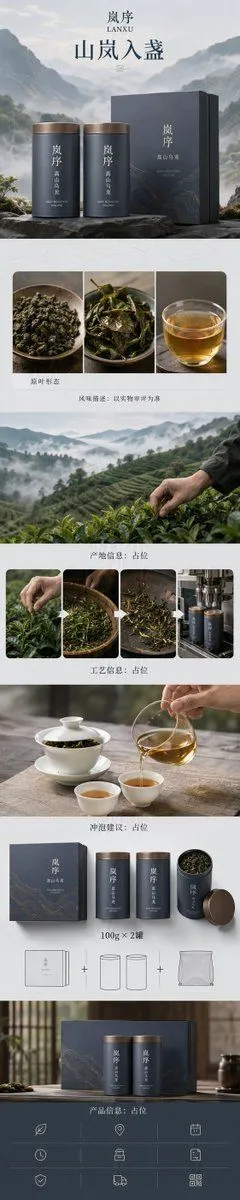
GPT Image 2Zen-Style Oolong Tea Ecommerce Detail Page
Design a high-end mobile-first ecommerce detail page for the conceptual brand '{brand_name}', targeting a complete conversion path for {product_name}. The product is a two-can gift set, with each can containing {net_content}. Strictly maintain consistency: brand 'LANXU', two cylindrical metal tea cans (approx. 135mm height, 78mm diameter) in a rock-grey matte finish with antique copper lids. Vertical brand logo 'LANXU' and product labels must be identical across both cans. Visual system: 'Zen Luxury + Natural Organic', core concept 'Mountain Mist in a Cup'. Color palette: rock grey, mist white, sprout green, amber tea, and oxidized copper. Graphic language: abstract valley contours, thin morning mist, and diffusing tea layers. Typography: modern Songti and clean sans-serif with ample white space. Layout: approx. 1242px wide, vertical long-form (1:5 ratio). Seven continuous modules: 1. 'Hero Value': two cans with gift box against abstract misty valley, headline 'Mountain Mist in a Cup'. 2. 'Why It's Worth Drinking': macro shots of dry leaves, wet leaves, and clear amber tea, labeled 'Flavor Profile: Subject to actual evaluation'. 3. 'Origin & Raw Material': abstract tea garden slopes and harvesting details, placeholders for origin and altitude. 4. 'Production Process': four steps (Harvest, Withering, Roasting, Packaging) with placeholder names. 5. 'Brewing Experience': realistic scene with white porcelain Gaiwan, pitcher, and pouring tea; placeholders for temperature and time. 6. 'Packaging & Specs': clearly show box, two cans, opened state, and '100g x 2 cans' label. 7. 'Purchase Trust': gift scenario, placeholder specs, and logistics info. Style: Premium ecommerce art direction combining real commercial photography with refined graphic design. All items must have realistic proportions and contact points. Tea leaves must not float, and mist must not block product visibility. Only display core text: 'LANXU', 'High Mountain Oolong', 'Mountain Mist in a Cup', 'Original Leaf Form', 'Flavor Profile: Placeholder', 'Origin Info: Placeholder', 'Process Info: Placeholder', 'Brewing Suggestion: Placeholder', '100g x 2 cans', 'Product Info: Placeholder'.
Change one thing at a time
When a picture is nearly right, ask for the one change, then add "keep everything else the same". The guide also asks you to repeat what must not change on each follow-up, because small edits drift. Our fix a nearly right picture guide shows the same idea step by step.
Questions
What is GPT Image 2?
OpenAI's image model, the one ChatGPT uses to make pictures. It follows long, detailed prompts and puts readable text in pictures.
Are these prompts free?
Yes. Every prompt on promptclay is free to copy, with no sign-up. Each one shows the picture it made and who wrote it.
Do they work in the ChatGPT app?
Yes. Paste a prompt into ChatGPT, attach a photo if it asks for one, and fill in any {words} in curly brackets.
Does promptclay make the images?
No. promptclay never generates images. Copy a prompt here and paste it into ChatGPT or any tool that runs GPT Image 2.
Which quality should I pick?
OpenAI suggests starting at low quality when speed matters, and comparing medium or high for small text, close-up faces and dense layouts. Every picture in this guide is medium.
Which sizes can it make?
Any size whose sides are multiples of 16, up to 3840 pixels on the long side and no wider than 3:1, according to OpenAI's guide. It calls anything above 2560 by 1440 experimental.
The 7 prompts in this guide
 Realistic Beauty Influencer Product ReviewGPT Image 2
 High-Angle Indoor Selfie PortraitGPT Image 2
 Risograph Style Poetic IllustrationGPT Image 2
 Luxury E-Commerce Landing Page MockupGPT Image 2
 Minimalist Ceremony Poster Prompt for GPT Image 2GPT Image 2
 Split Portrait Editorial PhotographyGPT Image 2
 Zen-Style Oolong Tea Ecommerce Detail PageGPT Image 2
That is the whole guide.
Did it work for you?
Get promptclay's new guides by email
Check your inbox: tap the link we sent to confirm.